> ## Documentation Index
> Fetch the complete documentation index at: https://docs.shiga.io/llms.txt
> Use this file to discover all available pages before exploring further.
# KYB
> Business KYC Verification Guide
#### **KYB (Know Your Business)**
**Definition:** A compliance process for **verifying corporate entities**, including their legal status, ownership structure, and financial legitimacy.
To ensure compliance and security, requires businesses to complete a Know Your Customer (KYC) verification process. This guide provides step-by-step instructions for submitting accurate business details and documentation.
## 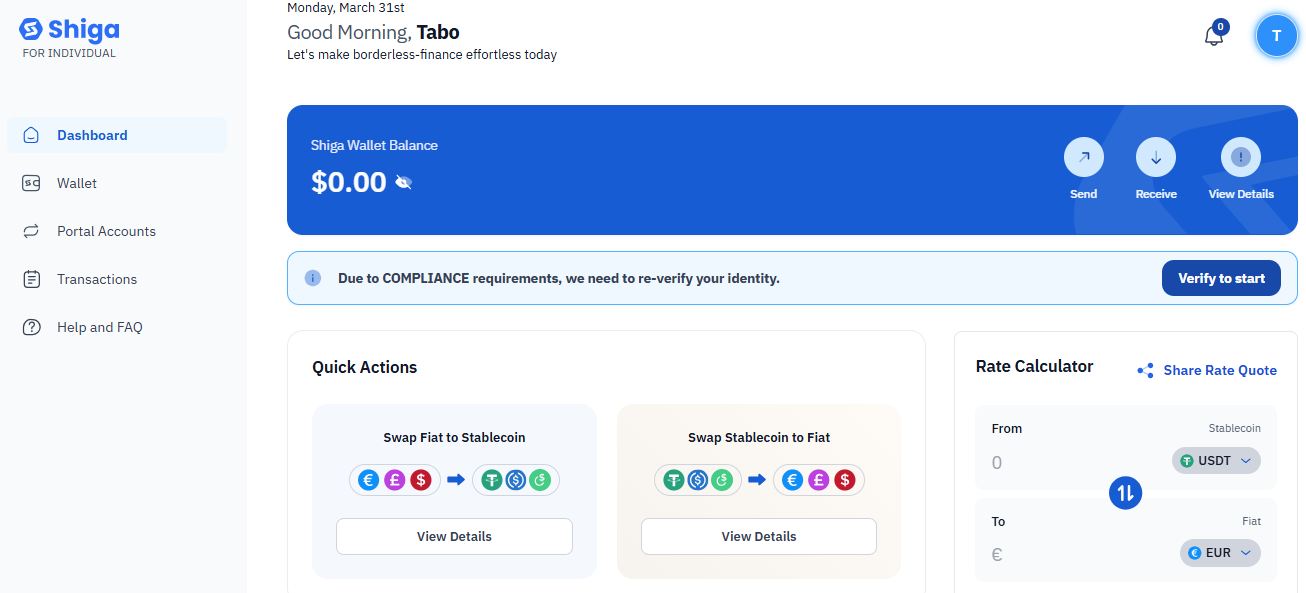 **Step 1: Access the Onboarding Checklist**
1. click on the complete KYC tab.
##
**Step 1: Access the Onboarding Checklist**
1. click on the complete KYC tab.
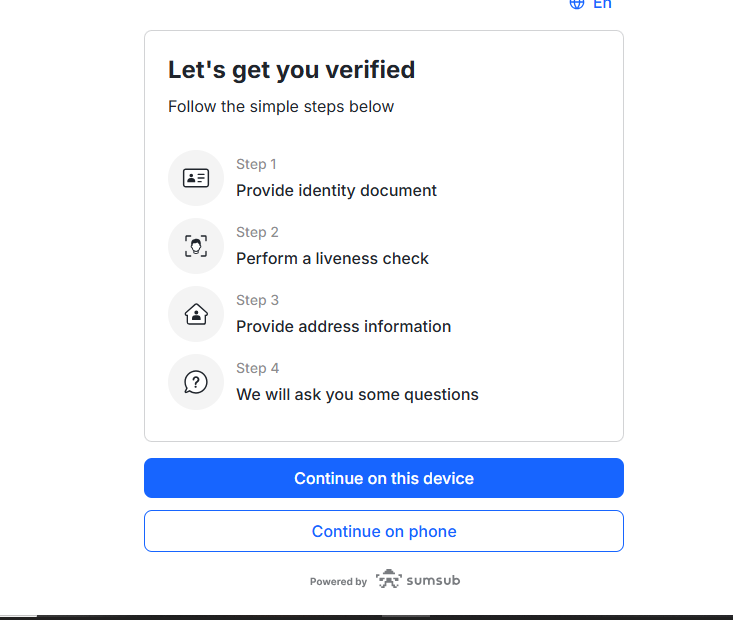
## 
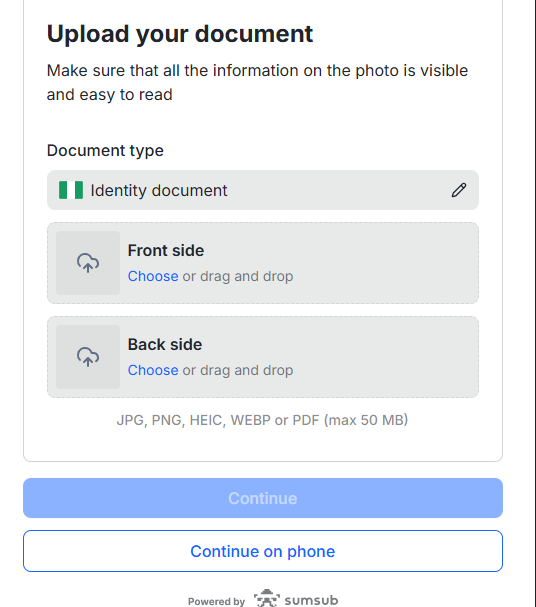
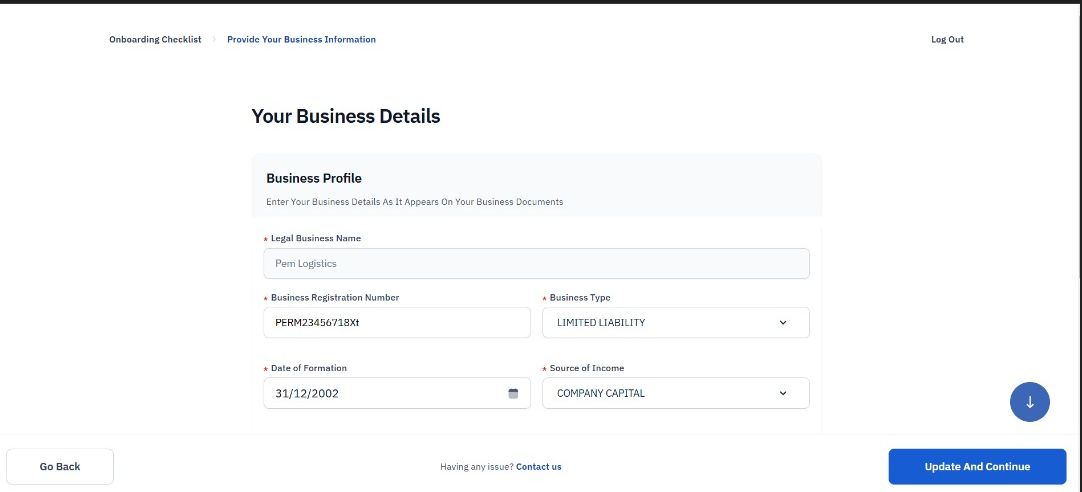
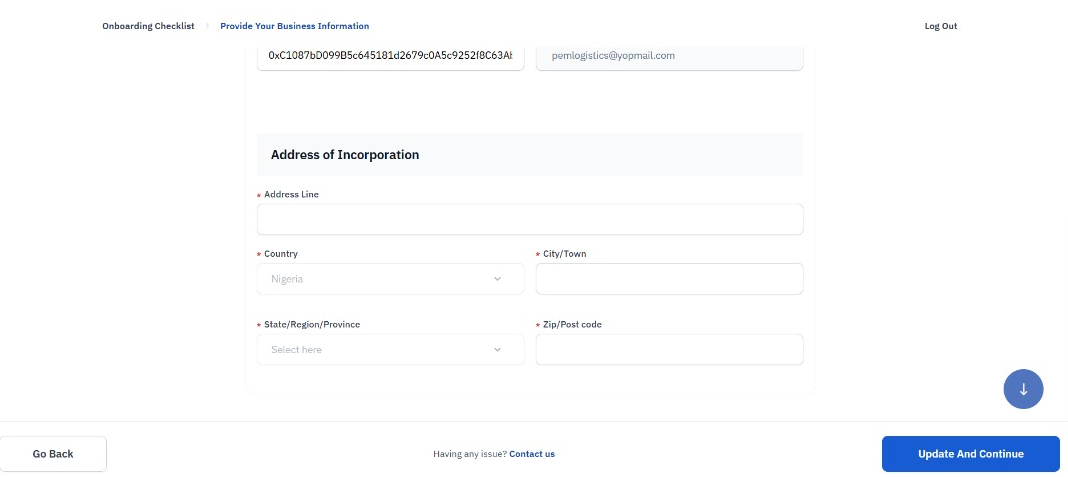 **Step 2: Complete Business Information**
2. **Legal Business Name:** Enter as registered (e.g., *Penn Logistics*).
3. **Business Registration Number:** Provide the official ID (e.g., *PENN2245671BXI*).
4. **Business Type:** Select the correct structure (e.g., *Limited Liability*).
5. **Date of Incorporation:** Input the registration date (e.g., *31/12/2002*).
6. **Business Address:** Ensure consistency with official records.
##
**Step 2: Complete Business Information**
2. **Legal Business Name:** Enter as registered (e.g., *Penn Logistics*).
3. **Business Registration Number:** Provide the official ID (e.g., *PENN2245671BXI*).
4. **Business Type:** Select the correct structure (e.g., *Limited Liability*).
5. **Date of Incorporation:** Input the registration date (e.g., *31/12/2002*).
6. **Business Address:** Ensure consistency with official records.
## 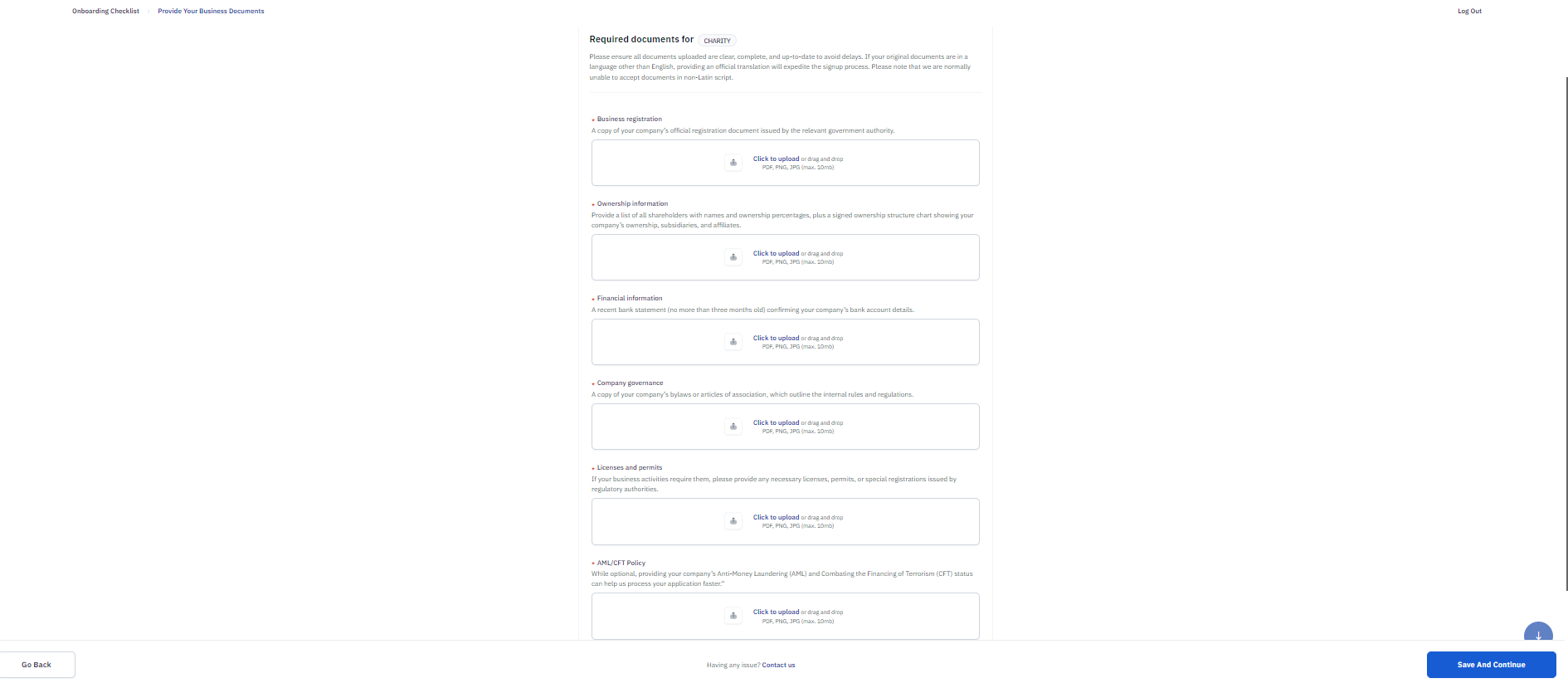 **Step 3: Upload Required Documents**
Submit clear, unexpired copies of:
* **Business Registration Certificate**
* **Recent Bank Statement** (≤3 months old)
* **Articles of Association**
* **Licenses/Permits** (if applicable)
**Format:** PDF, JPG, or PNG (max.10MB)
##
**Step 3: Upload Required Documents**
Submit clear, unexpired copies of:
* **Business Registration Certificate**
* **Recent Bank Statement** (≤3 months old)
* **Articles of Association**
* **Licenses/Permits** (if applicable)
**Format:** PDF, JPG, or PNG (max.10MB)
## 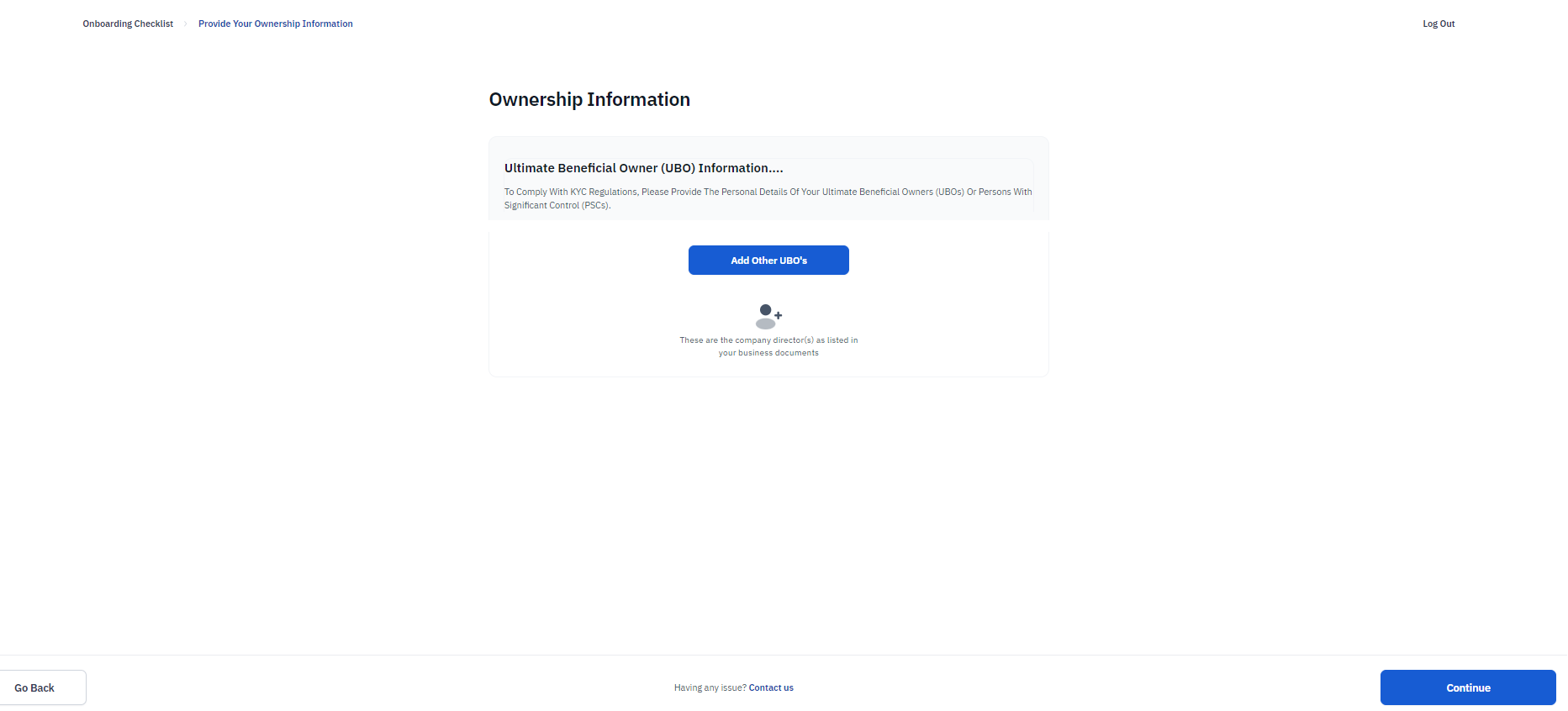 **Step 4: Declare Ultimate Beneficial Owners (UBOs)**
List all individuals owning **shares** with:
* Full legal name
* Contact details (email/phone)
* Ownership percentage
## **Step 5: Review & Submit**
1. Double-check all entries for accuracy.
2. Click **"Update and Continue"** to finalize.
**Step 4: Declare Ultimate Beneficial Owners (UBOs)**
List all individuals owning **shares** with:
* Full legal name
* Contact details (email/phone)
* Ownership percentage
## **Step 5: Review & Submit**
1. Double-check all entries for accuracy.
2. Click **"Update and Continue"** to finalize.