> ## Documentation Index
> Fetch the complete documentation index at: https://docs.shiga.io/llms.txt
> Use this file to discover all available pages before exploring further.
# Deleting Your Shiga Account
> What Happens When You Delete Your Shiga Account
Users can now deactivate their accounts directly via **Settings > Security**, eliminating the need to email deactivation requests to [*help@shiga.io*](mailto:help@shiga.io).
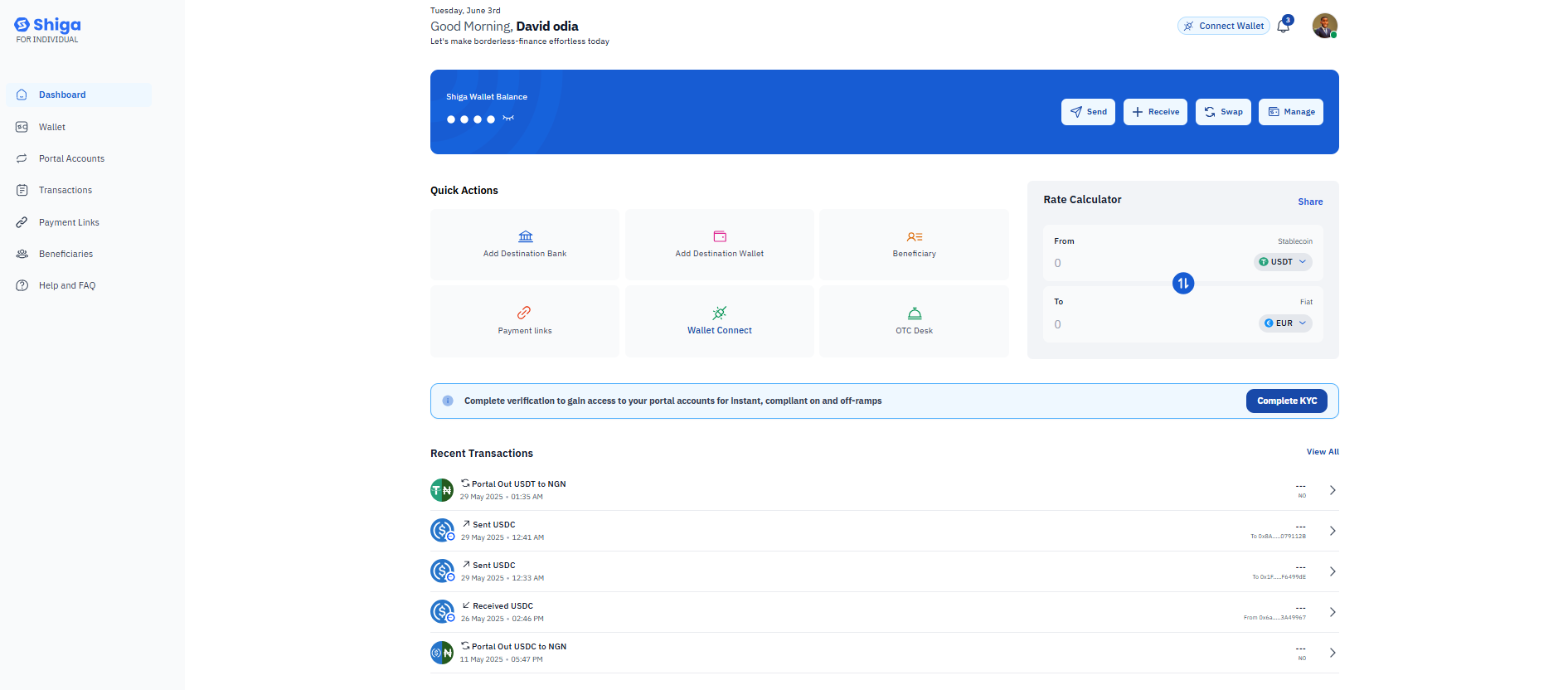 **After confirming account deactivation, you will no longer be able to:**
* Log in to your Shiga account.
* Reuse the same email address or mobile number to create a new Shiga account.
* Verify another account using the same KYC documents (if applicable).
* Access or reactivate any Subaccounts linked to your Main Account.
**After confirming account deactivation, you will no longer be able to:**
* Log in to your Shiga account.
* Reuse the same email address or mobile number to create a new Shiga account.
* Verify another account using the same KYC documents (if applicable).
* Access or reactivate any Subaccounts linked to your Main Account.
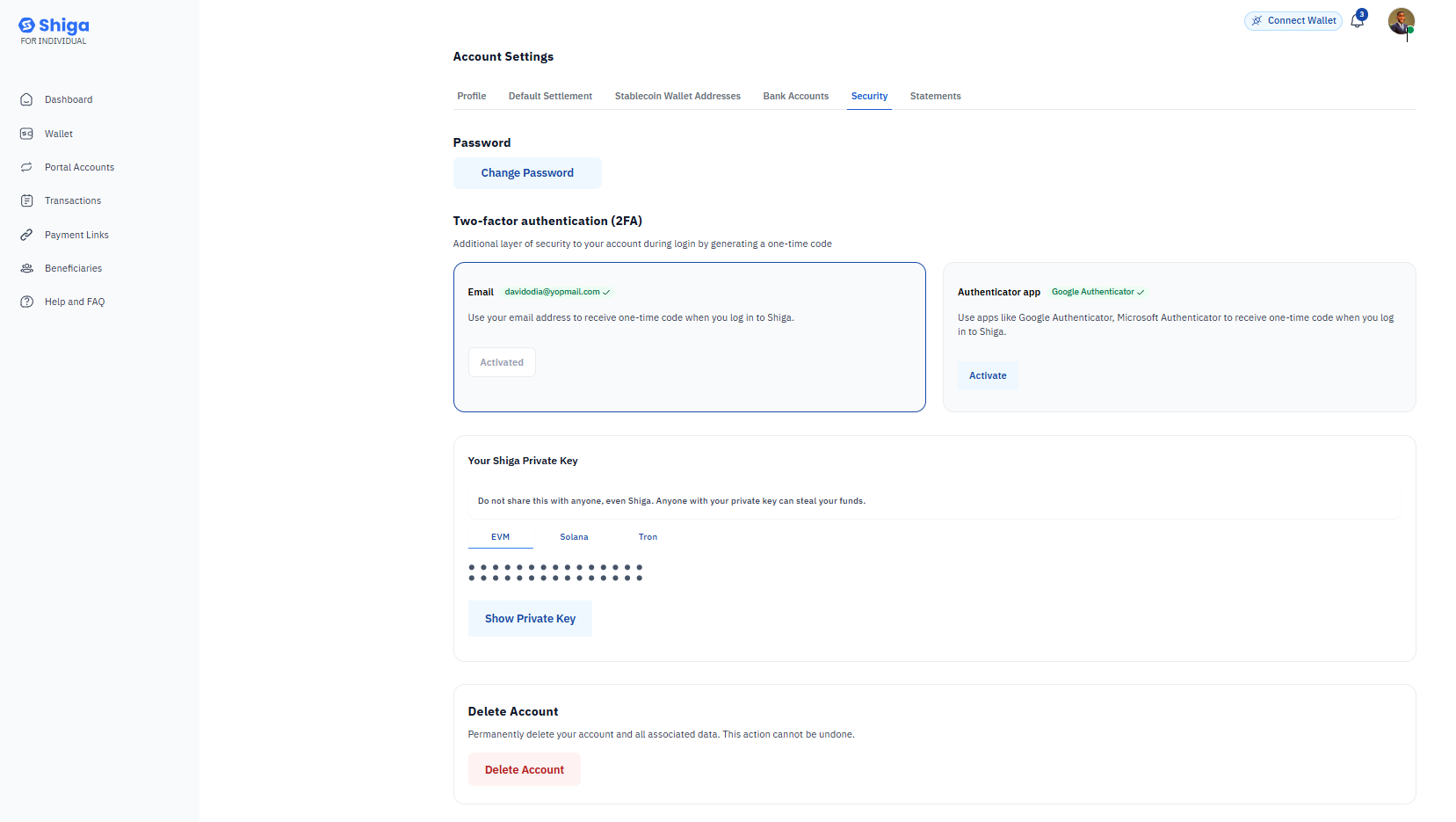 ### **How to Deactivate Your Shiga Account**
#### **Method 1: When Logged In (Self-Service).**
1. **Navigate to Security Settings**
* Log in to your Shiga account.
* Click your **profile icon** (top-right corner).
* Select **Settings → Account & Security.**
### **How to Deactivate Your Shiga Account**
#### **Method 1: When Logged In (Self-Service).**
1. **Navigate to Security Settings**
* Log in to your Shiga account.
* Click your **profile icon** (top-right corner).
* Select **Settings → Account & Security.**
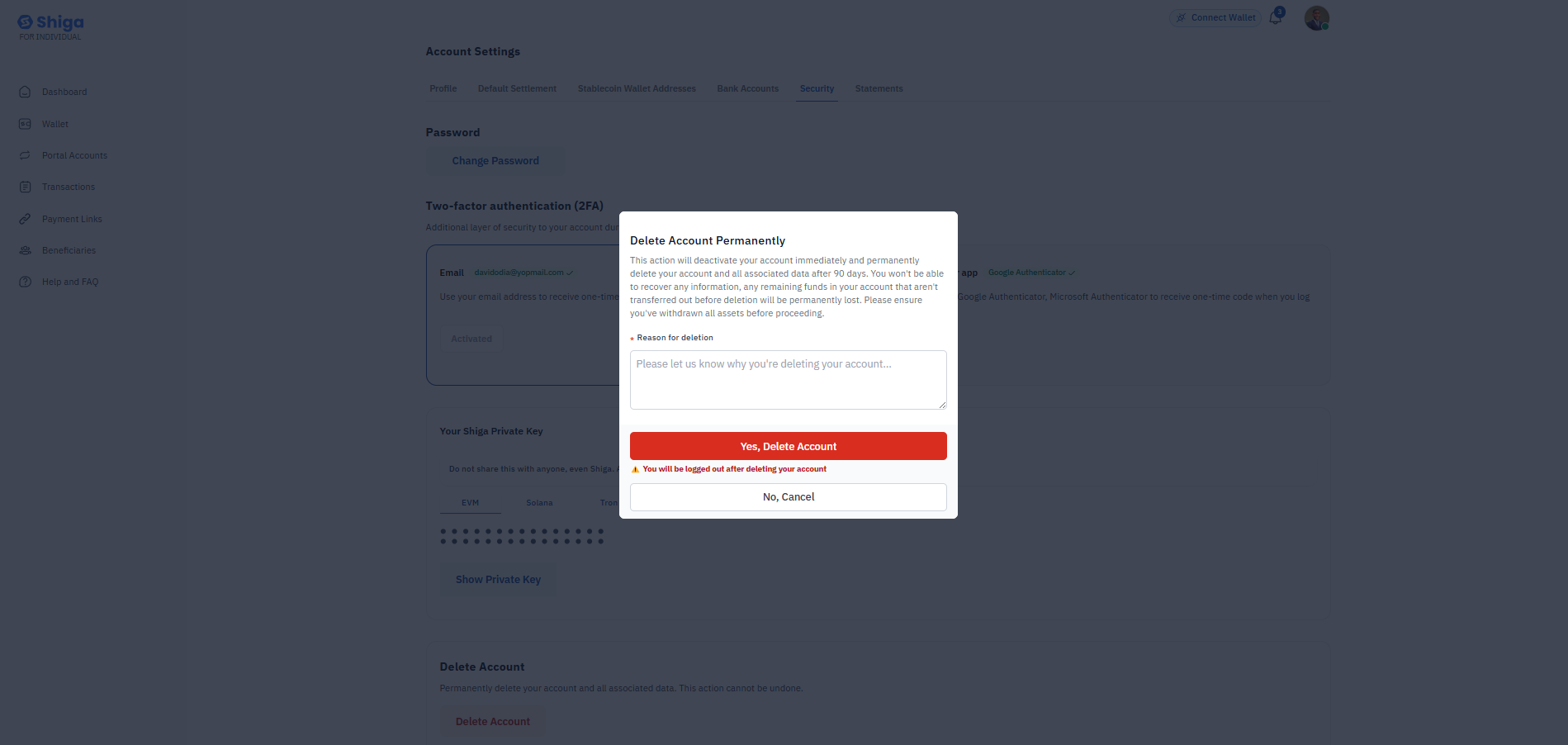 2. **Initiate Deactivation**
* Under *Account Activities*, click **Deactivate Account**
* Select your reason:
* *Suspicious activity* (for compromised accounts)
* *Discontinuing use* (voluntary closure).
* *Other* (describe in text box).
3. **Confirm Deactivation**
* Review consequences (see warnings below).
* Click **Confirm** to finalize.
### **Method 2: When Logged Out (Assisted Process)**
**Start deactivation Request**
* [Visit Shiga Contact Page](https://shiga.io/contact-support)
* Write us a message and we'll get in touch via email.
## **Immediate Effects**
* Login access revoked permanently.
* Registered email/phone cannot be reused.
* KYC-verified documents are permanently linked.
**Immediate Effects**
* Login access revoked permanently.
* Registered email/phone cannot be reused.
* KYC-verified documents are permanently linked.
**Security Recommendation**
* Choose *Suspicious Activity* reason if account was compromised.
* Clear remaining balances before deactivation.
Need help? Contact our support team at
[Contact support](https://shiga.io/contact-support)
2. **Initiate Deactivation**
* Under *Account Activities*, click **Deactivate Account**
* Select your reason:
* *Suspicious activity* (for compromised accounts)
* *Discontinuing use* (voluntary closure).
* *Other* (describe in text box).
3. **Confirm Deactivation**
* Review consequences (see warnings below).
* Click **Confirm** to finalize.
### **Method 2: When Logged Out (Assisted Process)**
**Start deactivation Request**
* [Visit Shiga Contact Page](https://shiga.io/contact-support)
* Write us a message and we'll get in touch via email.
## **Immediate Effects**
* Login access revoked permanently.
* Registered email/phone cannot be reused.
* KYC-verified documents are permanently linked.
**Immediate Effects**
* Login access revoked permanently.
* Registered email/phone cannot be reused.
* KYC-verified documents are permanently linked.
**Security Recommendation**
* Choose *Suspicious Activity* reason if account was compromised.
* Clear remaining balances before deactivation.
Need help? Contact our support team at
[Contact support](https://shiga.io/contact-support)