> ## Documentation Index
> Fetch the complete documentation index at: https://docs.shiga.io/llms.txt
> Use this file to discover all available pages before exploring further.
# Get Stablecoins Anytime
> Ready to receive stablecoins? Here’s how:
## **Access the Receiving Options**
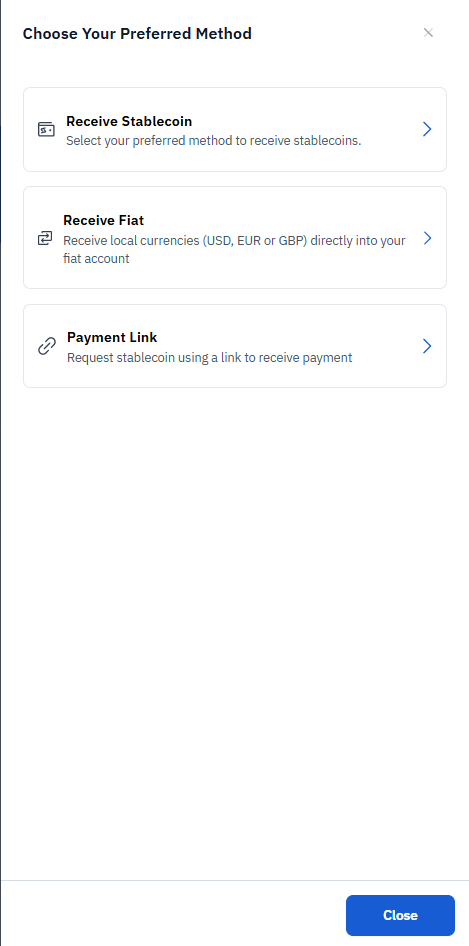
1. On the Shiga platform, locate and select the "Receive Stablecoin" option from the available choices:
* \[Receive Stablecoin (selected option)
* Receive Fiat
* Payment Link
 ## **Initiate Stablecoin Receiving**
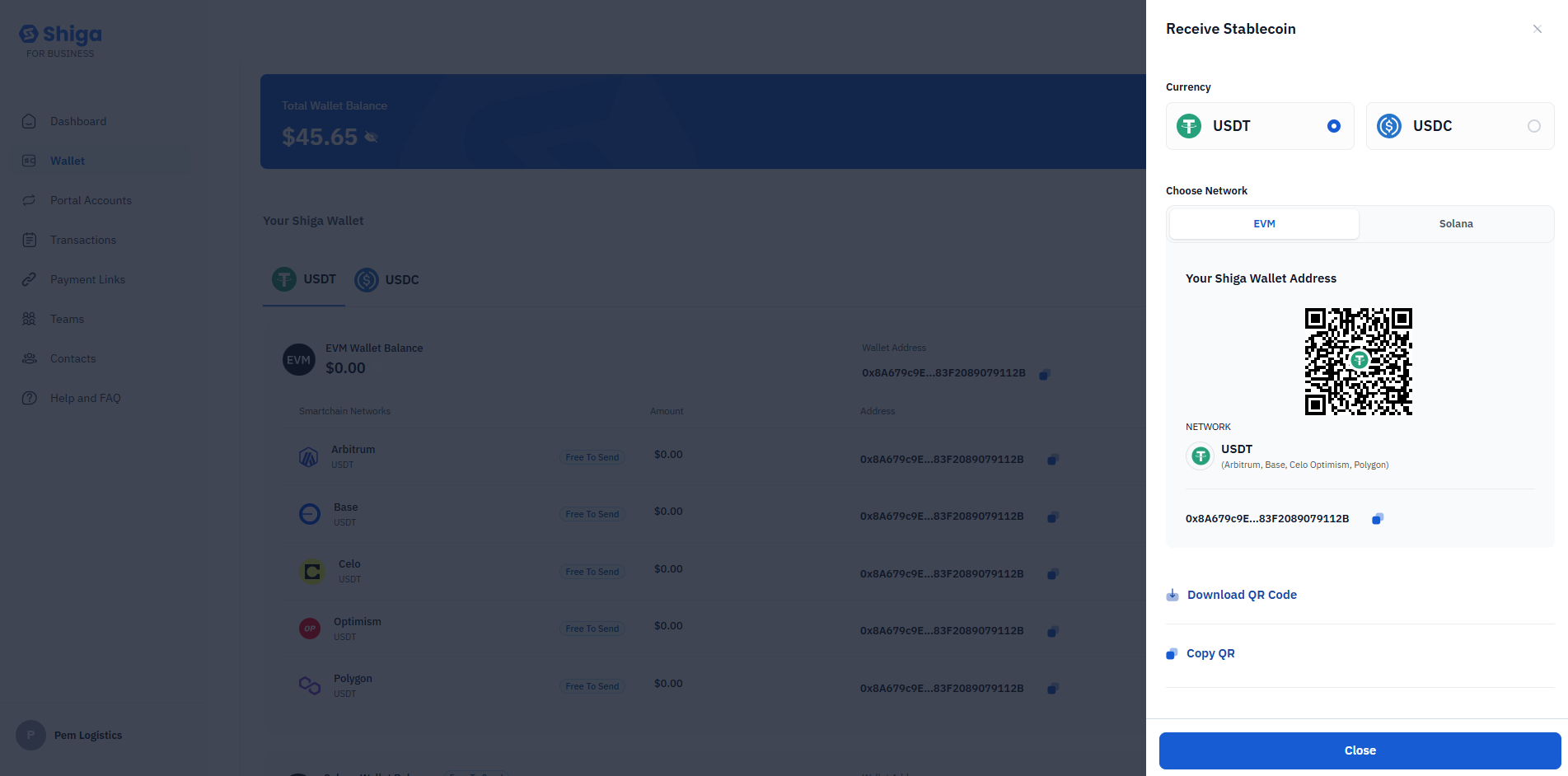
1. In the "Receive Stablecoin" section:
* Select your preferred currency (USDT ).
2. In the "Closed Network" section:
* EVM network information is displayed.
* Network status is shown.
## **Initiate Stablecoin Receiving**
1. In the "Receive Stablecoin" section:
* Select your preferred currency (USDT ).
2. In the "Closed Network" section:
* EVM network information is displayed.
* Network status is shown.
 **Copy Your Wallet Address**
1. Under "Your Shiga Wallet Address":
* Your unique wallet address is displayed (shown as "QubiA9794F\_83720899791320" in this example).
* Network information is provided.
2. You have two options to share your address:
* Download QR Code.
* Copy Address (button labeled "Copy QR" in the screenshot).
## **Complete the Transaction**
1. Share your wallet address (or QR code) with the sender.
2. The sender will use this address to transfer stablecoins to your Shiga wallet.
3. Once the transaction is complete, you can view it in your "Transactions" section.
**Copy Your Wallet Address**
1. Under "Your Shiga Wallet Address":
* Your unique wallet address is displayed (shown as "QubiA9794F\_83720899791320" in this example).
* Network information is provided.
2. You have two options to share your address:
* Download QR Code.
* Copy Address (button labeled "Copy QR" in the screenshot).
## **Complete the Transaction**
1. Share your wallet address (or QR code) with the sender.
2. The sender will use this address to transfer stablecoins to your Shiga wallet.
3. Once the transaction is complete, you can view it in your "Transactions" section.