> ## Documentation Index
> Fetch the complete documentation index at: https://docs.shiga.io/llms.txt
> Use this file to discover all available pages before exploring further.
# Rate Calculator
> The Rate Calculator on your Shiga dashboard allows you to quickly check exchange rates and convert between different currencies in real-time. This guide will walk you through using this convenient feature.
## Accessing the Rate Calculator
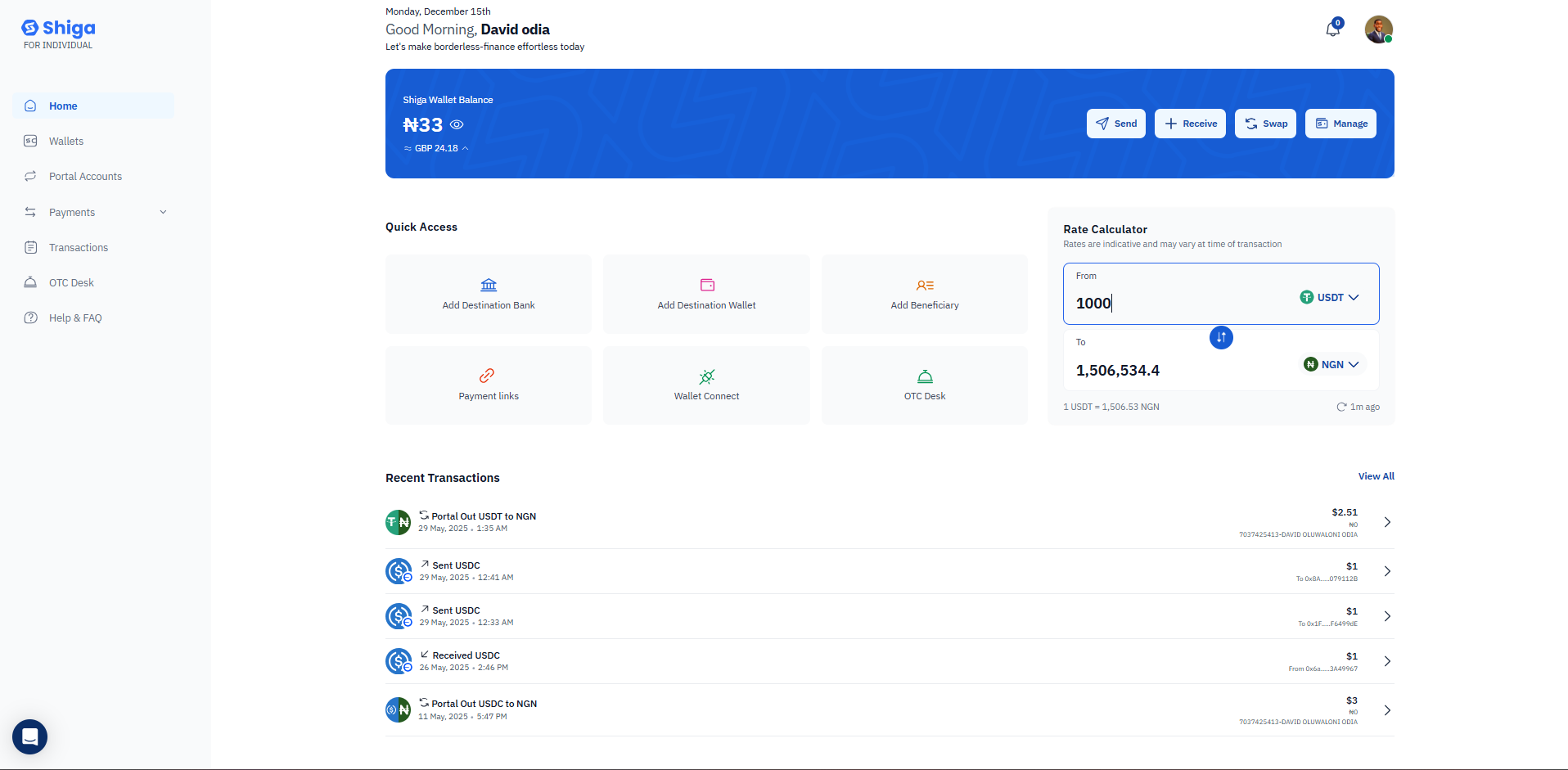
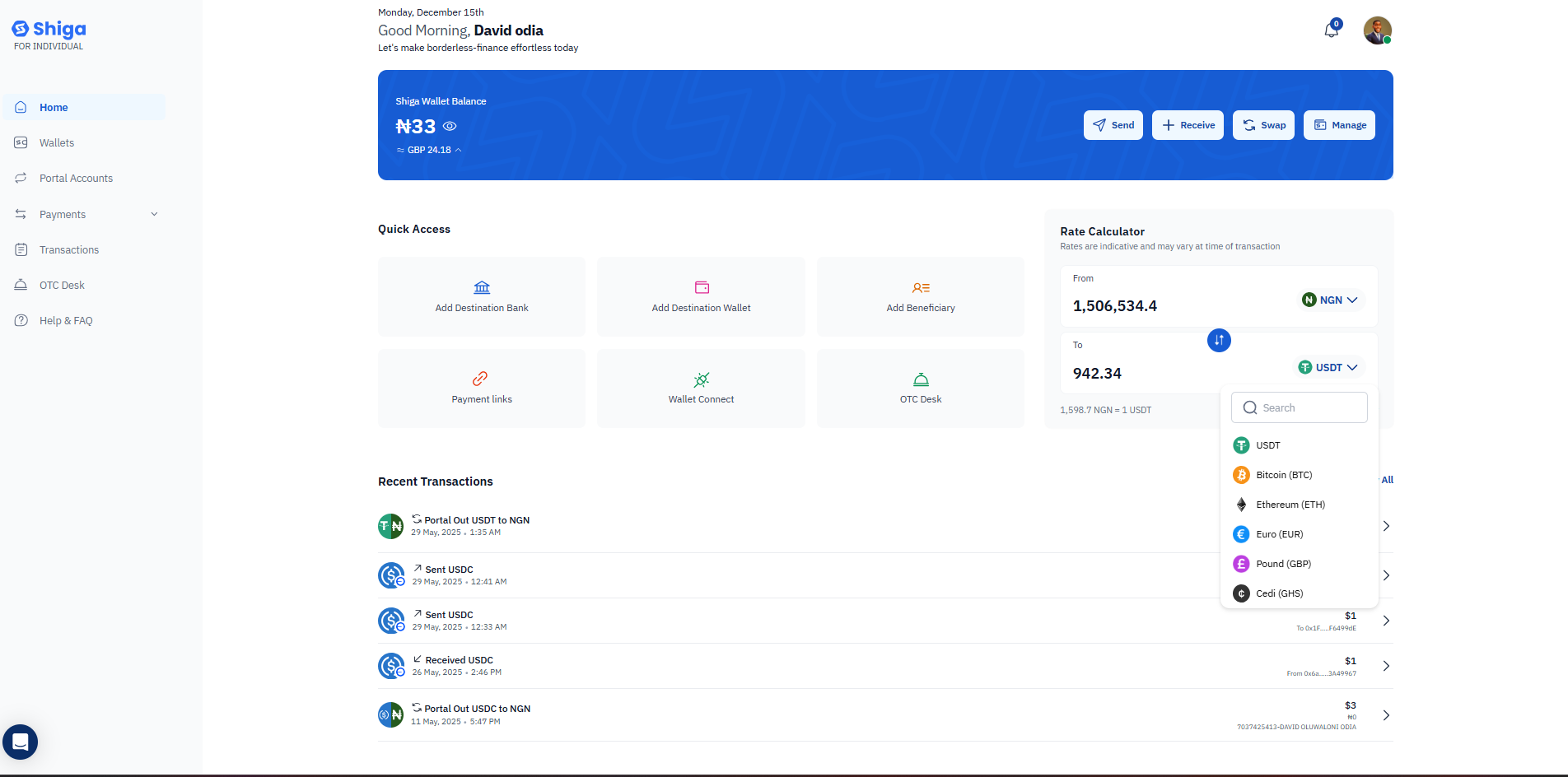
The Rate Calculator is prominently displayed on the right side of your dashboard homepage, making it easily accessible whenever you need to check conversion rates.
 ## How to Use the Rate Calculator
### Step 1: Select Your Source Currency (From)
1. Locate the "From" field at the top of the Rate Calculator.
2. Click on the currency dropdown (showing currencies like USDT, NGN, etc.).
3. Enter an amount in the input field (e.g., 1000).
4. The currency selector shows the current exchange rate below the conversion.
## How to Use the Rate Calculator
### Step 1: Select Your Source Currency (From)
1. Locate the "From" field at the top of the Rate Calculator.
2. Click on the currency dropdown (showing currencies like USDT, NGN, etc.).
3. Enter an amount in the input field (e.g., 1000).
4. The currency selector shows the current exchange rate below the conversion.
 ### Step 2: Select Your Target Currency (To)
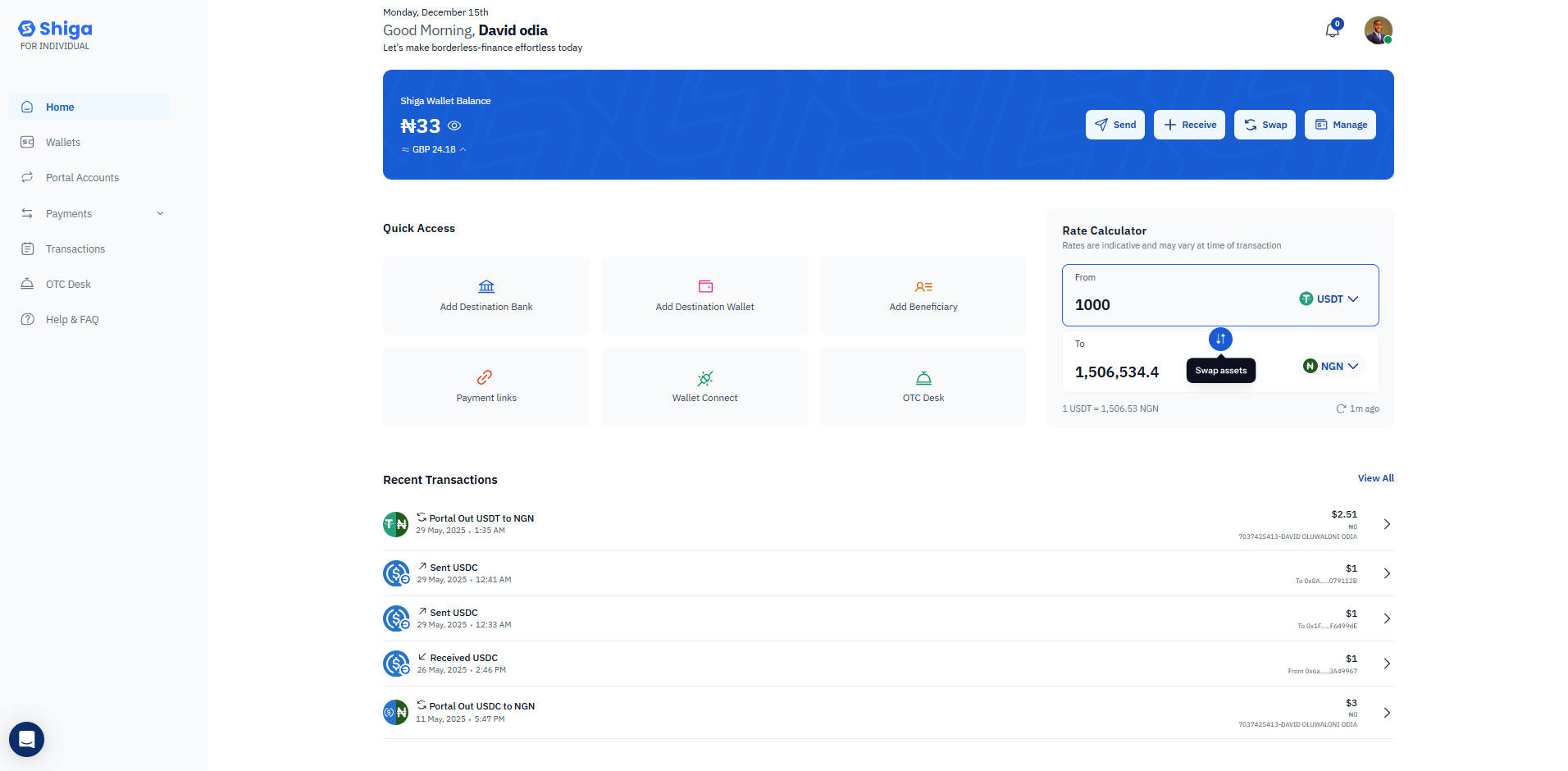
1. Find the "To" field below the "From" section.
2. Click the currency dropdown to view available currencies.
3. A search bar appears, allowing you to find specific currencies.
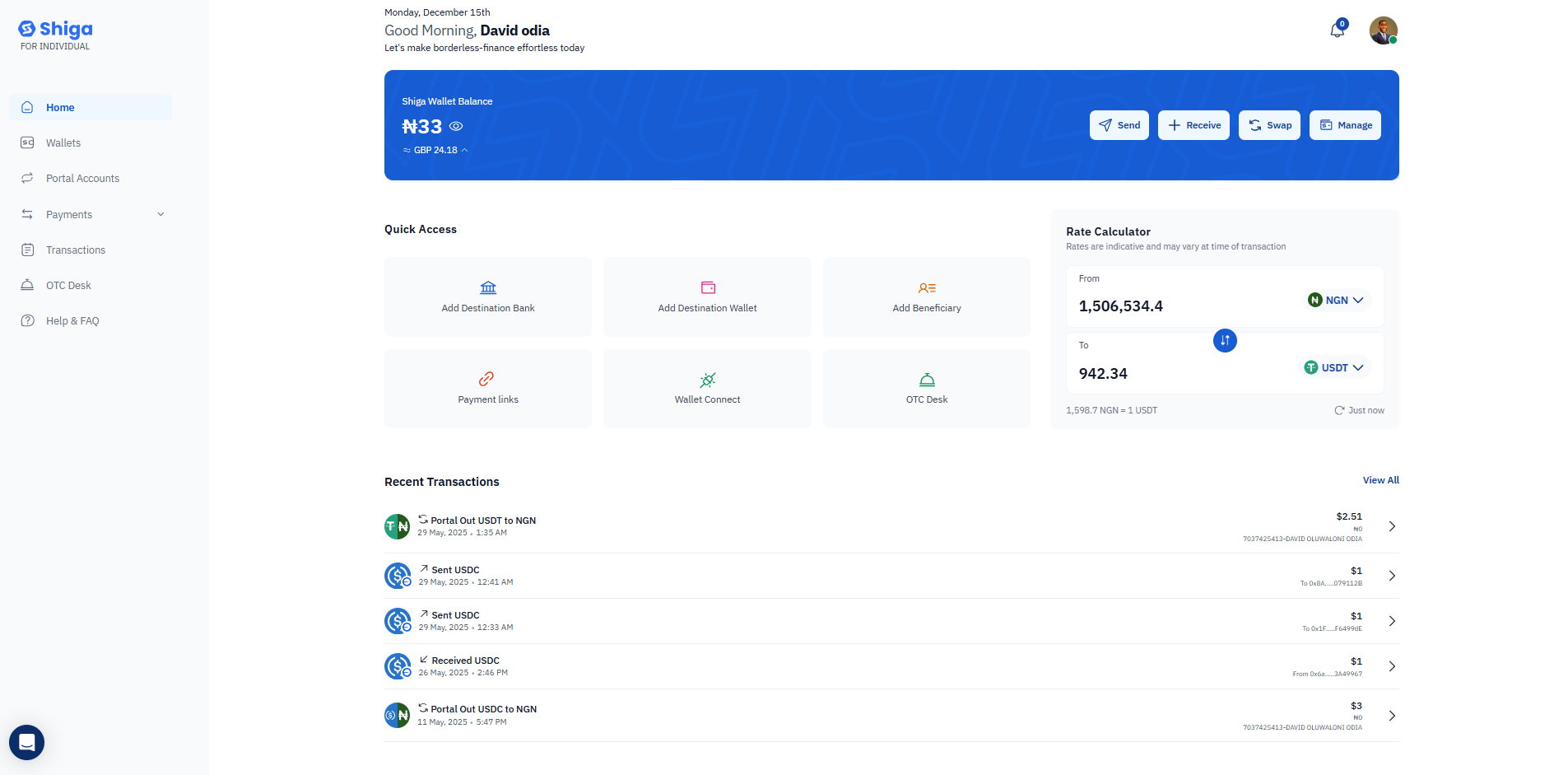
4. Available currencies include:
* Bitcoin (BTC)
* Ethereum (ETH)
* Euro (EUR)
* Pound (GBP)
* Naira (NGN)
* Cedi (GHS)
* USDT
* And more
### Step 2: Select Your Target Currency (To)
1. Find the "To" field below the "From" section.
2. Click the currency dropdown to view available currencies.
3. A search bar appears, allowing you to find specific currencies.
4. Available currencies include:
* Bitcoin (BTC)
* Ethereum (ETH)
* Euro (EUR)
* Pound (GBP)
* Naira (NGN)
* Cedi (GHS)
* USDT
* And more
 ### Step 3: View Your Conversion
* Once you've entered an amount and selected both currencies, the calculator automatically displays the converted amount.
* The current exchange rate is shown below (e.g., "1 USDT = 1,506.53 NGN").
* The timestamp shows when the rate was last updated (e.g., "Just now" or "1m ago").
### Step 3: View Your Conversion
* Once you've entered an amount and selected both currencies, the calculator automatically displays the converted amount.
* The current exchange rate is shown below (e.g., "1 USDT = 1,506.53 NGN").
* The timestamp shows when the rate was last updated (e.g., "Just now" or "1m ago").
 ### Step 4: Swap Currencies (Optional)
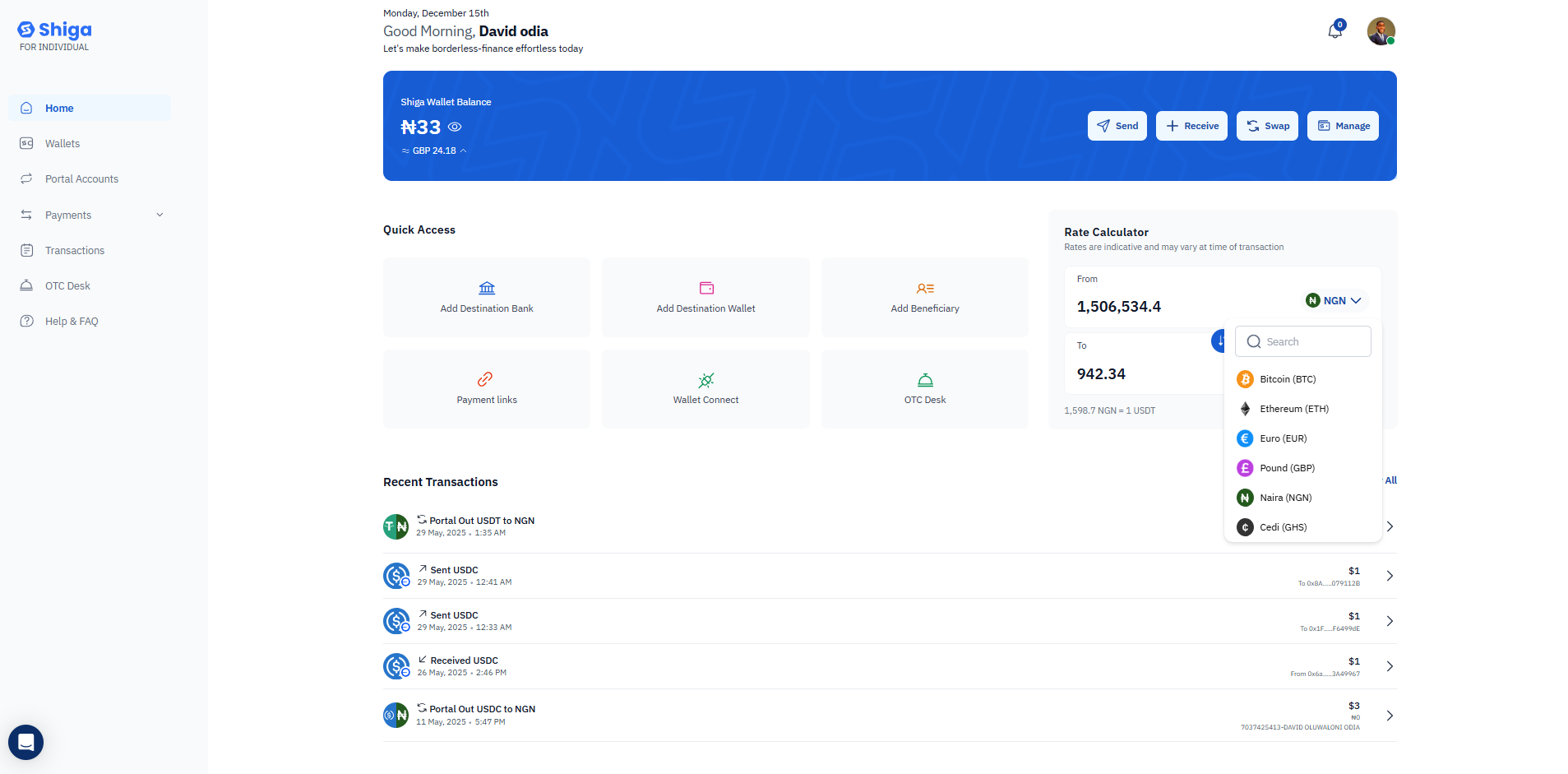
* Click the "Swap assets" button (appears between the From and To fields) to quickly reverse your currency pair.
* This instantly switches your source and target currencies.
### Step 4: Swap Currencies (Optional)
* Click the "Swap assets" button (appears between the From and To fields) to quickly reverse your currency pair.
* This instantly switches your source and target currencies.
 ## Key Features
**Real-Time Rates**: The calculator displays current exchange rates that update regularly to ensure accuracy.
**Multiple Currency Support**: Convert between various cryptocurrencies and fiat currencies supported by Shiga.
**Instant Calculations**: Results appear immediately as you type, with no need to press a calculate .button.
**Rate Information**: The exchange rate and last update time are clearly displayed for transparency.
## Important Notes
* Rates shown are indicative and may vary slightly at the time of actual transaction
* The disclaimer "Rates are indicative and may vary at time of transaction" appears at the top of the calculator
* Use this tool for quick reference before making actual transfers or swaps
## Next Steps
After checking rates with the calculator, you can proceed to:
* Click the "Swap" button in the main wallet area to execute a currency exchange.
* Use the "Send" button to transfer funds.
* Navigate to other features using the Quick Access menu.
The Rate Calculator is designed to help you make informed decisions about your transactions by providing transparent, up-to-date currency conversion information right on your dashboard.
## Key Features
**Real-Time Rates**: The calculator displays current exchange rates that update regularly to ensure accuracy.
**Multiple Currency Support**: Convert between various cryptocurrencies and fiat currencies supported by Shiga.
**Instant Calculations**: Results appear immediately as you type, with no need to press a calculate .button.
**Rate Information**: The exchange rate and last update time are clearly displayed for transparency.
## Important Notes
* Rates shown are indicative and may vary slightly at the time of actual transaction
* The disclaimer "Rates are indicative and may vary at time of transaction" appears at the top of the calculator
* Use this tool for quick reference before making actual transfers or swaps
## Next Steps
After checking rates with the calculator, you can proceed to:
* Click the "Swap" button in the main wallet area to execute a currency exchange.
* Use the "Send" button to transfer funds.
* Navigate to other features using the Quick Access menu.
The Rate Calculator is designed to help you make informed decisions about your transactions by providing transparent, up-to-date currency conversion information right on your dashboard.