> ## Documentation Index
> Fetch the complete documentation index at: https://docs.shiga.io/llms.txt
> Use this file to discover all available pages before exploring further.
# Beneficiaries List
> What your Beneficiaries list looks like empty, and filtered to wallets or bank accounts.
# Beneficiaries List
Your **Beneficiaries** list holds every recipient you've saved for faster repeat payments — wallet addresses and bank accounts alike.
This is a different guide from [Add a Beneficiary](/Product/Beneficiary/addbeneficiary), [View Beneficiary Details](/Product/Beneficiary/viewdetails), [Edit Beneficiary Details](/Product/Beneficiary/editdetails), [View Beneficiary Transactions](/Product/Beneficiary/viewtransactions), [Delete a Beneficiary](/Product/Beneficiary/deletebeneficiary), and [Filter Beneficiaries](/Product/Beneficiary/filters).
***
## Before you've added anyone
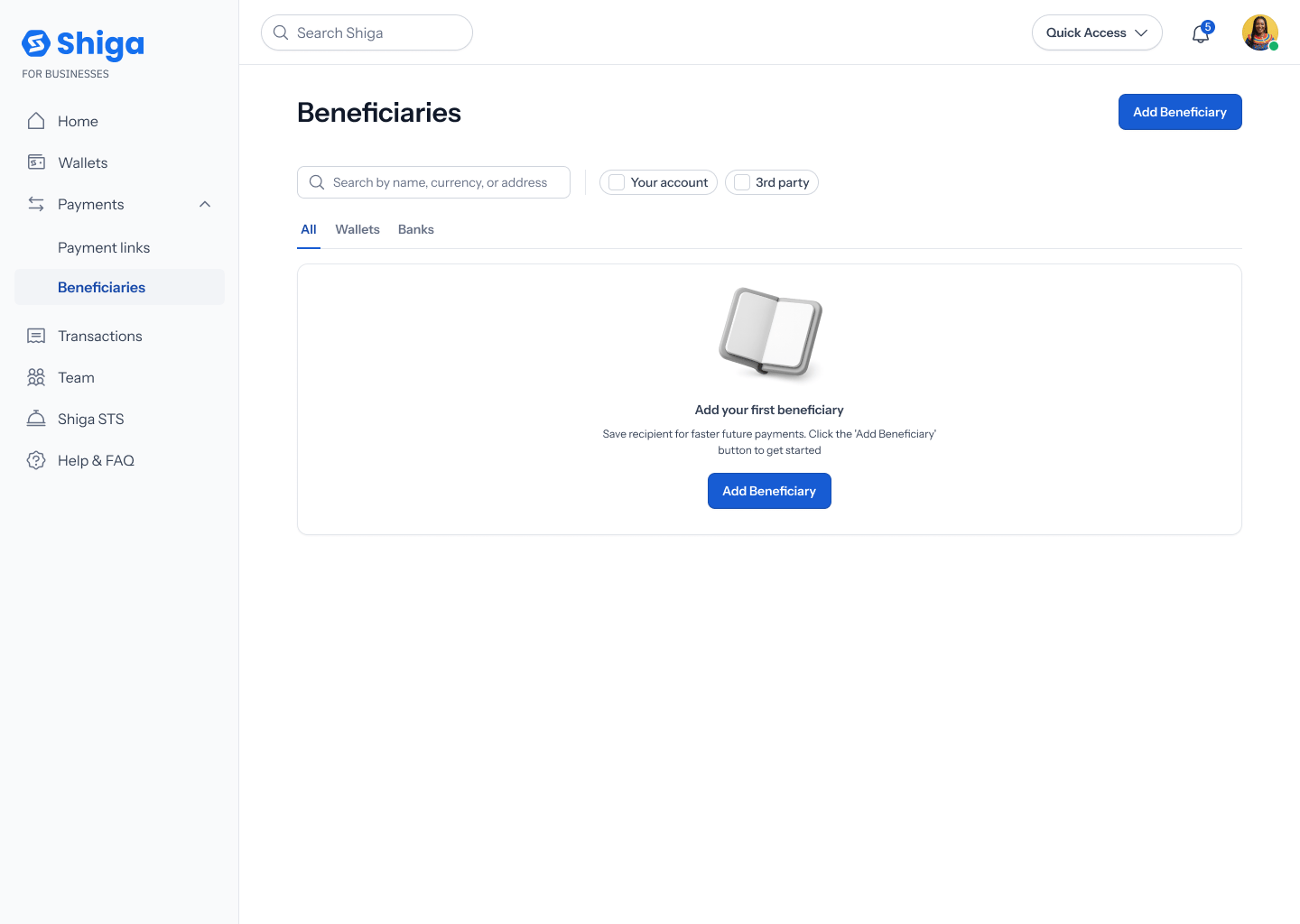
If you haven't saved a beneficiary yet, the list shows an empty state: **"Add your first beneficiary"** — *"Save recipient for faster future payments. Click the 'Add Beneficiary' button to get started"* — with an **Add beneficiary** button both in the page header and inside the empty-state card itself.
 ## Once you've added beneficiaries
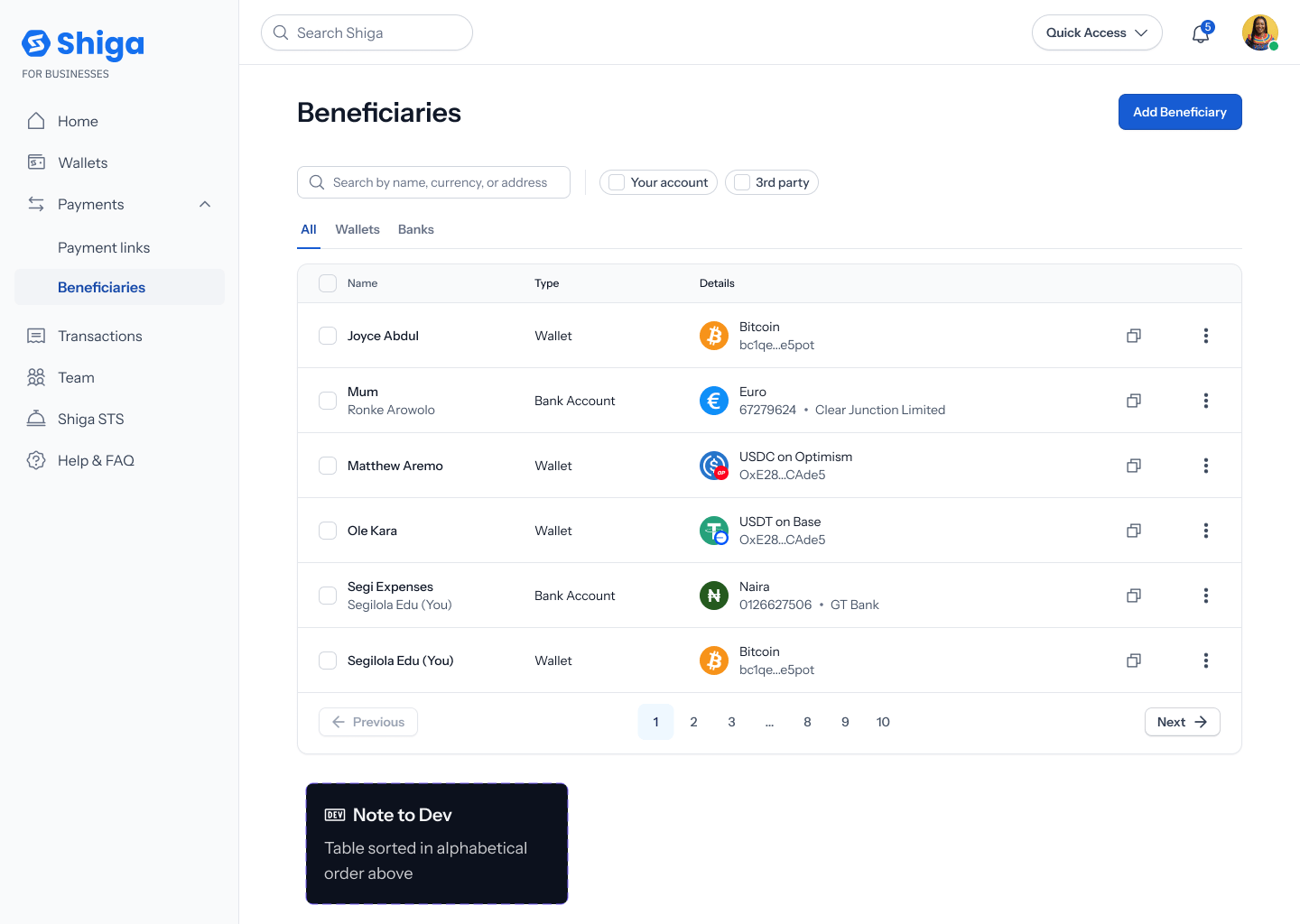
The list has three tabs — **All**, **Wallets**, **Banks** — plus a search field (placeholder *"Search by name, currency, or address"*) and filter chips for **Your account** and **3rd party**. Each row shows the recipient's name, their **Type** (**Wallet** or **Bank Account**), and their **Details** (e.g. asset and address, or currency and bank).
## Once you've added beneficiaries
The list has three tabs — **All**, **Wallets**, **Banks** — plus a search field (placeholder *"Search by name, currency, or address"*) and filter chips for **Your account** and **3rd party**. Each row shows the recipient's name, their **Type** (**Wallet** or **Bank Account**), and their **Details** (e.g. asset and address, or currency and bank).
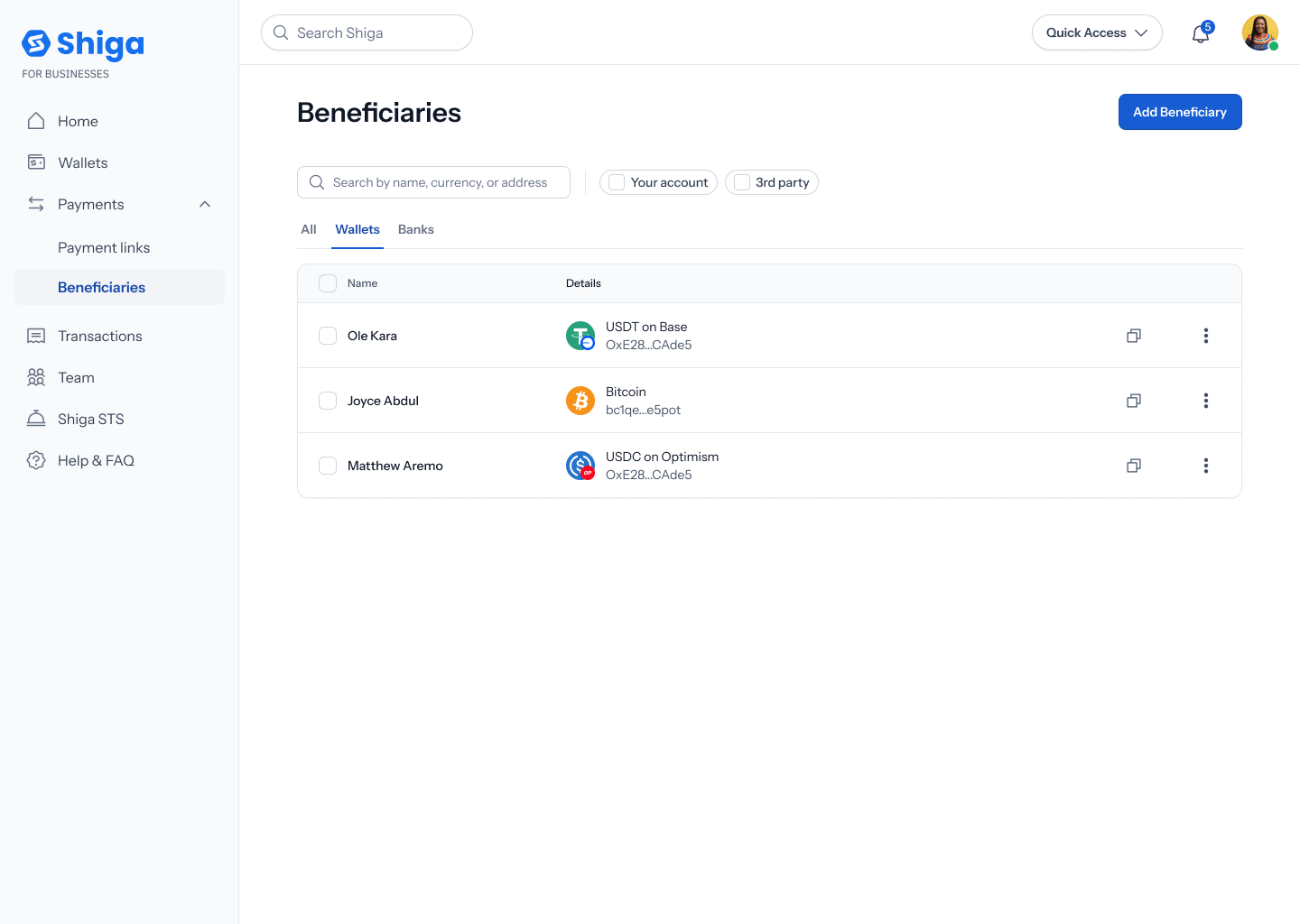
 Switching to **Wallets** filters the list down to wallet-address beneficiaries only (the **Type** column disappears since every row is the same type):
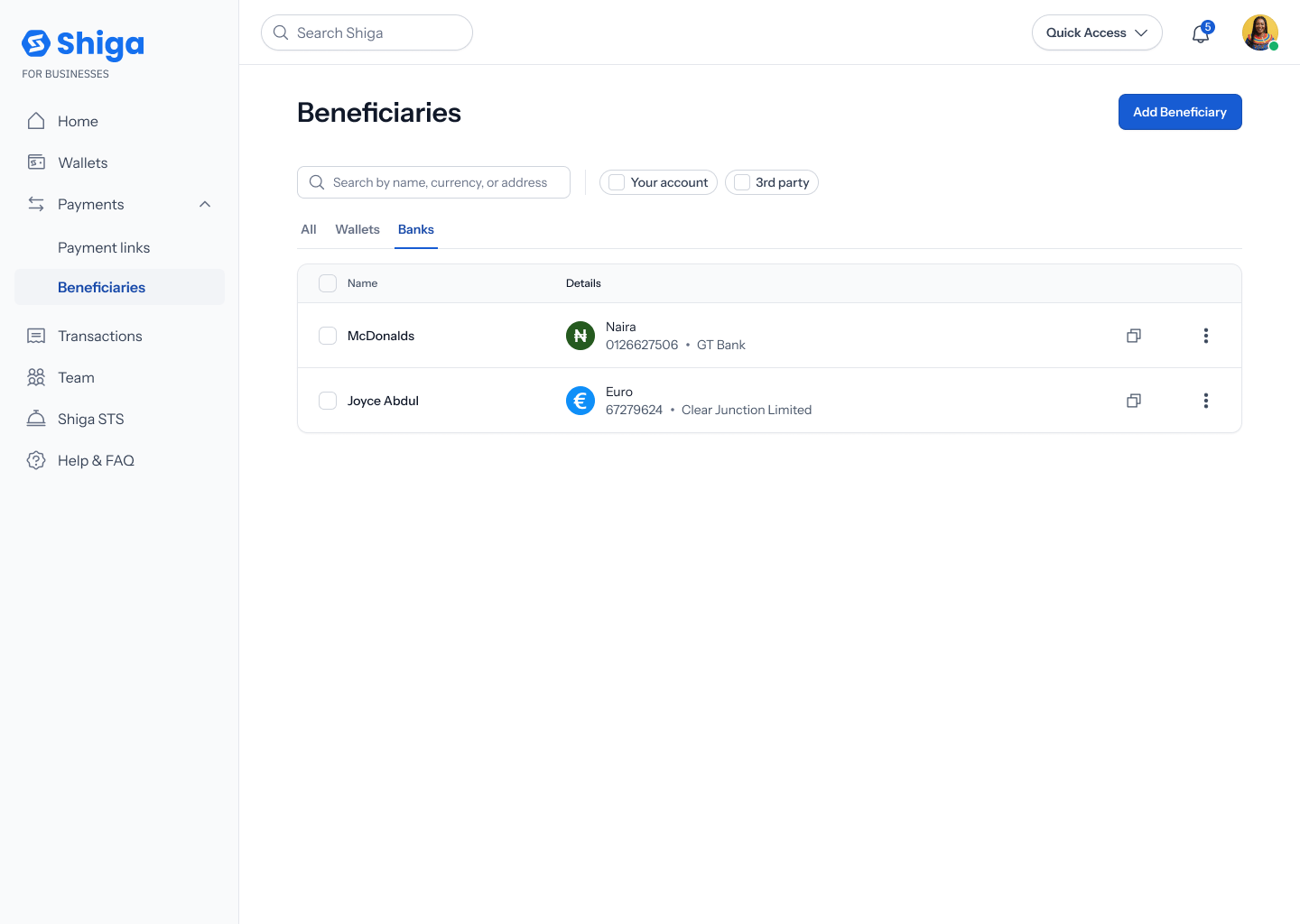
 Switching to **Banks** does the same for bank-account beneficiaries:
 Each row also has a **•••** menu with **View**, **Send**, and **Delete** actions.