> ## Documentation Index
> Fetch the complete documentation index at: https://docs.shiga.io/llms.txt
> Use this file to discover all available pages before exploring further.
# View Beneficiary Details
> See a saved beneficiary's wallet or bank account details, start to finish.
# View Beneficiary Details
Every saved beneficiary has a details view showing exactly how they're set up to be paid — their wallet address, or their bank account.
This is a different guide from [Beneficiaries List](/Product/Beneficiary/liststates), [Add a Beneficiary](/Product/Beneficiary/addbeneficiary), [Edit Beneficiary Details](/Product/Beneficiary/editdetails), [View Beneficiary Transactions](/Product/Beneficiary/viewtransactions), [Delete a Beneficiary](/Product/Beneficiary/deletebeneficiary), and [Filter Beneficiaries](/Product/Beneficiary/filters).
***
## 1. Open a beneficiary from your list
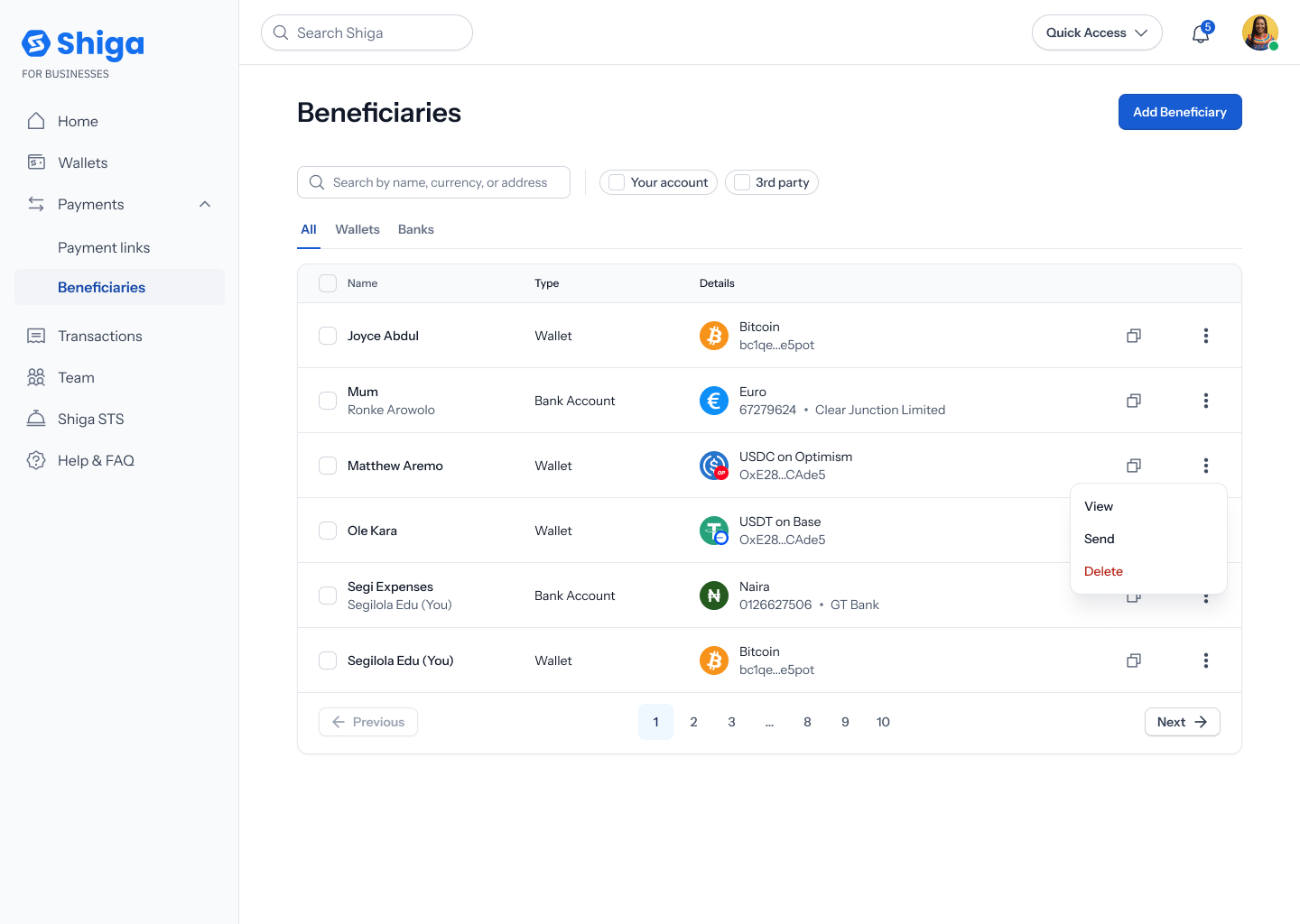
From your **Beneficiaries** list, tap a row (or its **•••** menu → **View**) to open that beneficiary's details.
 ## 2. Wallet beneficiary details
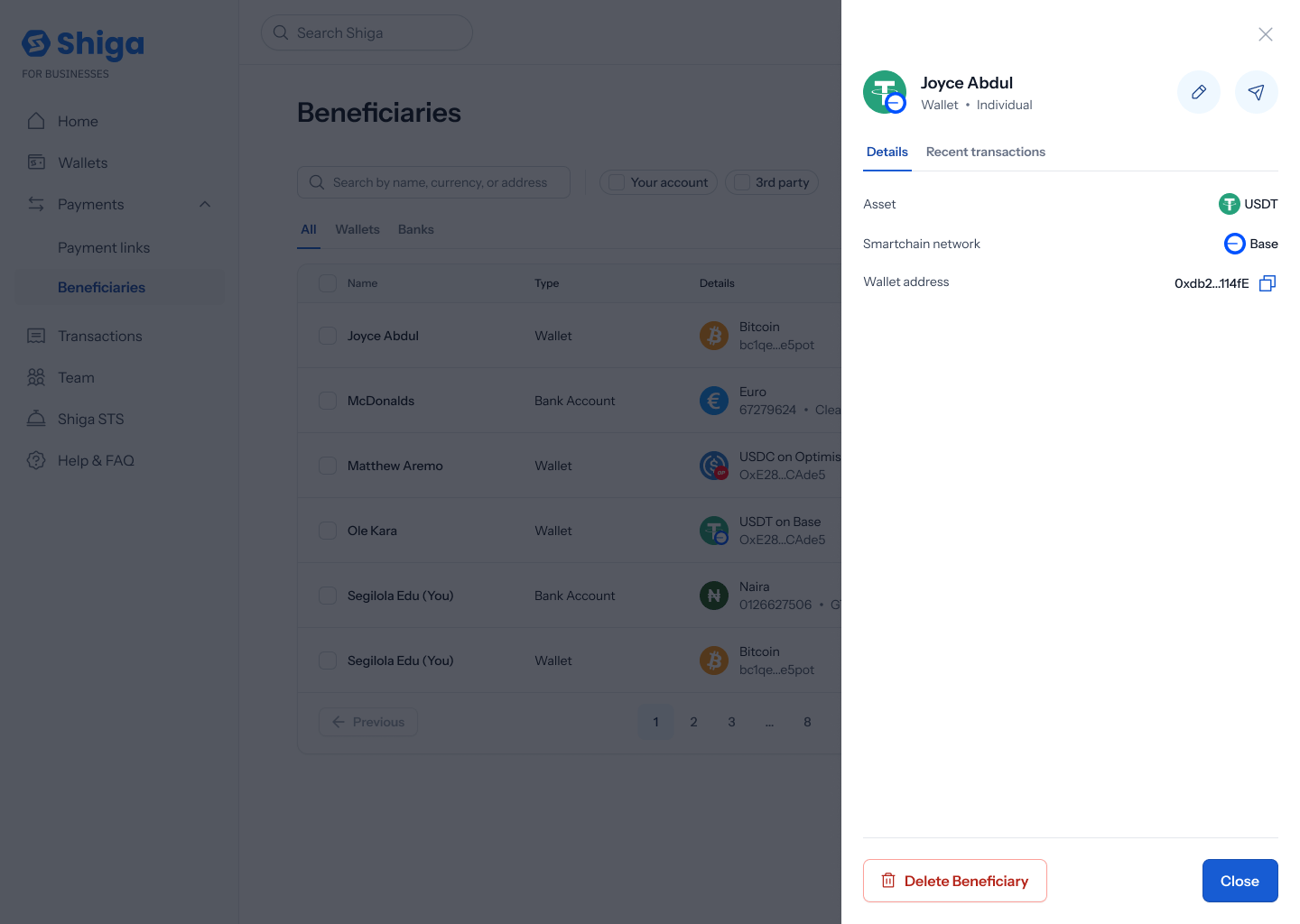
For a wallet beneficiary (e.g. **Joyce Abdul** — **Wallet** · **Individual**), the **Details** tab shows **Asset** (e.g. **USDT**), **Smartchain network** (e.g. **Base**), and **Wallet address** (e.g. **0xdb2...114fE**, with a copy icon). Edit and Send icon buttons sit next to the name, and the footer has **Delete beneficiary** and **Close**.
## 2. Wallet beneficiary details
For a wallet beneficiary (e.g. **Joyce Abdul** — **Wallet** · **Individual**), the **Details** tab shows **Asset** (e.g. **USDT**), **Smartchain network** (e.g. **Base**), and **Wallet address** (e.g. **0xdb2...114fE**, with a copy icon). Edit and Send icon buttons sit next to the name, and the footer has **Delete beneficiary** and **Close**.
 ## 3. Bank account beneficiary details
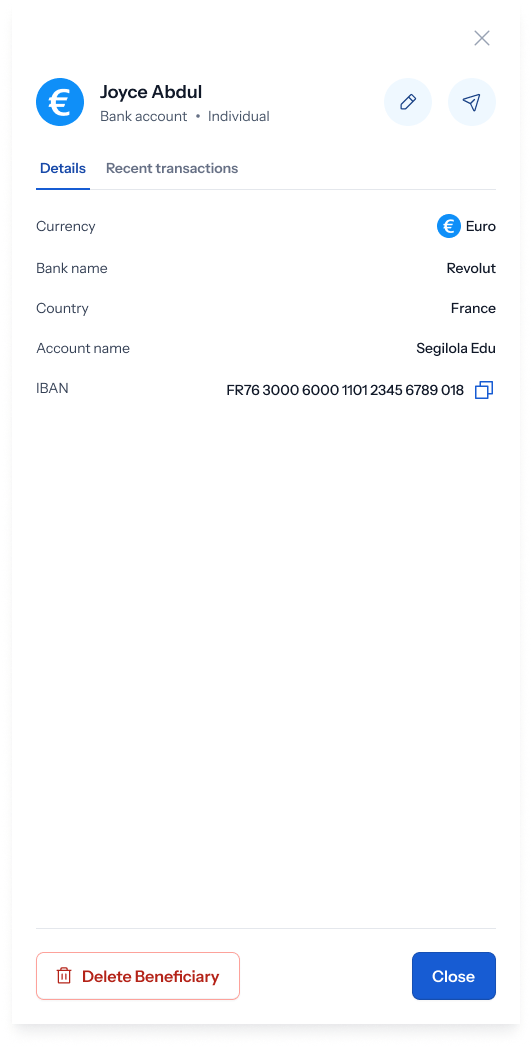
For a Euro bank account, Details shows **Currency** (**Euro**), **Bank name** (**Revolut**), **Country** (**France**), **Account name** (**Segilola Edu**), and **International Bank Account Number (IBAN)** (**FR76 3000 6000 1101 2345 6789 018**).
## 3. Bank account beneficiary details
For a Euro bank account, Details shows **Currency** (**Euro**), **Bank name** (**Revolut**), **Country** (**France**), **Account name** (**Segilola Edu**), and **International Bank Account Number (IBAN)** (**FR76 3000 6000 1101 2345 6789 018**).
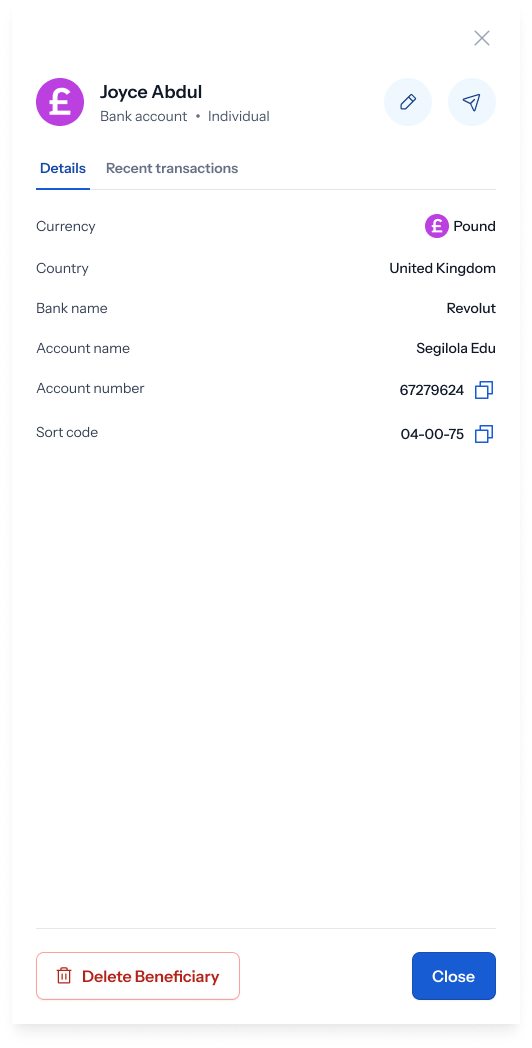
 For a Pound bank account, Details instead shows **Country** (**United Kingdom**), **Bank name** (**Revolut**), **Account name** (**Segilola Edu**), **Account number** (**67279624**), and **Sort code** (**04-00-75**) — no IBAN field, since UK accounts use sort code + account number instead.
 A second tab, **Recent transactions**, shows payment history with this beneficiary — see [View Beneficiary Transactions](/Product/Beneficiary/viewtransactions) for that. To make changes, see [Edit Beneficiary Details](/Product/Beneficiary/editdetails).