> ## Documentation Index
> Fetch the complete documentation index at: https://docs.shiga.io/llms.txt
> Use this file to discover all available pages before exploring further.
# Restore a Payment Link
> Bring an archived payment link back to Active so it can accept payments again, start to finish.
# Restore a Payment Link
Restoring a payment link brings it back to **Active**, so it can accept payments again — as long as it's eligible (see the note below on one-time links that have already been paid).
This is a different guide from [Create a One-Time Payment Link](/Product/Paymentlinks/onetime), [Create a Reusable Payment Link](/Product/Paymentlinks/reusable), [Payment Link Details](/Product/Paymentlinks/details), and [Archive a Payment Link](/Product/Paymentlinks/archive).
***
## 1. Open the Archived tab
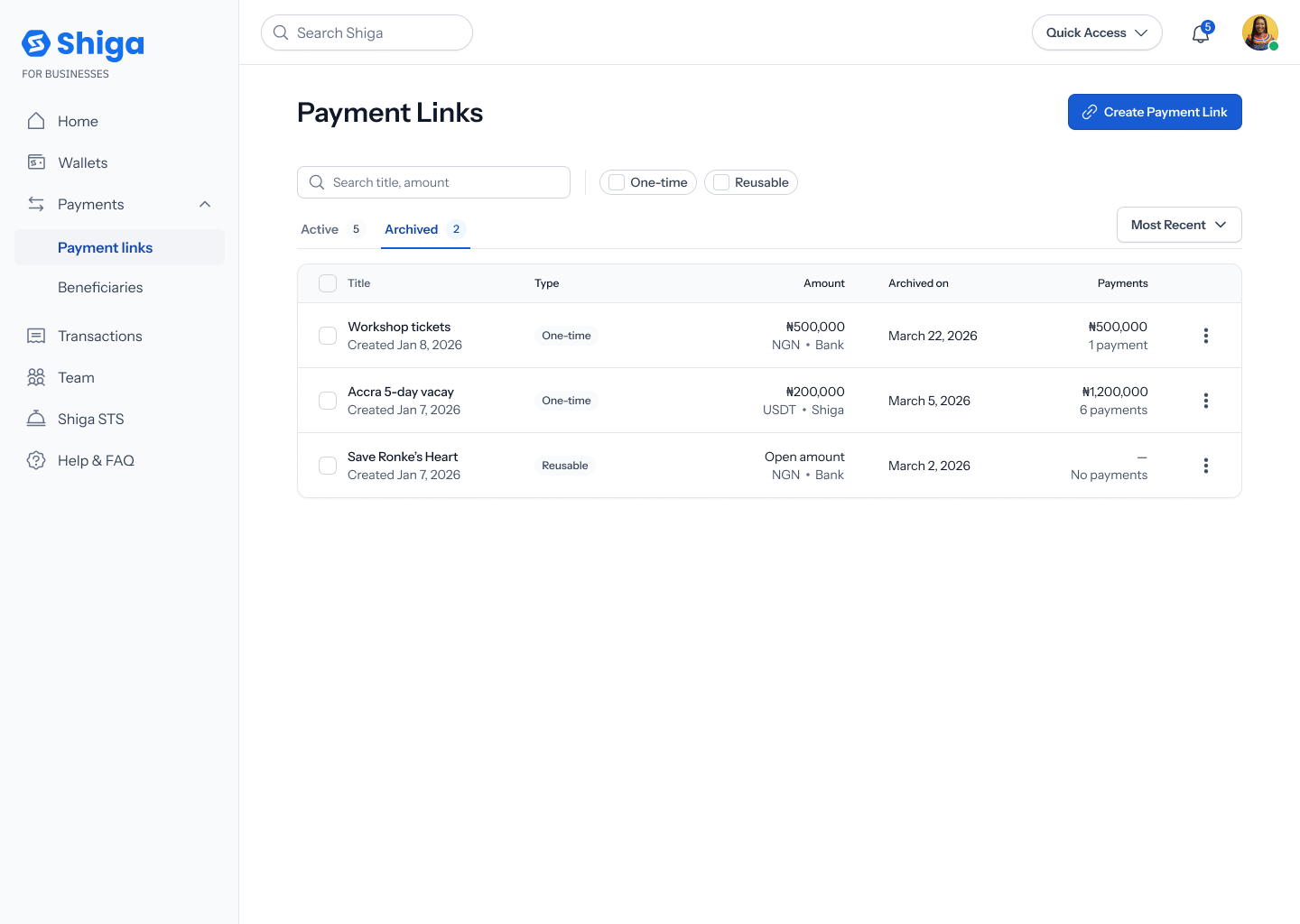
From your **Payment Links** list, switch to the **Archived** tab to see every link you've archived, with the same columns as the Active tab plus an **Archived on** date.
 ## 2. Open the link's options menu
Tap a link's **•••** options menu. You'll see **View details** and **Restore**.
## 2. Open the link's options menu
Tap a link's **•••** options menu. You'll see **View details** and **Restore**.
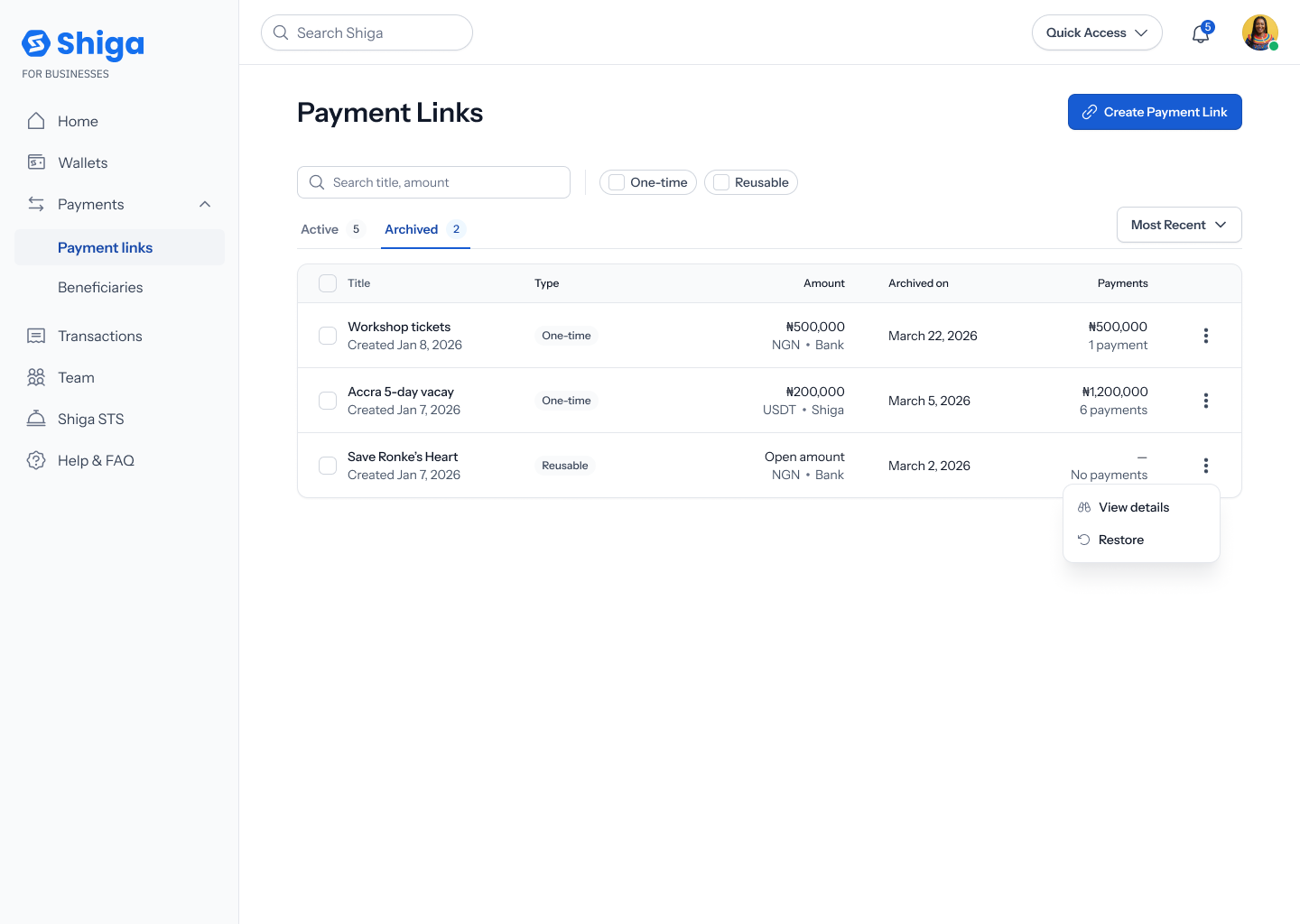 If the link is a **one-time link that's already been paid**, **Restore** appears greyed out with the explanation *"Already paid, can't be restored"* — a paid one-time request can't be reopened. Reusable links, and one-time links that were archived before being paid, don't have this restriction.
## 3. Restore it
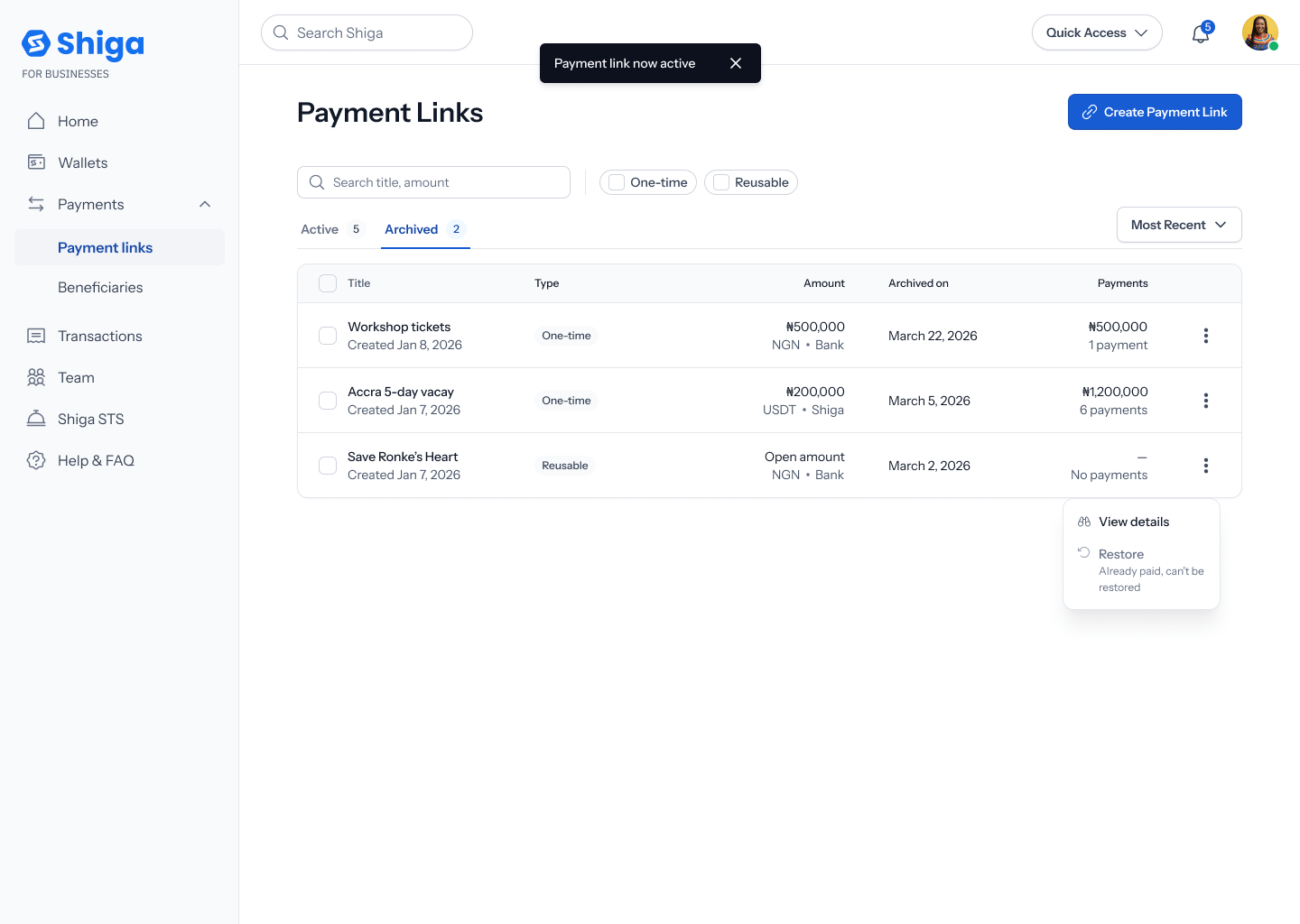
Tap **Restore**. Unlike archiving, restoring from this menu doesn't ask for confirmation — the link is restored immediately, a toast confirms **"Payment link now active"**, and it moves back to your **Active** tab.
If the link is a **one-time link that's already been paid**, **Restore** appears greyed out with the explanation *"Already paid, can't be restored"* — a paid one-time request can't be reopened. Reusable links, and one-time links that were archived before being paid, don't have this restriction.
## 3. Restore it
Tap **Restore**. Unlike archiving, restoring from this menu doesn't ask for confirmation — the link is restored immediately, a toast confirms **"Payment link now active"**, and it moves back to your **Active** tab.
 You can also restore a link from its own details view — see [Payment Link Details](/Product/Paymentlinks/details#4-archive-or-restore-the-link) — using a **Restore Link** button. That path does ask you to confirm first (**"Restore this payment link?"**), unlike restoring from this list menu.