> ## Documentation Index
> Fetch the complete documentation index at: https://docs.shiga.io/llms.txt
> Use this file to discover all available pages before exploring further.
> (convert local currency to stablecoins )
# Receive Fiat
\*\*Receive Via Fiat \*\*
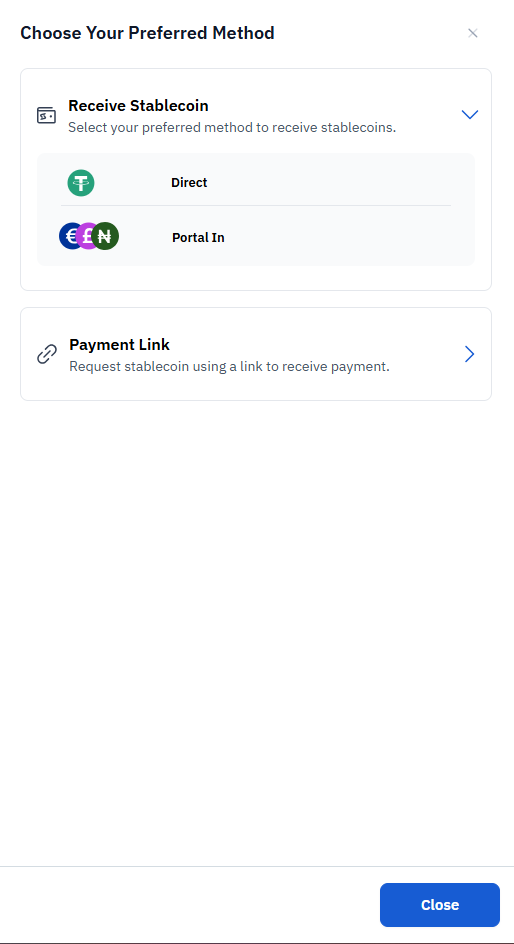 1. Click on the **second option:Portal In**.
* Description: *"Select preferred method to receive stablecoins."*
2. A new screen will load with your **Stablecoin Wallet** details and linked **Settlement Bank Account**.
1. Click on the **second option:Portal In**.
* Description: *"Select preferred method to receive stablecoins."*
2. A new screen will load with your **Stablecoin Wallet** details and linked **Settlement Bank Account**.
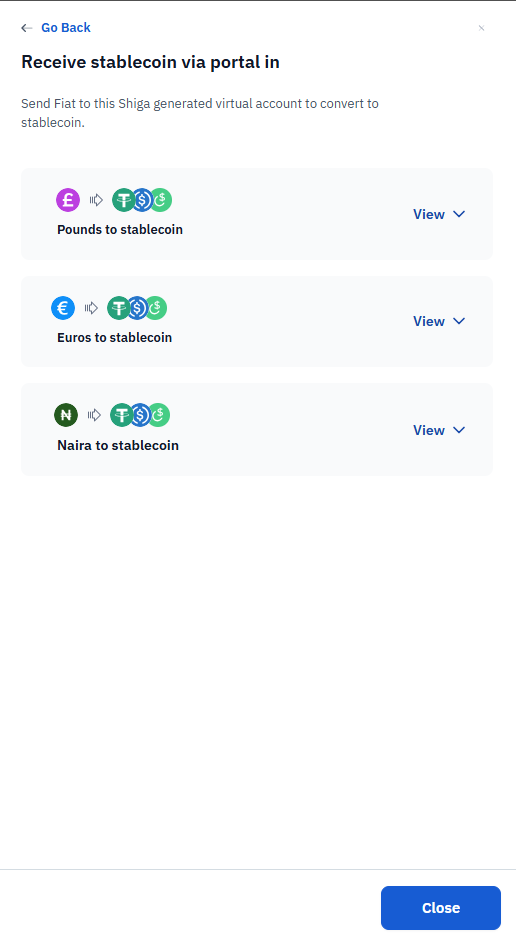
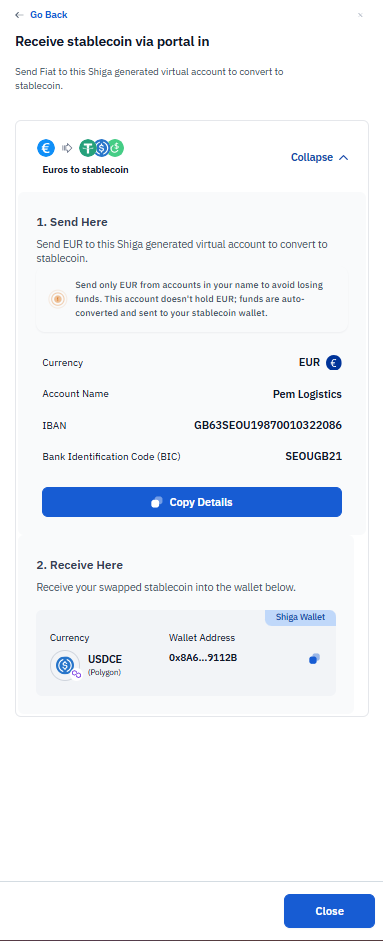 3. **Deposit Stablecoin into Your Shiga Virtual Wallet**
1. Under **"Send Here"**, you will see:
* Shiga generated Virtual Account**to convert to stablecoin.**
2. Under "Receive Here" you will see:
* Receive your swapped stablecoins into wallet address below.
3. **Deposit Stablecoin into Your Shiga Virtual Wallet**
1. Under **"Send Here"**, you will see:
* Shiga generated Virtual Account**to convert to stablecoin.**
2. Under "Receive Here" you will see:
* Receive your swapped stablecoins into wallet address below.