> ## Documentation Index
> Fetch the complete documentation index at: https://docs.shiga.io/llms.txt
> Use this file to discover all available pages before exploring further.
# OFF-RAMP TO (Naira)
> Wallet Selection
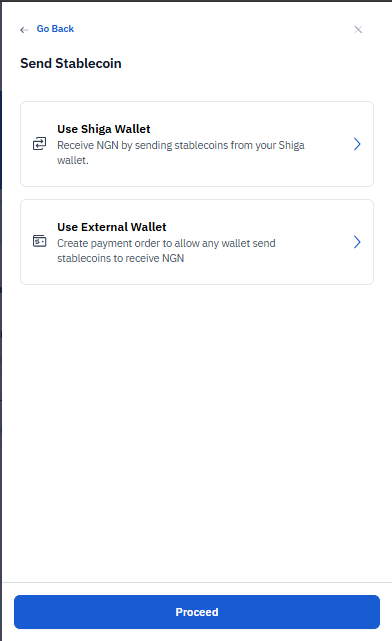 For NGN conversions, you'll choose between:
* **Use Shiga Wallet**: Send from your existing Shiga wallet balance.
* **Use External Wallet**: Create a payment order to send from any wallet.
## **Use Shiga Wallet**
For NGN conversions, you'll choose between:
* **Use Shiga Wallet**: Send from your existing Shiga wallet balance.
* **Use External Wallet**: Create a payment order to send from any wallet.
## **Use Shiga Wallet**
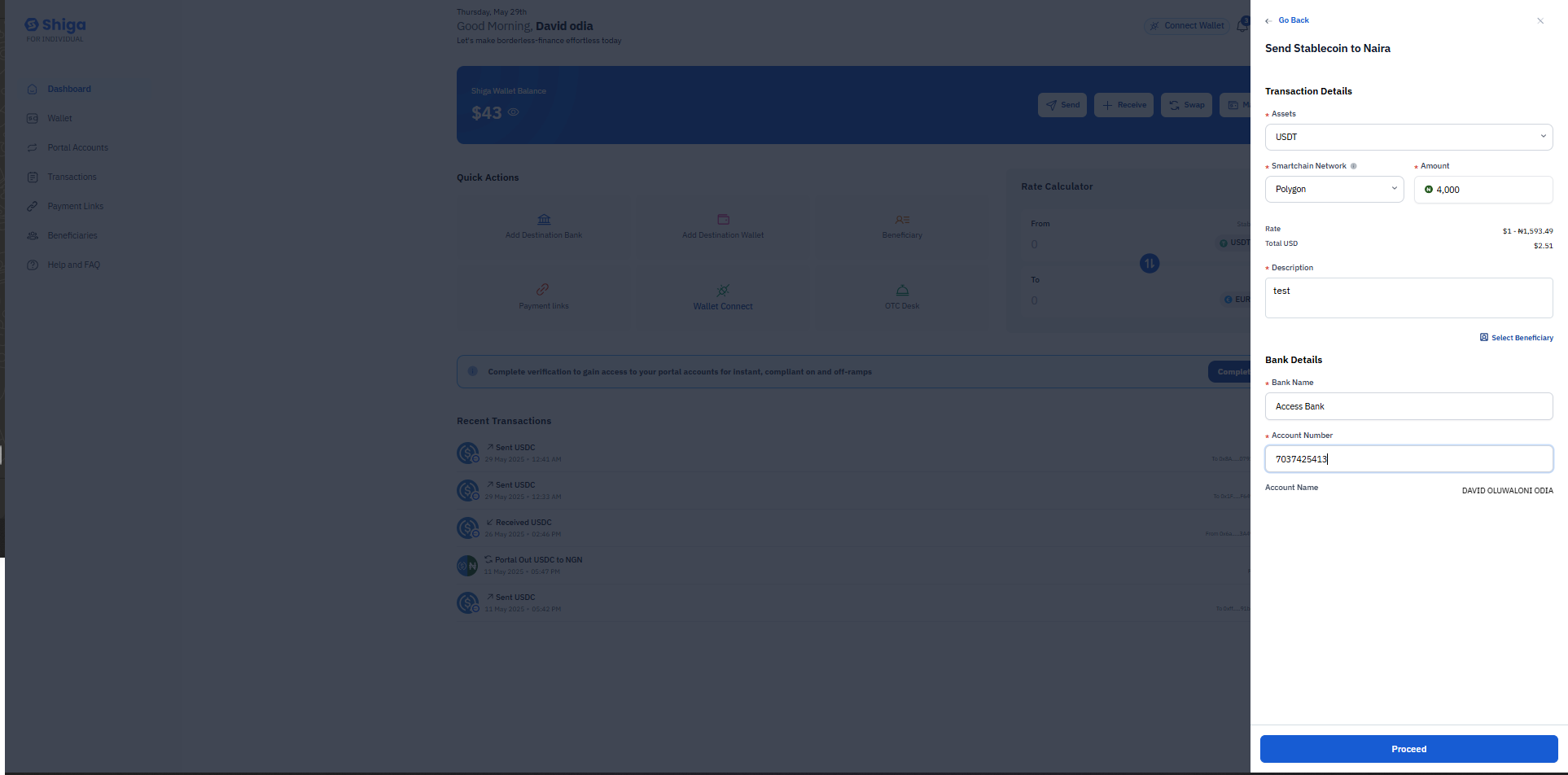
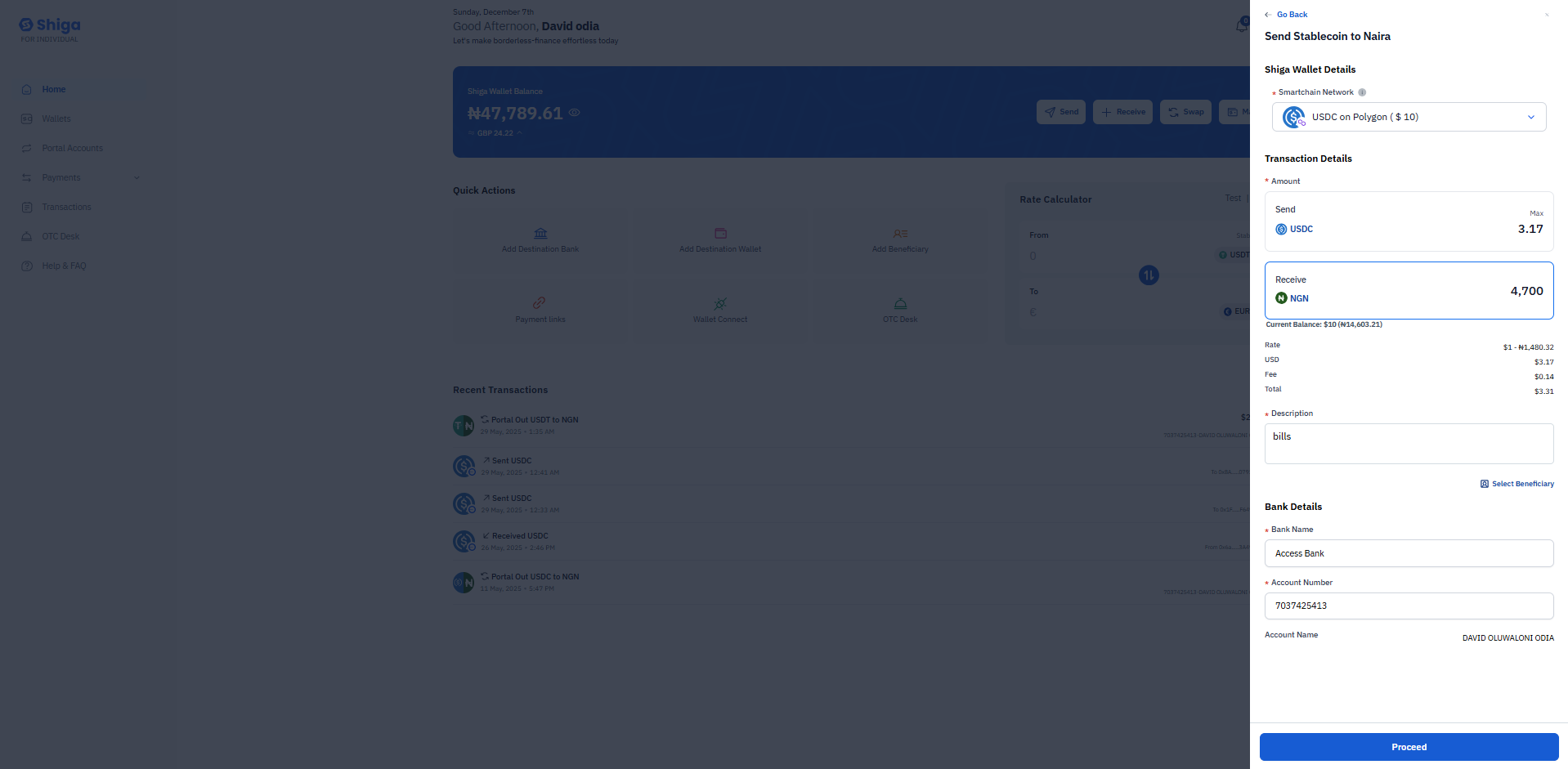 ### **Transaction Details**
* **Assets**: Select stablecoin (USDT)
* **Smartchain Network**: Choose supported network (Polygon, Arbitrum, or Base).
* **Amount**: Enter amount in USD, shows equivalent NGN rate.
### **Bank Details**
* **Bank Name**: Select or enter recipient's bank (e.g., Access Bank)
* **Account Number**: Enter recipient's account number.
* **Account Name**: Automatically displays when valid.
### **Transaction Details**
* **Assets**: Select stablecoin (USDT)
* **Smartchain Network**: Choose supported network (Polygon, Arbitrum, or Base).
* **Amount**: Enter amount in USD, shows equivalent NGN rate.
### **Bank Details**
* **Bank Name**: Select or enter recipient's bank (e.g., Access Bank)
* **Account Number**: Enter recipient's account number.
* **Account Name**: Automatically displays when valid.
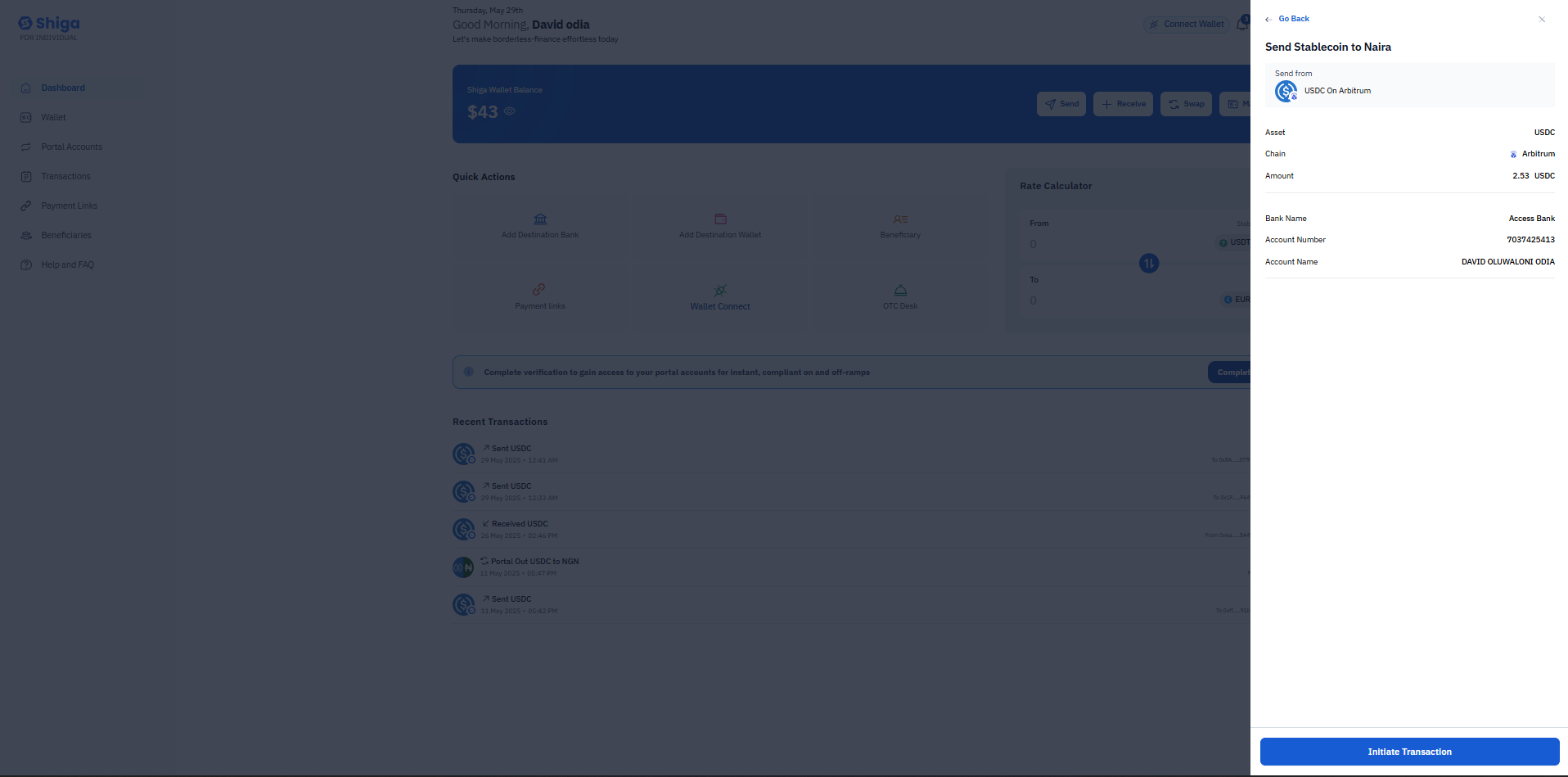
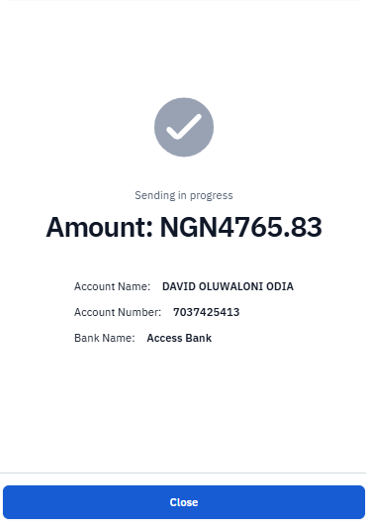
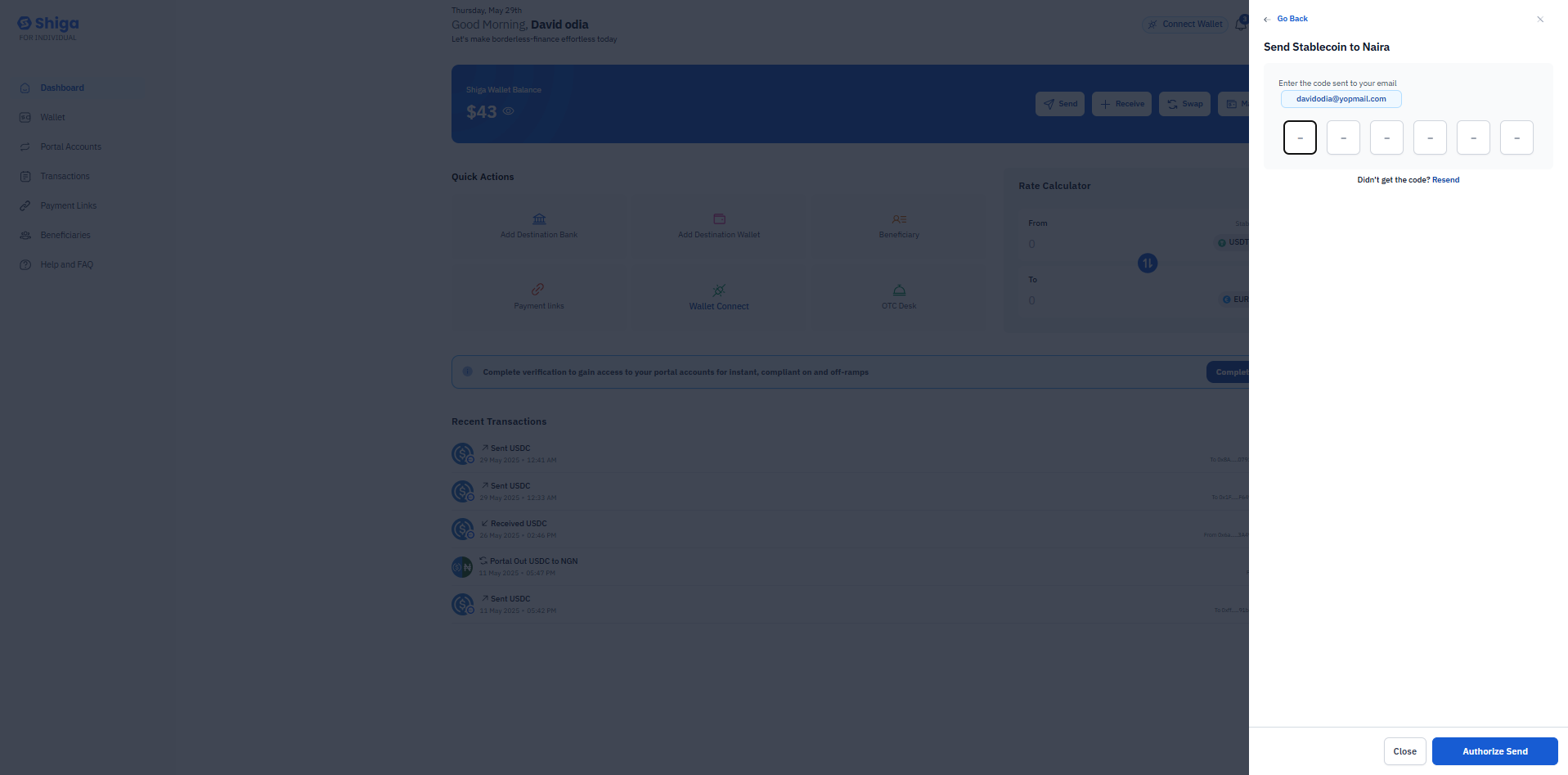 ### **Transaction Processing**
After initiating:
* Shows expiration timer.
* Displays conversion amount.
* Shows recipient bank details
* Transaction status updates as "Sending in progress"
### **Transaction Processing**
After initiating:
* Shows expiration timer.
* Displays conversion amount.
* Shows recipient bank details
* Transaction status updates as "Sending in progress"
 ## **Use External Wallet**
This guide explains how to convert stablecoins to Naira (NGN) using an **external wallet** (not your Shiga wallet) by following the steps shown in the screenshots.
## **Select "Use External Wallet" Option**
* Choose **"Use External Wallet"** (not "Use Shiga Wallet").
* This option allows you to generate a payment order so that **any external wallet** (e.g., MetaMask, Trust Wallet) can send stablecoins, which will be converted to NGN and deposited into your bank account.
* Click **"Proceed"** to continue.
## **Use External Wallet**
This guide explains how to convert stablecoins to Naira (NGN) using an **external wallet** (not your Shiga wallet) by following the steps shown in the screenshots.
## **Select "Use External Wallet" Option**
* Choose **"Use External Wallet"** (not "Use Shiga Wallet").
* This option allows you to generate a payment order so that **any external wallet** (e.g., MetaMask, Trust Wallet) can send stablecoins, which will be converted to NGN and deposited into your bank account.
* Click **"Proceed"** to continue.
 ## **Enter Transaction & Bank Details**
### **Transaction Details**
* **Asset:** USDT (Tether)
* **Network:**
* **Smartchain Network**.
* **Polygon** .
* **Amount:** \$1
### **Rate & Total**
* **Conversion Rate:** \$1 = ₦600.66
* **Total NGN:** ₦600.66
* **Description:** "test"
### **Bank Details**
* **Bank Name.**
* **Account Number.**
* **Account Name.**
Verify all details, then click **"Proceed"**.
## **Enter Transaction & Bank Details**
### **Transaction Details**
* **Asset:** USDT (Tether)
* **Network:**
* **Smartchain Network**.
* **Polygon** .
* **Amount:** \$1
### **Rate & Total**
* **Conversion Rate:** \$1 = ₦600.66
* **Total NGN:** ₦600.66
* **Description:** "test"
### **Bank Details**
* **Bank Name.**
* **Account Number.**
* **Account Name.**
Verify all details, then click **"Proceed"**.
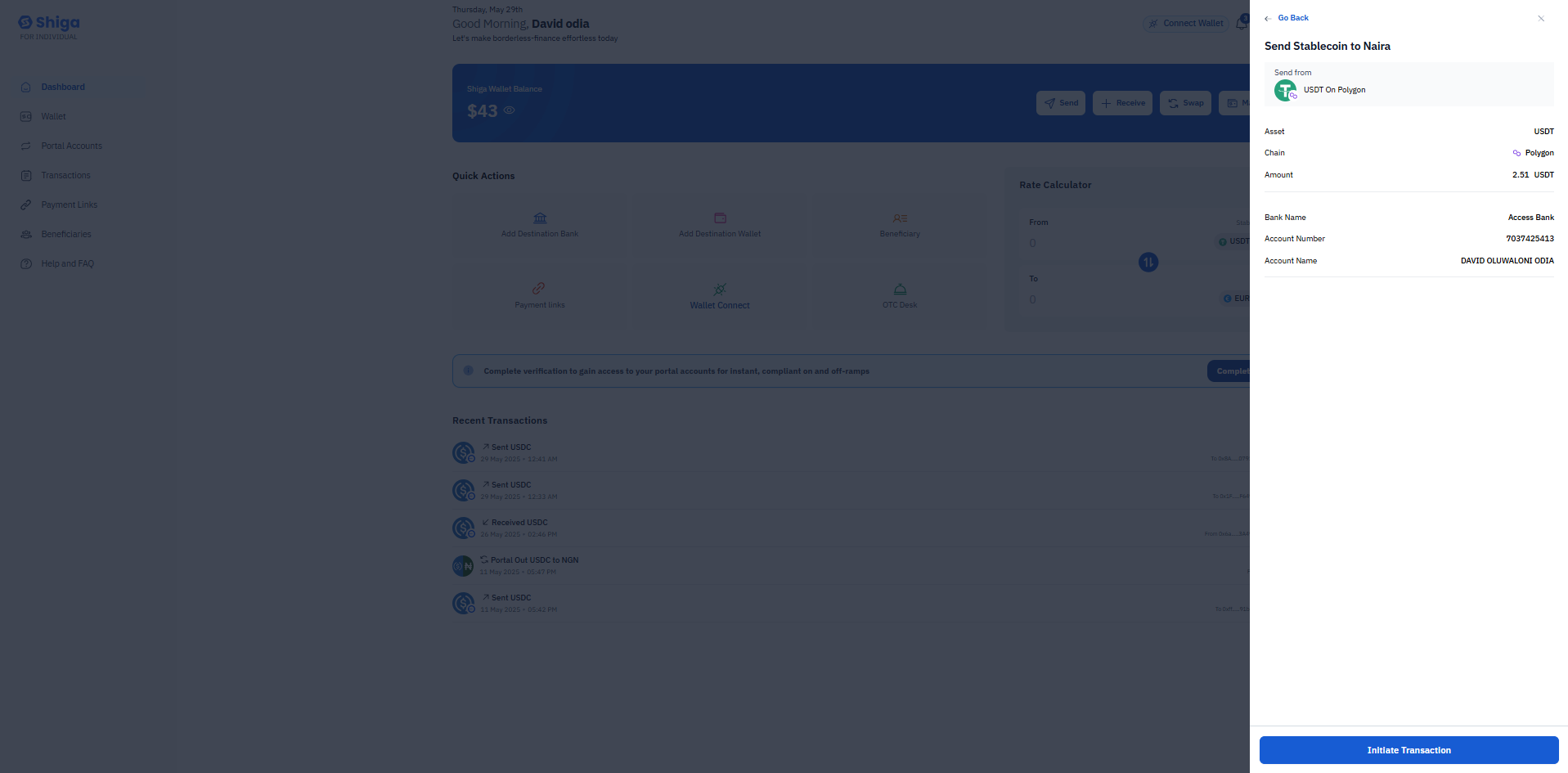 ## **Confirm Transaction Details**
* **Send From:** External wallet (USDT).
* **Asset:** USDT.
* **Chain.**
* **Amount:** 1 USDT.
### **Bank Details**
* **Bank Name.**
* **Account Number.**
* **Account Name.**
**Double-check the bank details!** If correct, click **"Initiate Transaction"**.
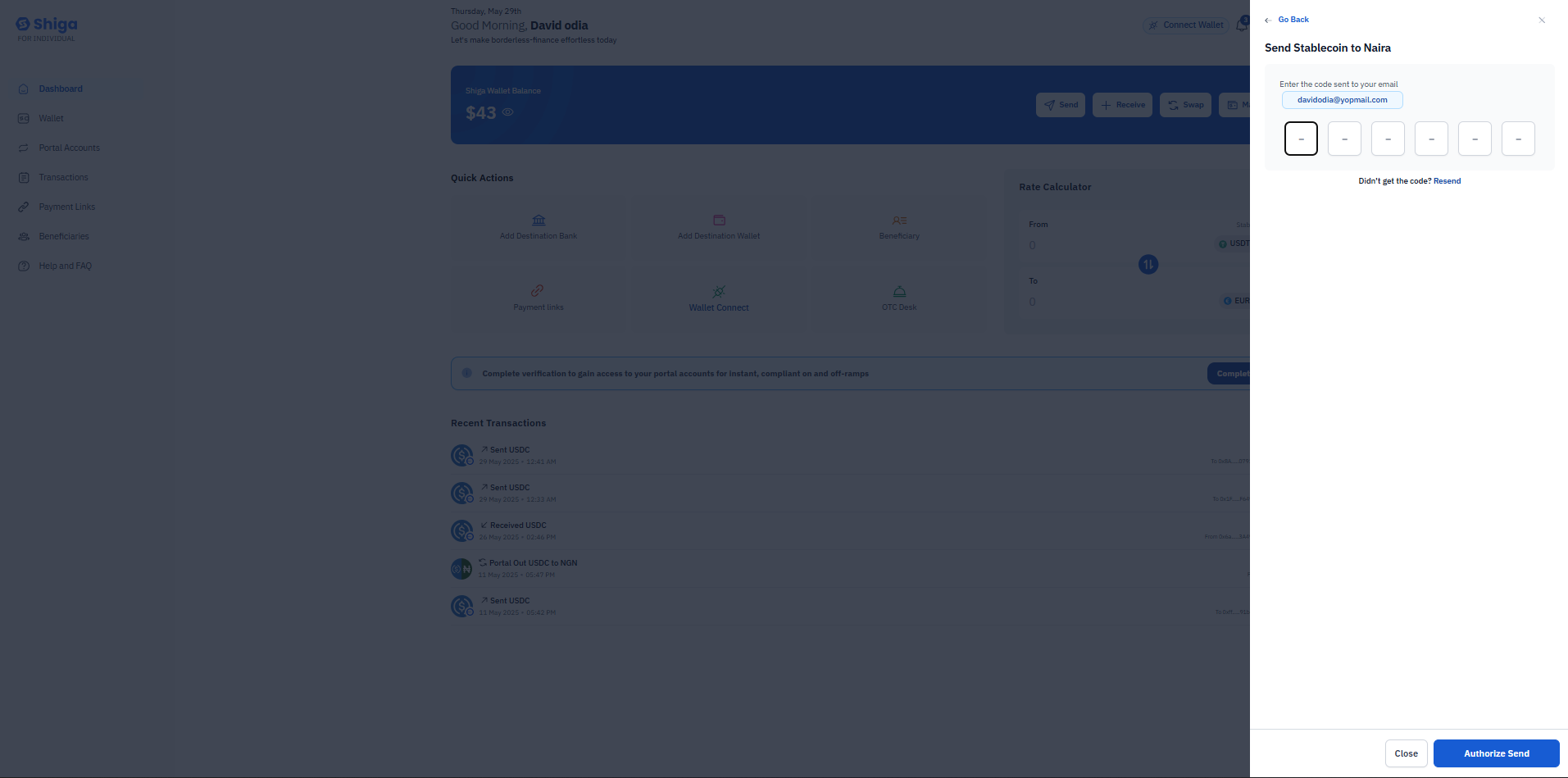
## **Authorize with 2FA (Two-Factor Authentication)**
* A **6-digit code** from your authenticator app (Google Authenticator, Authy, etc.) is required.
* The code is linked to: [**olivera@gmail.com**](mailto:olivera@gmail.com).
* **Options:**
* **Close** → Cancel the transaction.
* **Authorize Send** → Complete the transfer after entering the code.
**Security Note:** Never share this code with anyone!
## **Confirm Transaction Details**
* **Send From:** External wallet (USDT).
* **Asset:** USDT.
* **Chain.**
* **Amount:** 1 USDT.
### **Bank Details**
* **Bank Name.**
* **Account Number.**
* **Account Name.**
**Double-check the bank details!** If correct, click **"Initiate Transaction"**.
## **Authorize with 2FA (Two-Factor Authentication)**
* A **6-digit code** from your authenticator app (Google Authenticator, Authy, etc.) is required.
* The code is linked to: [**olivera@gmail.com**](mailto:olivera@gmail.com).
* **Options:**
* **Close** → Cancel the transaction.
* **Authorize Send** → Complete the transfer after entering the code.
**Security Note:** Never share this code with anyone!
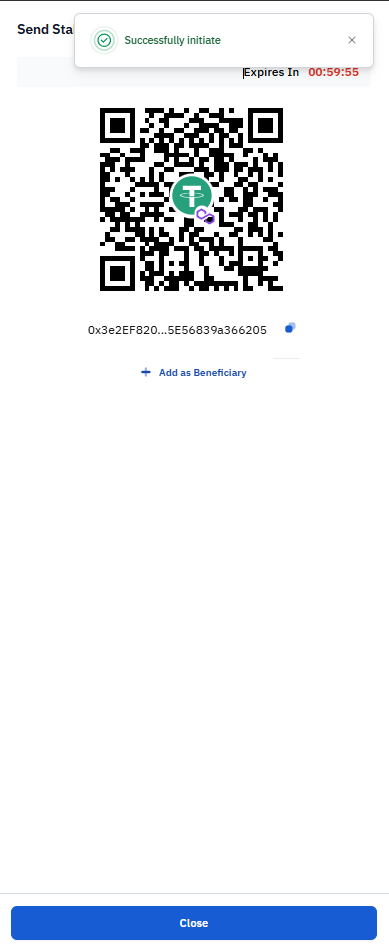
 ### **Transaction Processing**
After initiating:
* Shows expiration timer (**Please complete your payment before the timer expires).**
* Shows Bar code you can scan.
* Transaction status updates as "Sending in progress".
### **Transaction Processing**
After initiating:
* Shows expiration timer (**Please complete your payment before the timer expires).**
* Shows Bar code you can scan.
* Transaction status updates as "Sending in progress".
 **Always confirm bank details** before sending—discrepancies in account names can cause failed transactions.\
**Done!** Once authorized, the stablecoins will be converted to NGN and deposited into your Access Bank account.
**Always confirm bank details** before sending—discrepancies in account names can cause failed transactions.\
**Done!** Once authorized, the stablecoins will be converted to NGN and deposited into your Access Bank account.