> ## Documentation Index
> Fetch the complete documentation index at: https://docs.shiga.io/llms.txt
> Use this file to discover all available pages before exploring further.
# Recovery
> These verified contacts are how we confirm it's you
This page is under **Settings > Business > Security**. See also: [Passkey & Devices](/settings/business/passkeydevices), [Activity Log](/settings/business/activitylog), [Business Profile](/settings/business/businessprofile), [Statements](/settings/business/statements), [Members](/settings/business/members).
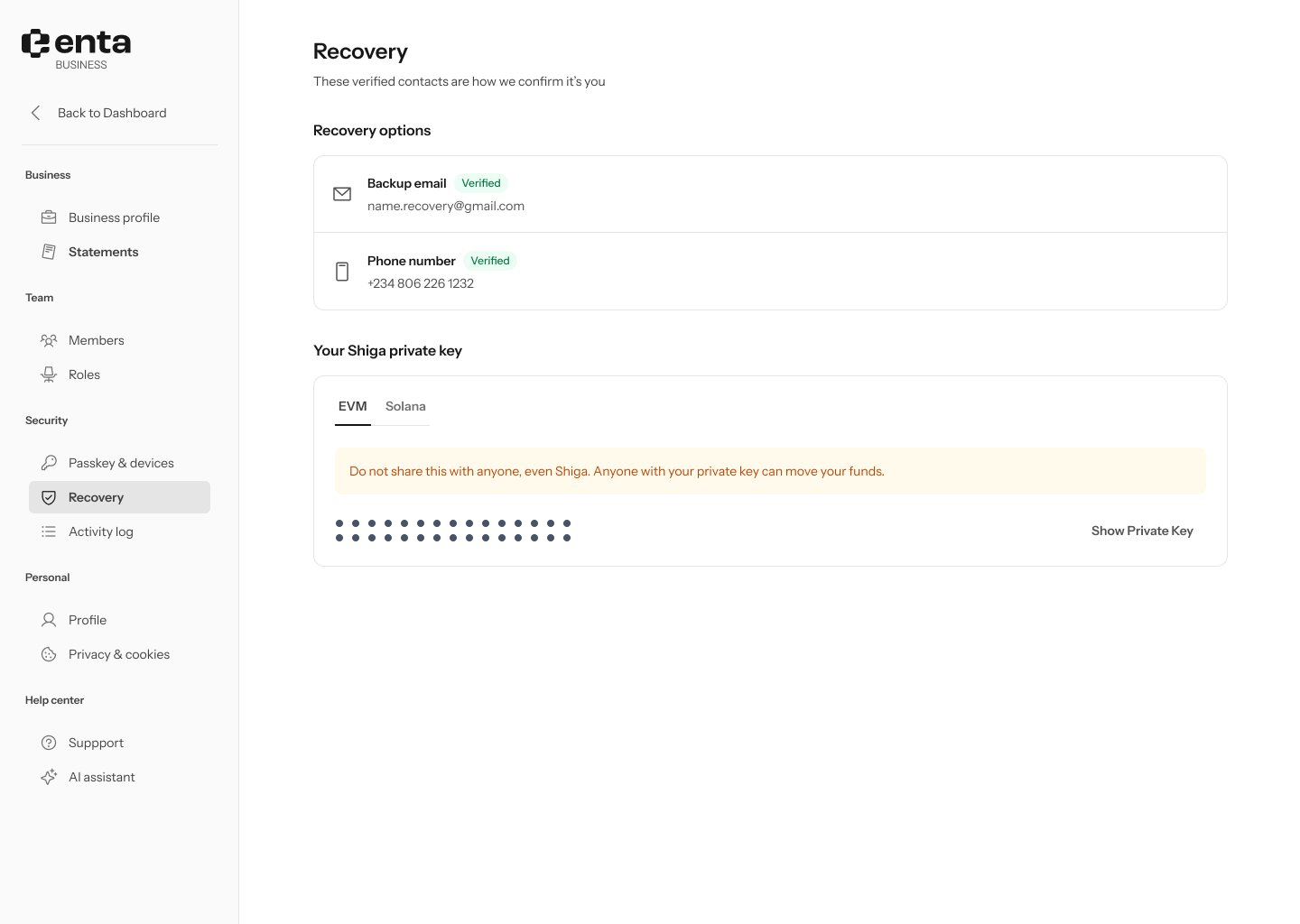 ## Recovery options
A business account shows two verified recovery contacts, each with a **Verified** badge:
* **Backup email**
* **Phone number**
An individual account only shows a backup email here — the phone number option is business-only.
## Your Shiga private key
Switch between the **EVM** and **Solana** tabs to view the private key for each network — this is your own personal wallet key, not a shared company key. The key is masked by default.
Do not share your private key with anyone, even Shiga. Anyone with your private key can move your funds.
Click **Show private key** to reveal it.
## Recovery options
A business account shows two verified recovery contacts, each with a **Verified** badge:
* **Backup email**
* **Phone number**
An individual account only shows a backup email here — the phone number option is business-only.
## Your Shiga private key
Switch between the **EVM** and **Solana** tabs to view the private key for each network — this is your own personal wallet key, not a shared company key. The key is masked by default.
Do not share your private key with anyone, even Shiga. Anyone with your private key can move your funds.
Click **Show private key** to reveal it.