> ## Documentation Index
> Fetch the complete documentation index at: https://docs.shiga.io/llms.txt
> Use this file to discover all available pages before exploring further.
# Roles & Permissions
> What each role can do in this business
This page is under **Settings > Business > Team**. See also: [Members](/settings/business/members), [Invite a Member](/settings/business/invitemember), [Manage a Member](/settings/business/managemember), [Business Profile](/settings/business/businessprofile), [Statements](/settings/business/statements).
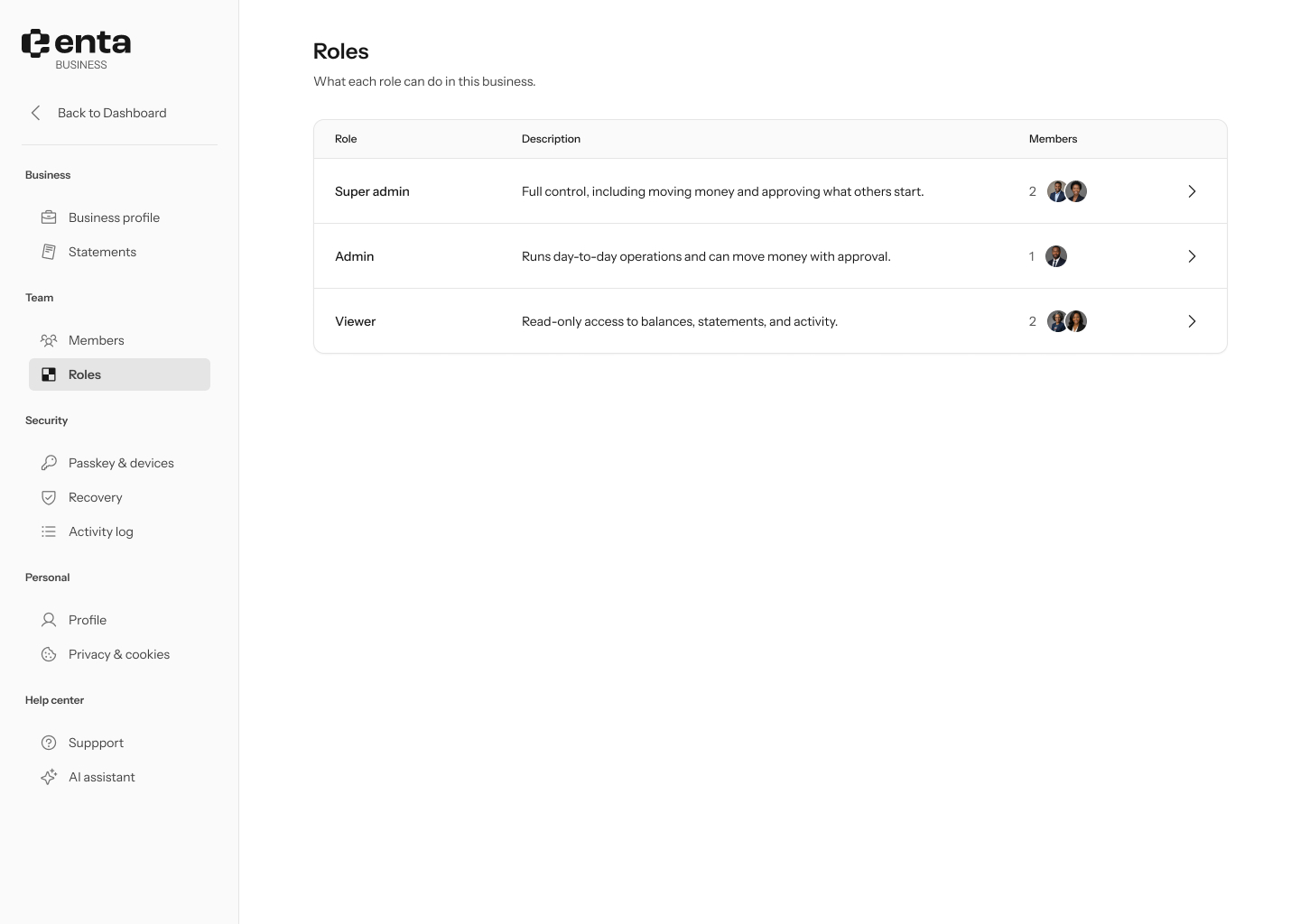
There are three roles on a business account:
 | Role | What they can do |
| --------------- | ------------------------------------------------------------------------------------------------------------------------------------------------------------------------------------------------------------- |
| **Super Admin** | Full control, including moving money on their own and approving what others start, managing billing, editing the business profile, managing integrations, setting approval limits, and deleting the business. |
| **Admin** | Runs day-to-day operations and can move money with a Super Admin's approval. |
| **Viewer** | Read-only access to balances, statements, and activity — can't move money or change anything. |
Click a role's row to open its full **Role details** panel, which lists every permission and how many members currently hold that role, plus a **View members** link.
| Role | What they can do |
| --------------- | ------------------------------------------------------------------------------------------------------------------------------------------------------------------------------------------------------------- |
| **Super Admin** | Full control, including moving money on their own and approving what others start, managing billing, editing the business profile, managing integrations, setting approval limits, and deleting the business. |
| **Admin** | Runs day-to-day operations and can move money with a Super Admin's approval. |
| **Viewer** | Read-only access to balances, statements, and activity — can't move money or change anything. |
Click a role's row to open its full **Role details** panel, which lists every permission and how many members currently hold that role, plus a **View members** link.