> ## Documentation Index
> Fetch the complete documentation index at: https://docs.shiga.io/llms.txt
> Use this file to discover all available pages before exploring further.
# Statements
> Download a record of your transactions for any period
This page is under **Settings > Individual > Personal**. See also: [Profile](/settings/individual/profile), [Privacy & Cookies](/settings/individual/privacycookies), [Passkey & Devices](/settings/individual/passkeydevices), [Recovery](/settings/individual/recovery), [Support](/settings/individual/support), and [AI Assistant](/settings/individual/aiassistant).
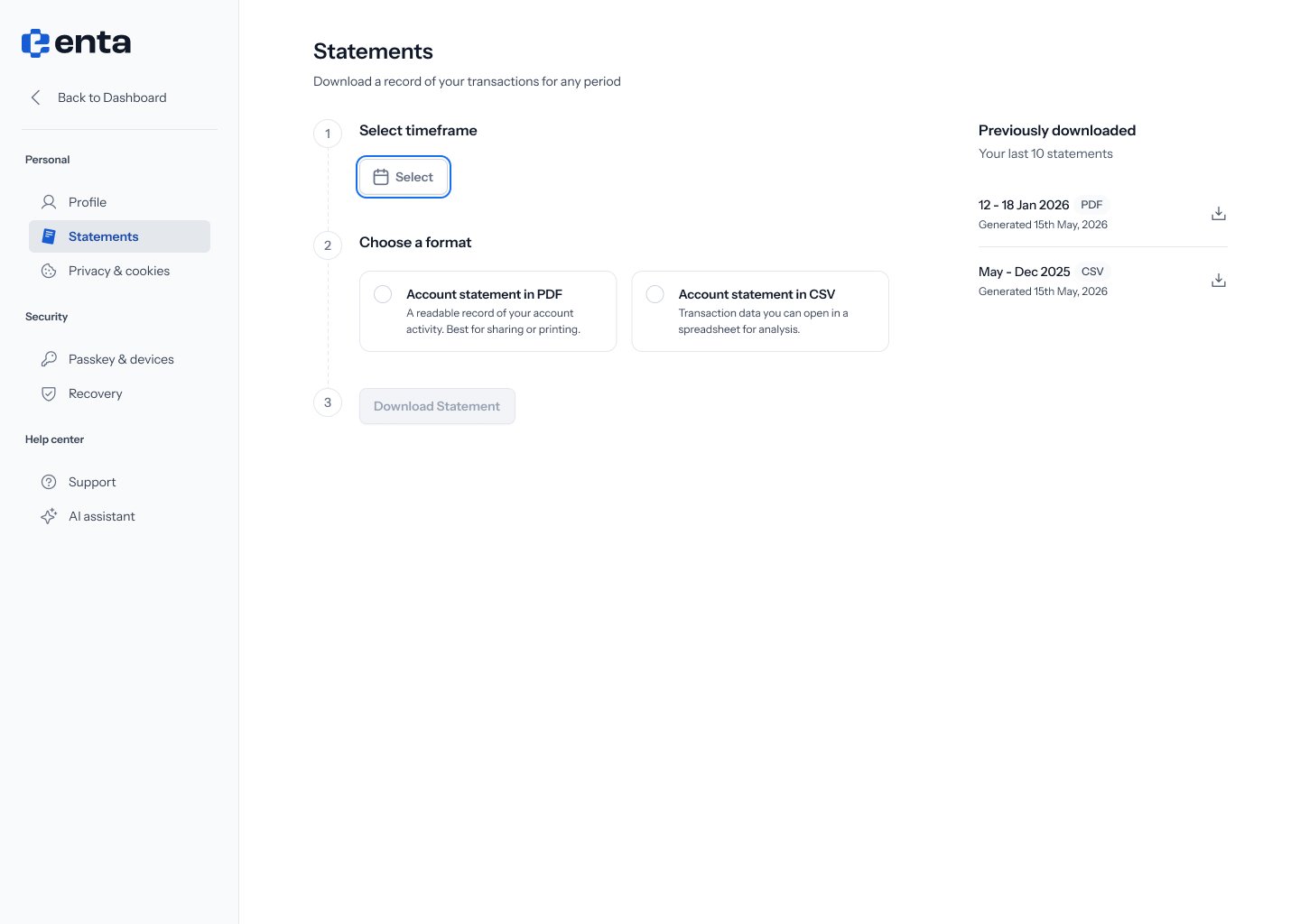
**Statements** lets you download a record of your transactions for any period, in PDF or CSV.
 ## 1. Select a timeframe
Click the date picker and choose the date range you want your statement to cover.
## 1. Select a timeframe
Click the date picker and choose the date range you want your statement to cover.
 ## 2. Choose a format
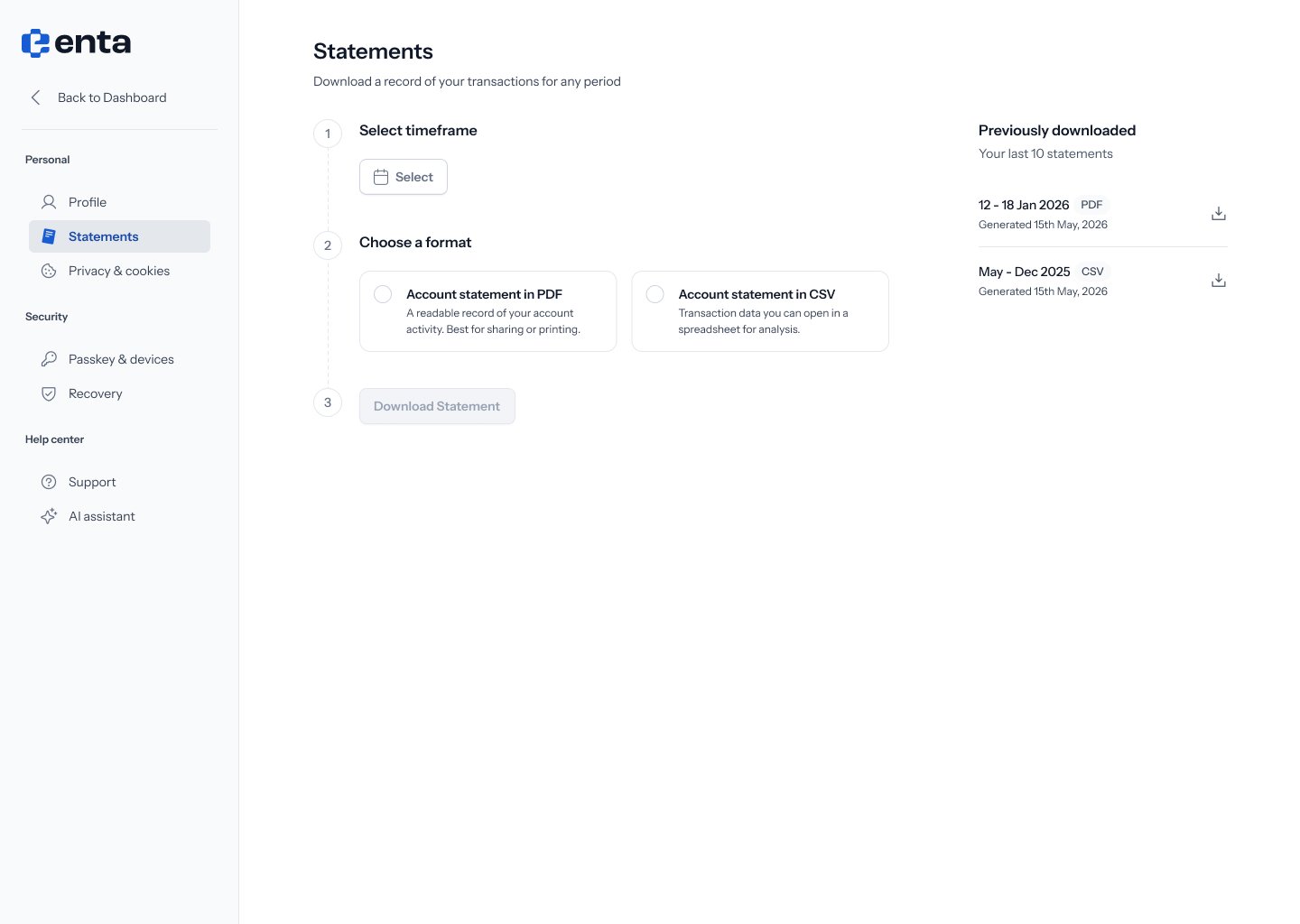
Pick one of two formats:
* **Account statement in PDF** — a readable record of your account activity. Best for sharing or printing.
* **Account statement in CSV** — transaction data you can open in a spreadsheet for analysis.
## 3. Download
Click **Download Statement**. The button stays disabled until you've selected both a date range and a format.
## Previously downloaded
The right-hand panel lists your last 10 statements, each showing the period it covers, its format (PDF or CSV), and when it was generated. Click the download icon on any row to get that statement again.
## 2. Choose a format
Pick one of two formats:
* **Account statement in PDF** — a readable record of your account activity. Best for sharing or printing.
* **Account statement in CSV** — transaction data you can open in a spreadsheet for analysis.
## 3. Download
Click **Download Statement**. The button stays disabled until you've selected both a date range and a format.
## Previously downloaded
The right-hand panel lists your last 10 statements, each showing the period it covers, its format (PDF or CSV), and when it was generated. Click the download icon on any row to get that statement again.