

This page is under Settings > Individual > Security. See also: Recovery, Profile, Statements, Privacy & Cookies, Support, and AI Assistant.
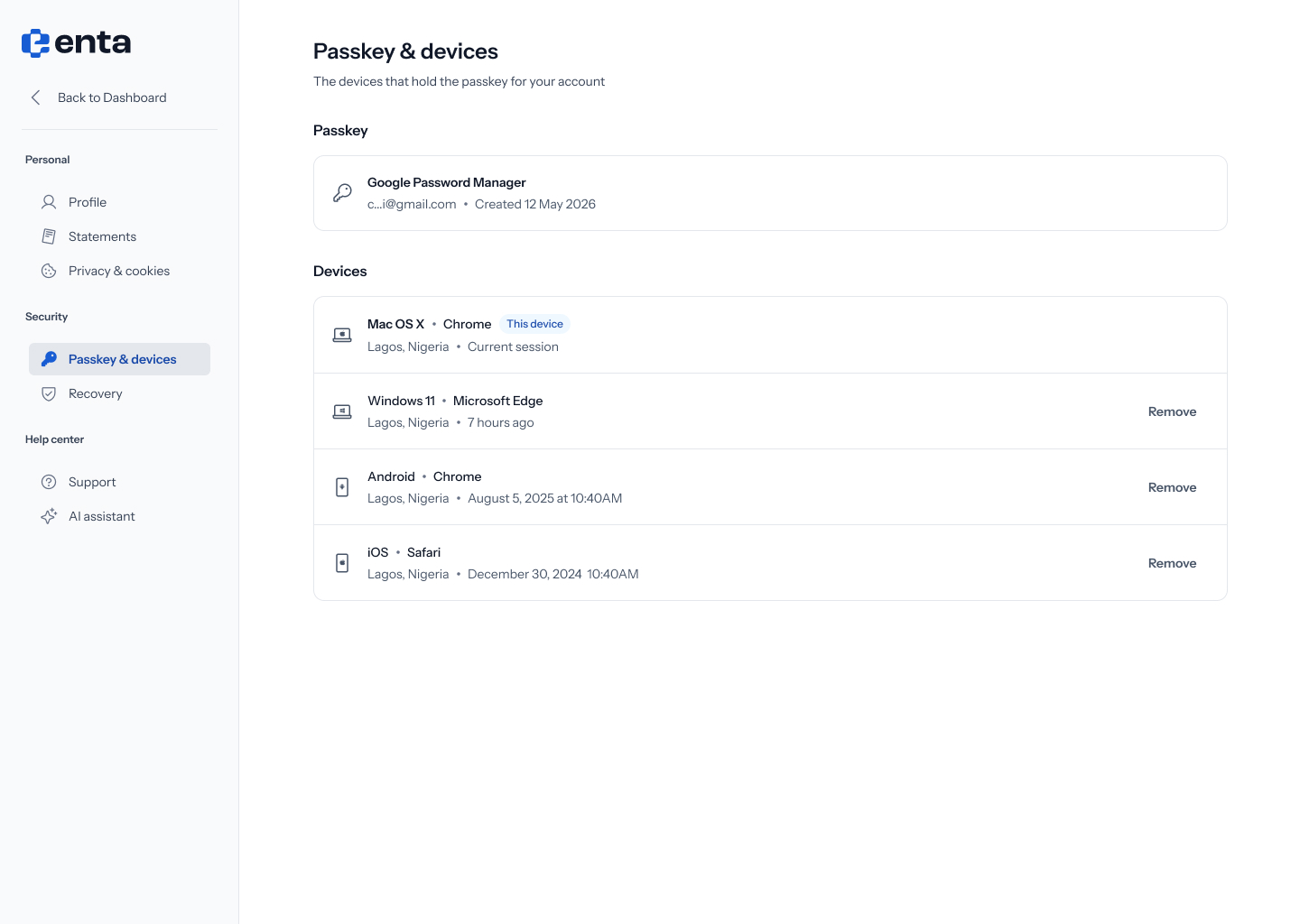
Passkey
Shows the password manager your passkey is stored with (for example, Google Password Manager), the masked account email, and when it was created.Devices
A list of every device that’s signed in to your account, each showing:- Device and browser (for example, “Windows 11 · Microsoft Edge”)
- Location
- Last active — either a relative time (“7 hours ago”) or an exact date and time
There’s no Add passkey or Add device control on this screen — it’s a read-only list with remove-only actions. If you need to add a new passkey, you’ll do that from the device itself the next time you sign in.