

Tier 1 Dashboard
A Tier 1 account is one where you’ve created your passkey but haven’t finished verifying your identity. Your wallet works — you can send, swap and receive crypto — but converting between crypto and regular money is still locked.Once verification clears you become Tier 2 and this page changes noticeably. See Tier 2.
1. Your first visit
The page opens with “Welcome to Enta” — “Your wallet is ready to send, swap and receive crypto”. Your wallet card shows Total balance of USD 0.00, with ≈ GBP 0 beneath it, and a single Move Money button. Recent transactions reads “No transactions yet” — “Complete a transaction and we’ll show your most recent ones here”.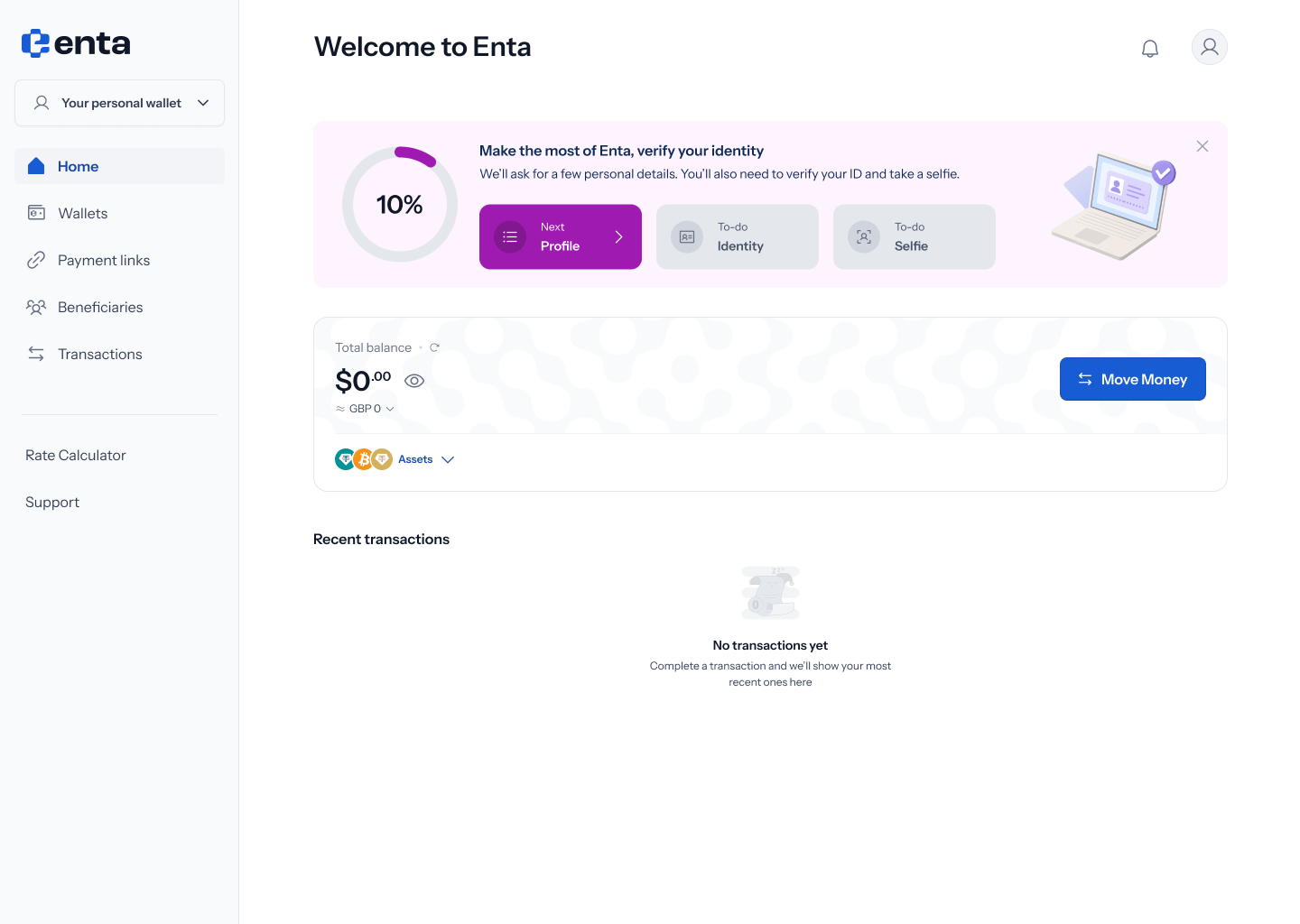
.png?fit=max&auto=format&n=Baykm_7aZyi0IY2t&q=85&s=9733dc331b88c1915db261501678308b)
2. The verification prompt
Above the wallet sits a card headed “Make the most of Enta, verify your identity” — “We’ll ask for a few personal details. You’ll also need to verify your ID and take a selfie.” A ring shows your progress, starting at 10%, and three tiles track the stages:
Tapping the card takes you into KYC.
3. Part-way through verification
Once you’ve started, the same card changes its wording to “Your Tier 2 verification is in progress. Continue where you left off” and the ring moves to 30%. The tiles update to reflect where you are: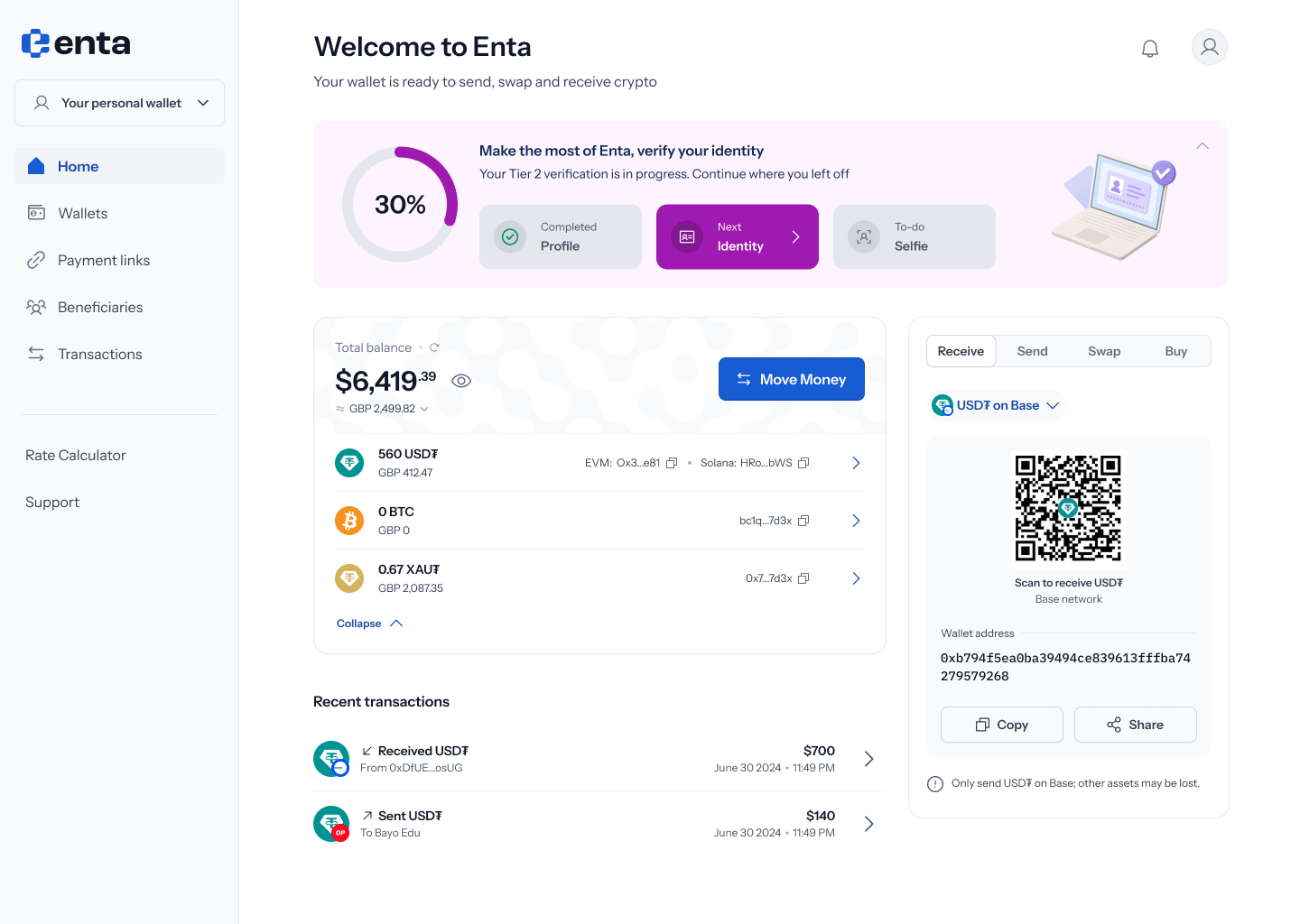
4. If you stop part-way
If you complete a step and leave without finishing, the card marks that step Completed and highlights the next one, with a chevron to resume — for example Profile Completed and Identity Next..png?fit=max&auto=format&n=Baykm_7aZyi0IY2t&q=85&s=f62b8d5781d22e432ddea3988d6bb589)
In the current designs this state still shows the ring at 10% and reverts to the “We’ll ask for a few personal details…” wording even though Profile is marked Completed, rather than the “in progress” wording at 30%. Expect this to be tidied up.