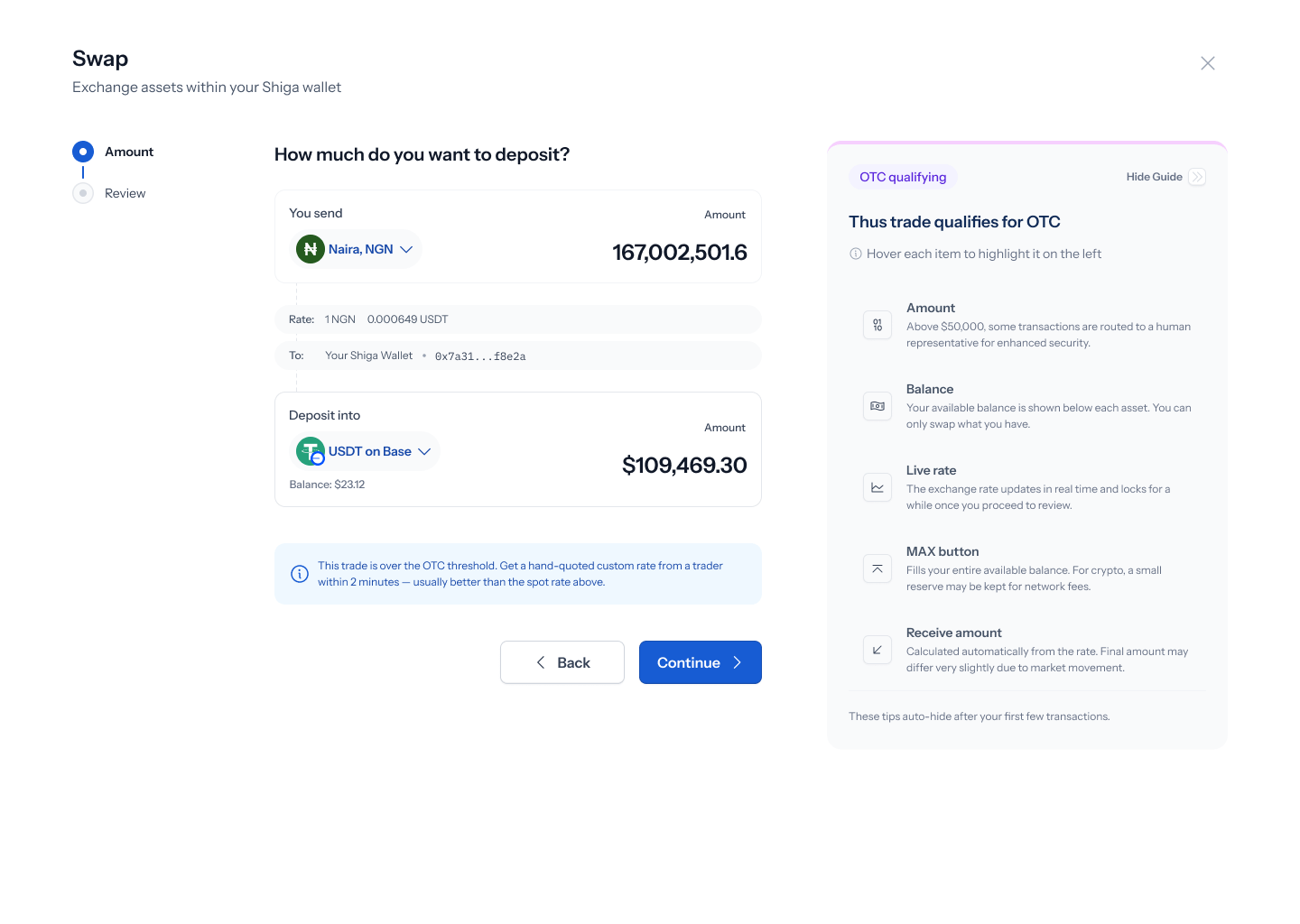
This is one of five OTC flows under Product > Shiga STS. See also: Bank Account to Shiga Wallet, Bank Account to Bank Account, Shiga Wallet to Bank Account, and Shiga Wallet to Shiga Wallet.
What triggers it
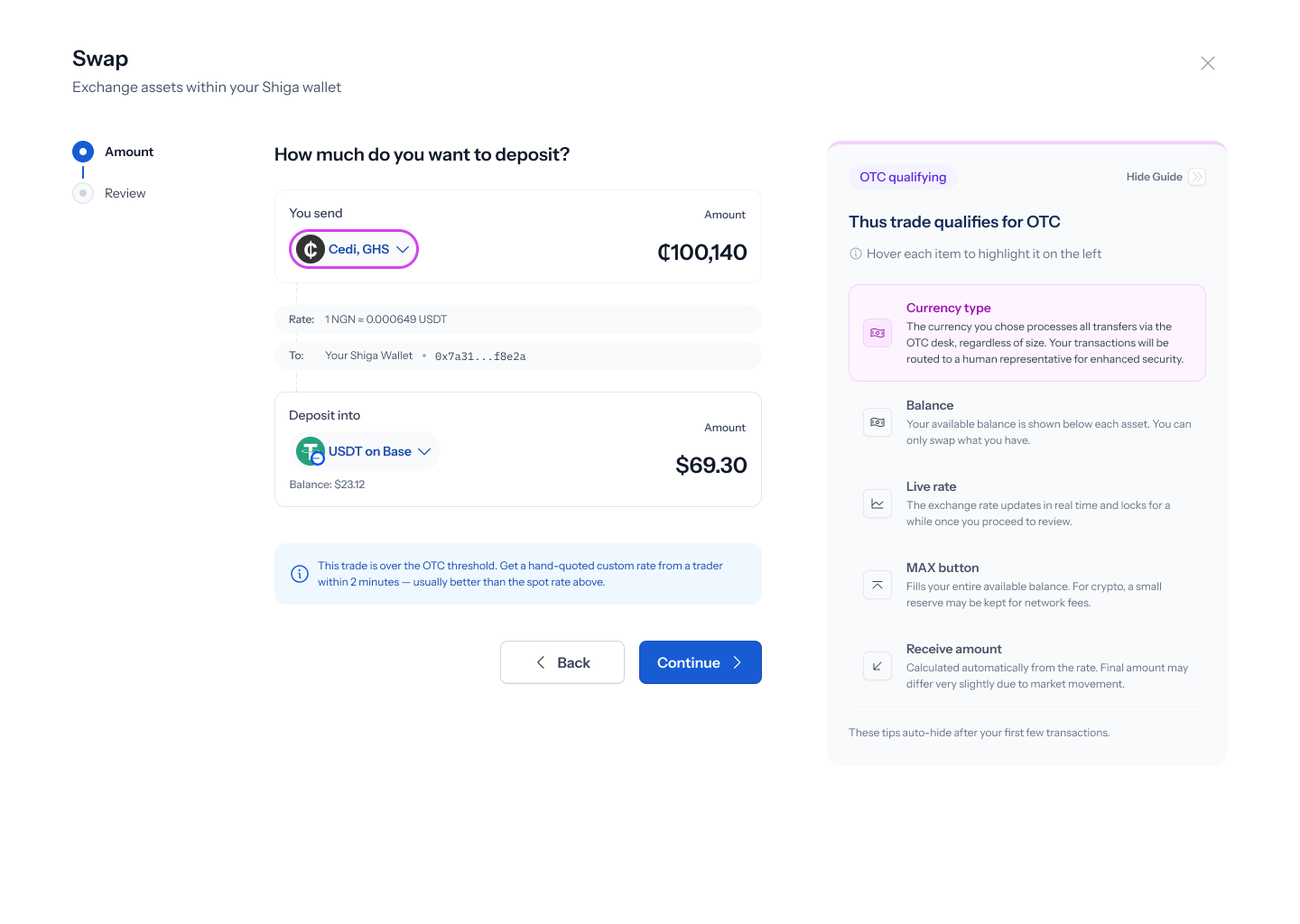
Entering an amount above the OTC threshold (trades above $50,000 USD route to the OTC desk) surfaces an inline banner on the amount screen, plus one of two guide mechanisms described below.The trigger tooltip
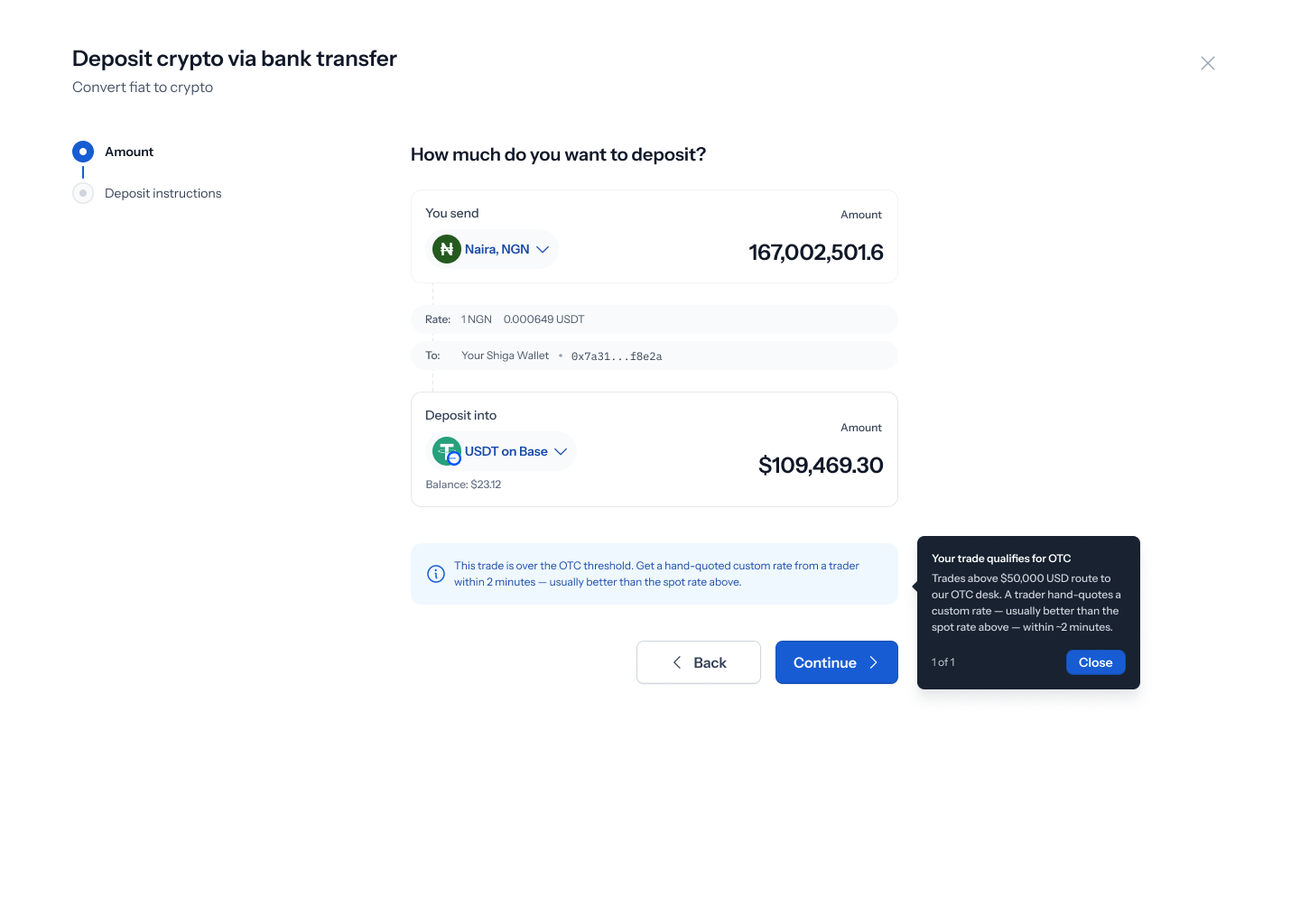
- Heading: “Your trade qualifies for OTC”
- Body: “Trades above $50,000 USD route to our OTC desk. A trader hand-quotes a custom rate — usually better than the spot rate above — within ~2 minutes.”
- Marked 1 of 1, with a single Close button.
The guide panel
- Amount step (badge “OTC qualifying”): highlights Amount, Balance, Live rate, the MAX button, and the receive amount.
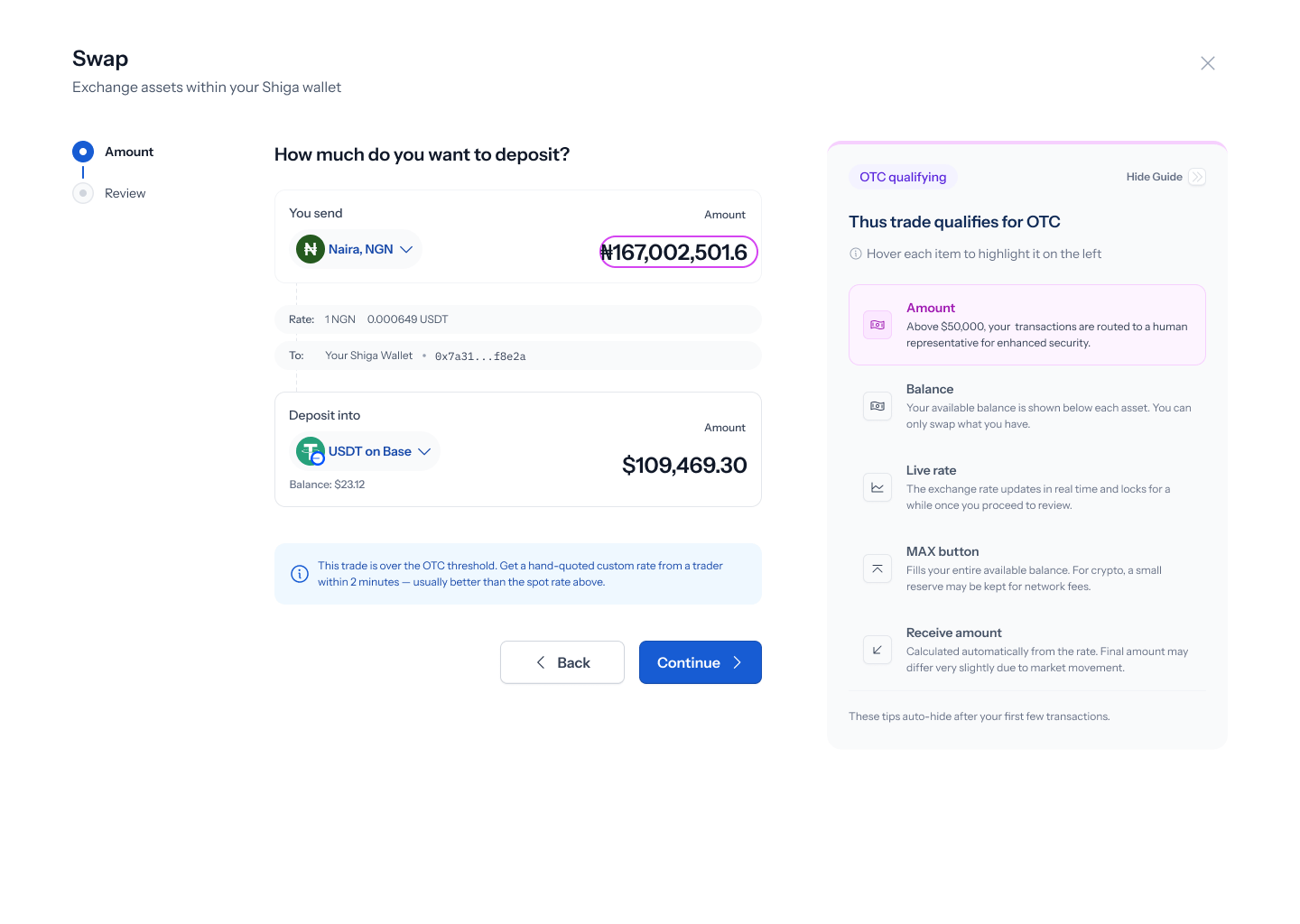
- Currency step: same rows, plus a “Currency type” row explaining that some currencies always route through the OTC desk regardless of trade size.
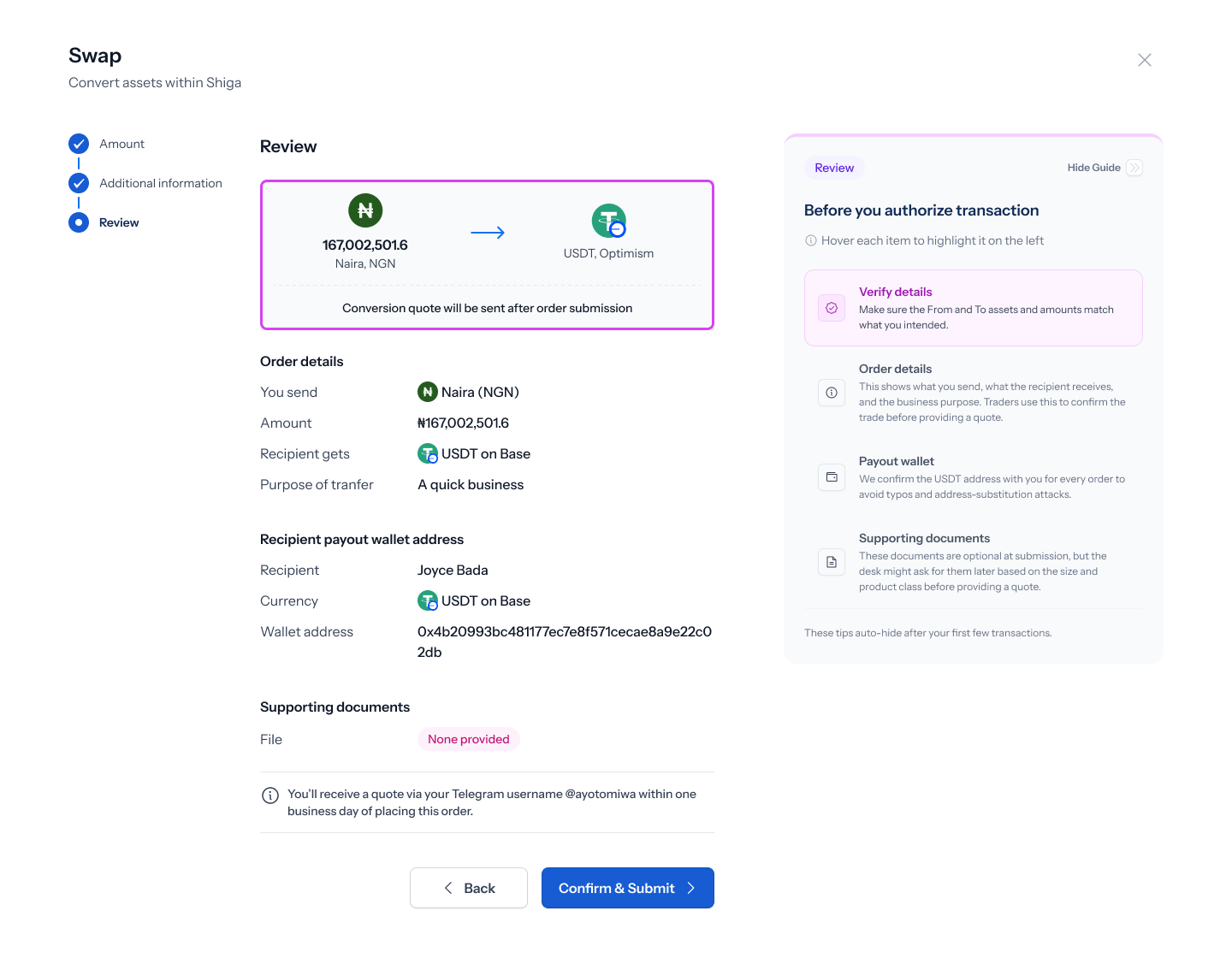
- Review step (badge “Review”): highlights order details, payout wallet, and supporting documents.
- Additional information step: highlights supporting documents and recipient notification options.