

This page is under Settings > Business > Team. See also: Members, Roles & Permissions, Invite a Member, Business Profile, Statements.
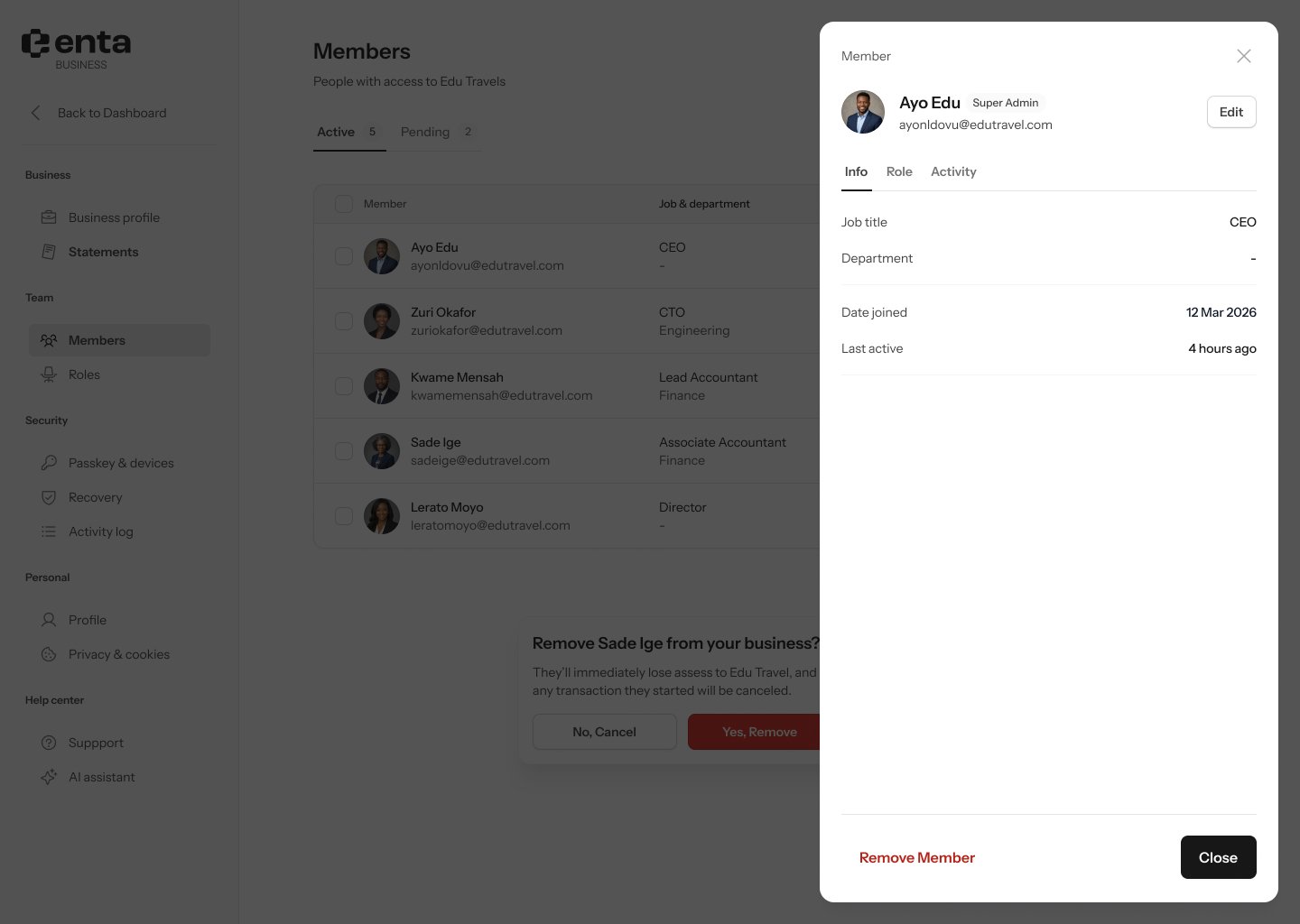
Info
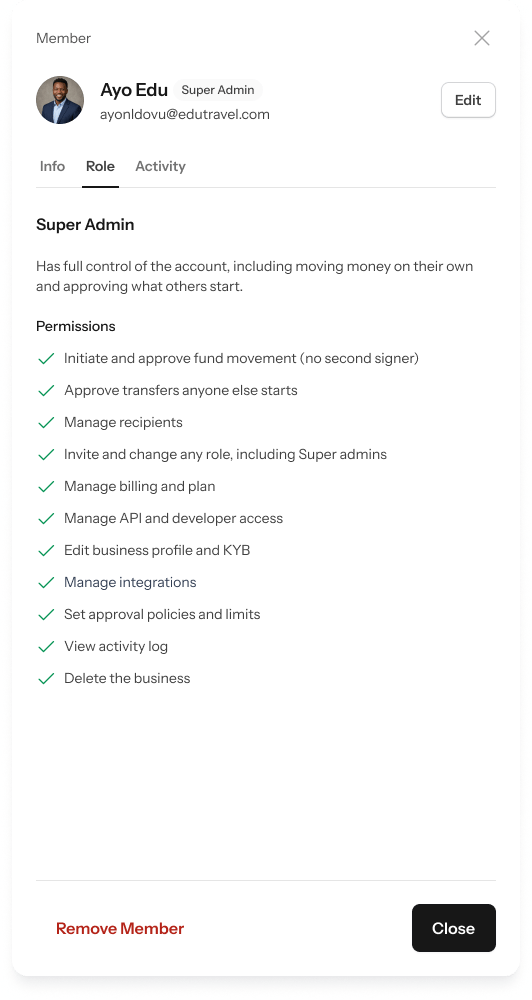
Role
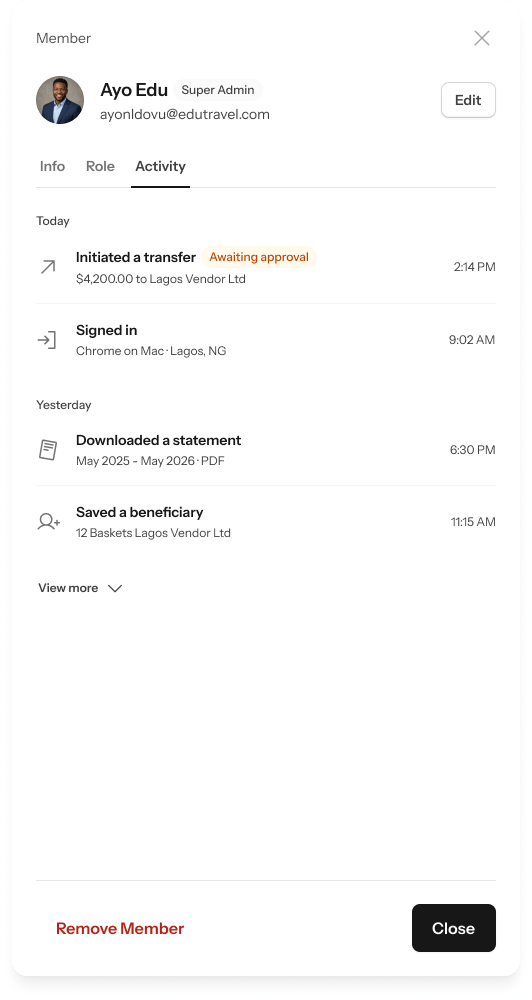
Activity
Editing a member
Click Edit from the Info tab to open the edit form: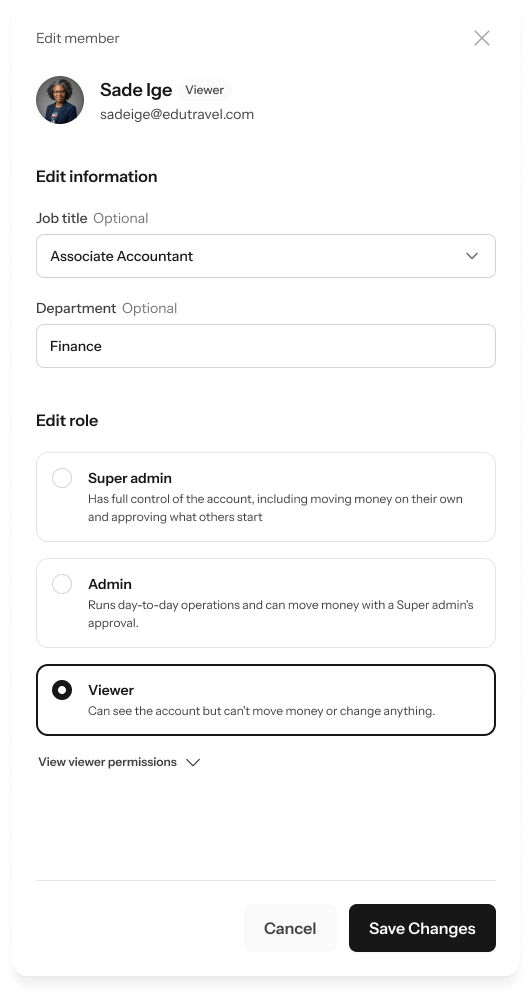
- Update their Job title or Department (both optional).
- Under Edit role, pick a different role if needed.
- Click Save Changes.