

This page is under Settings > Business > Team. See also: Roles & Permissions, Invite a Member, Manage a Member, Business Profile, Statements.
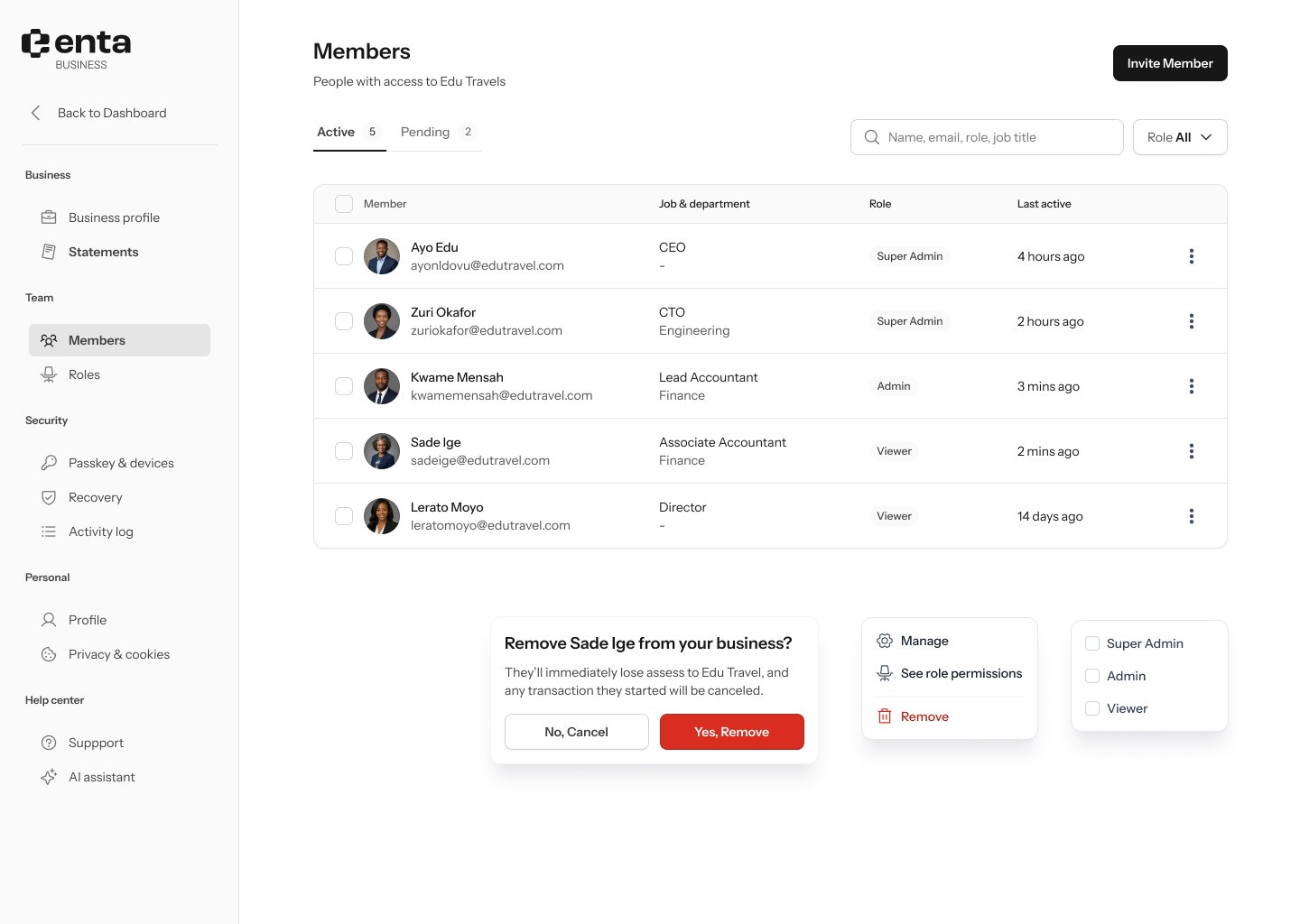
Active members
The Active tab lists everyone with access to your business:- Search by name, email, role, or job title.
- Filter by Role — Super Admin, Admin, or Viewer.
- Each row shows the member’s name and email, job title and department, role badge, and when they were last active.
- Manage — opens their full member details (see Manage a Member).
- See role permissions — jumps to their role’s permission list.
- Remove — removes them from the business.
Pending members
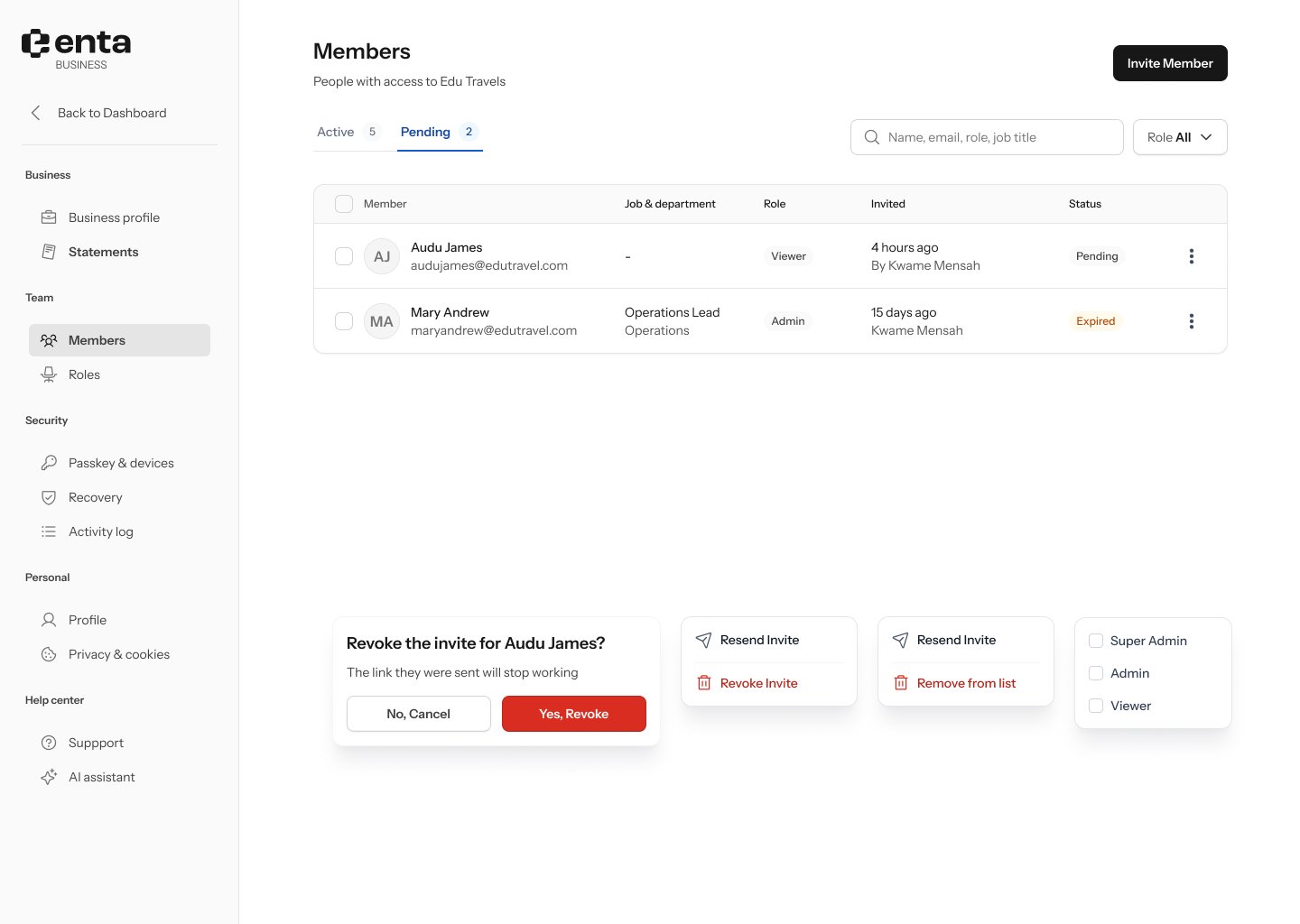
- On a Pending invite, the ••• menu offers Resend Invite or Revoke Invite.
- On an Expired invite, it offers Resend Invite or Remove from list.
Revoking an invite just disables the link that was sent — it doesn’t notify the invitee.