

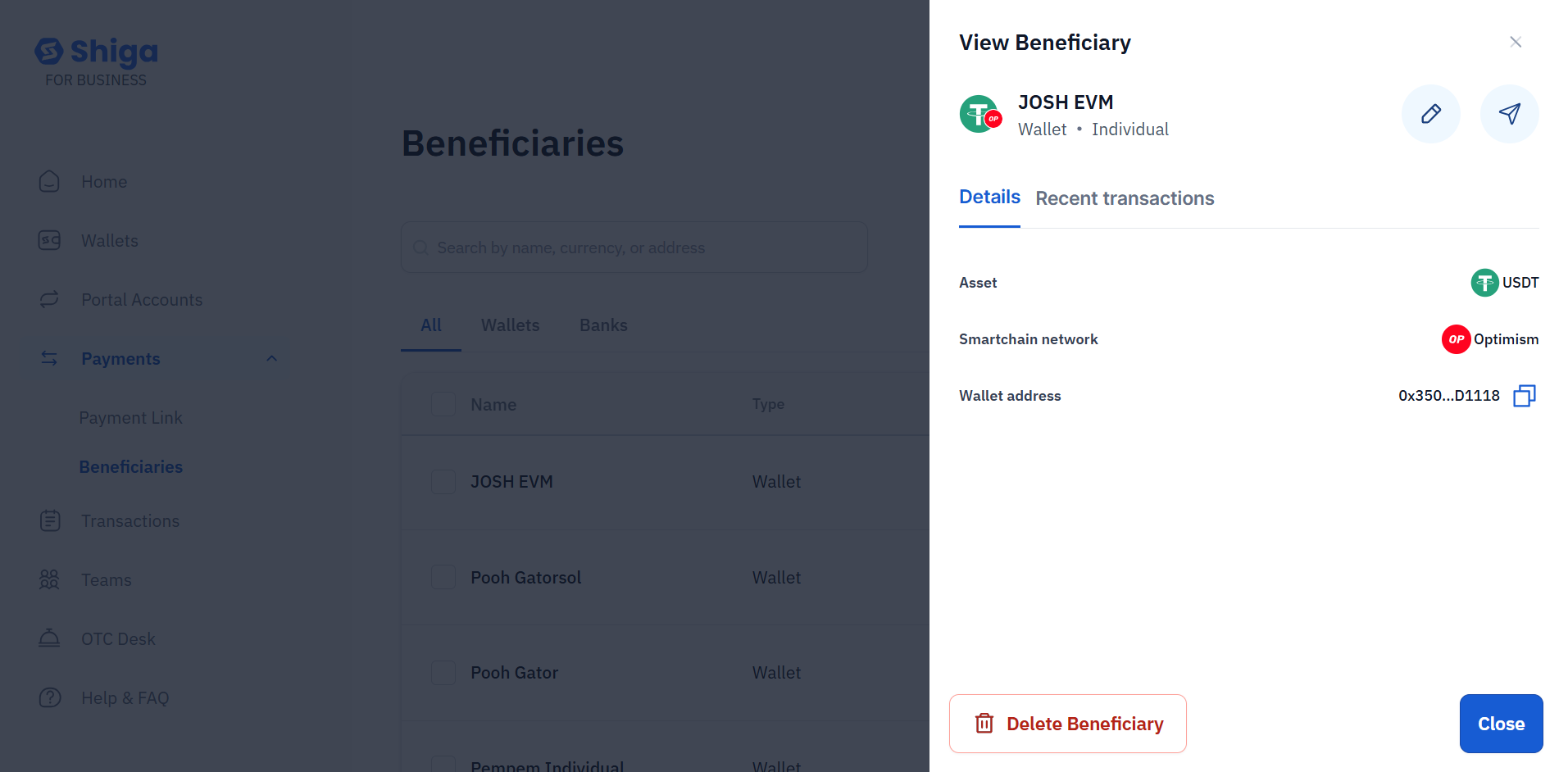
Sending to a Beneficiary
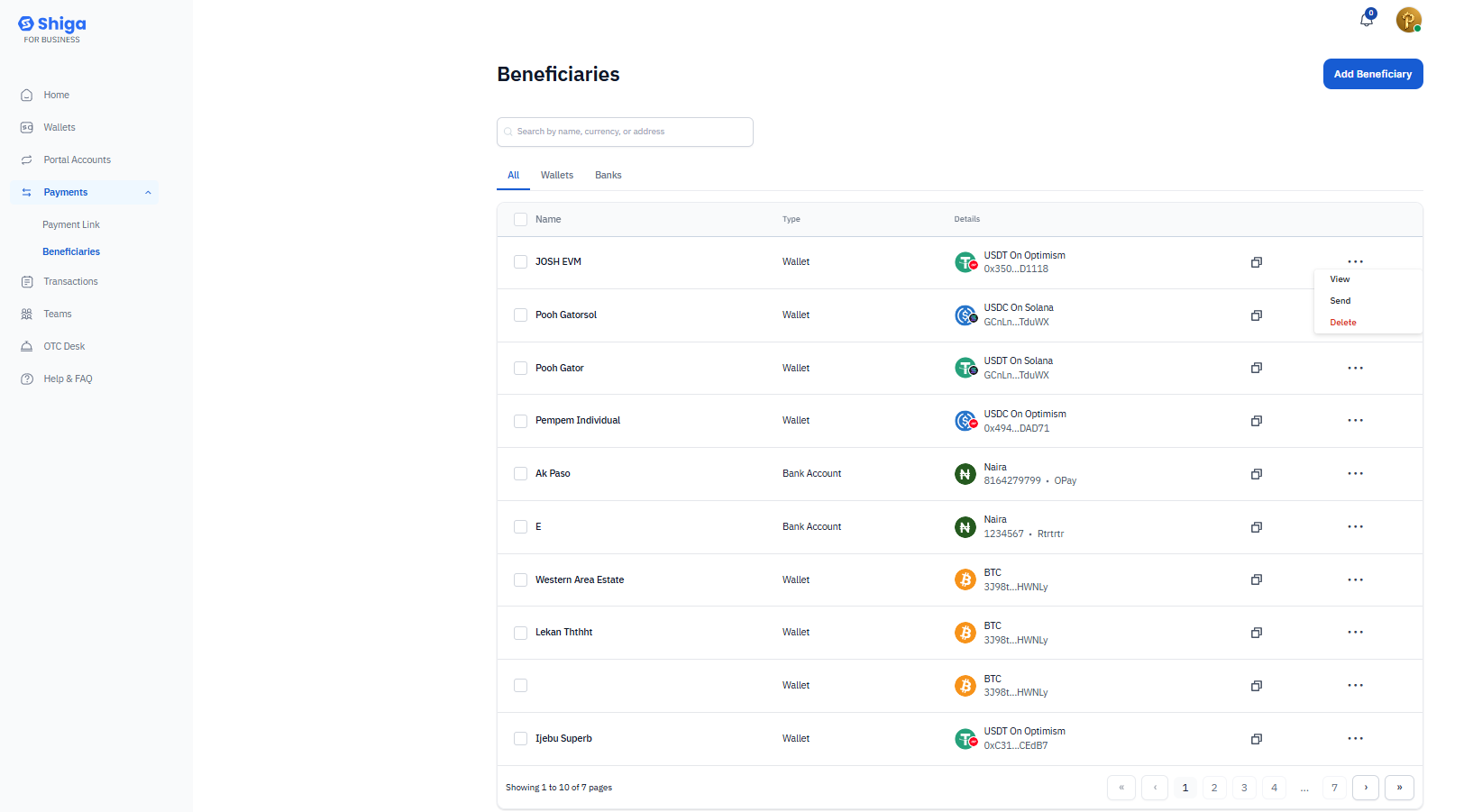
Method 1: From Beneficiary List
- Locate the beneficiary you want to send to.
- Click the copy icon next to their details to use their address.
-
Navigate to the Send section and paste the address.
Method 2: Direct Send from Details View
- Click the three dots (•••) menu next to the beneficiary.
- Select “Send” from the dropdown.
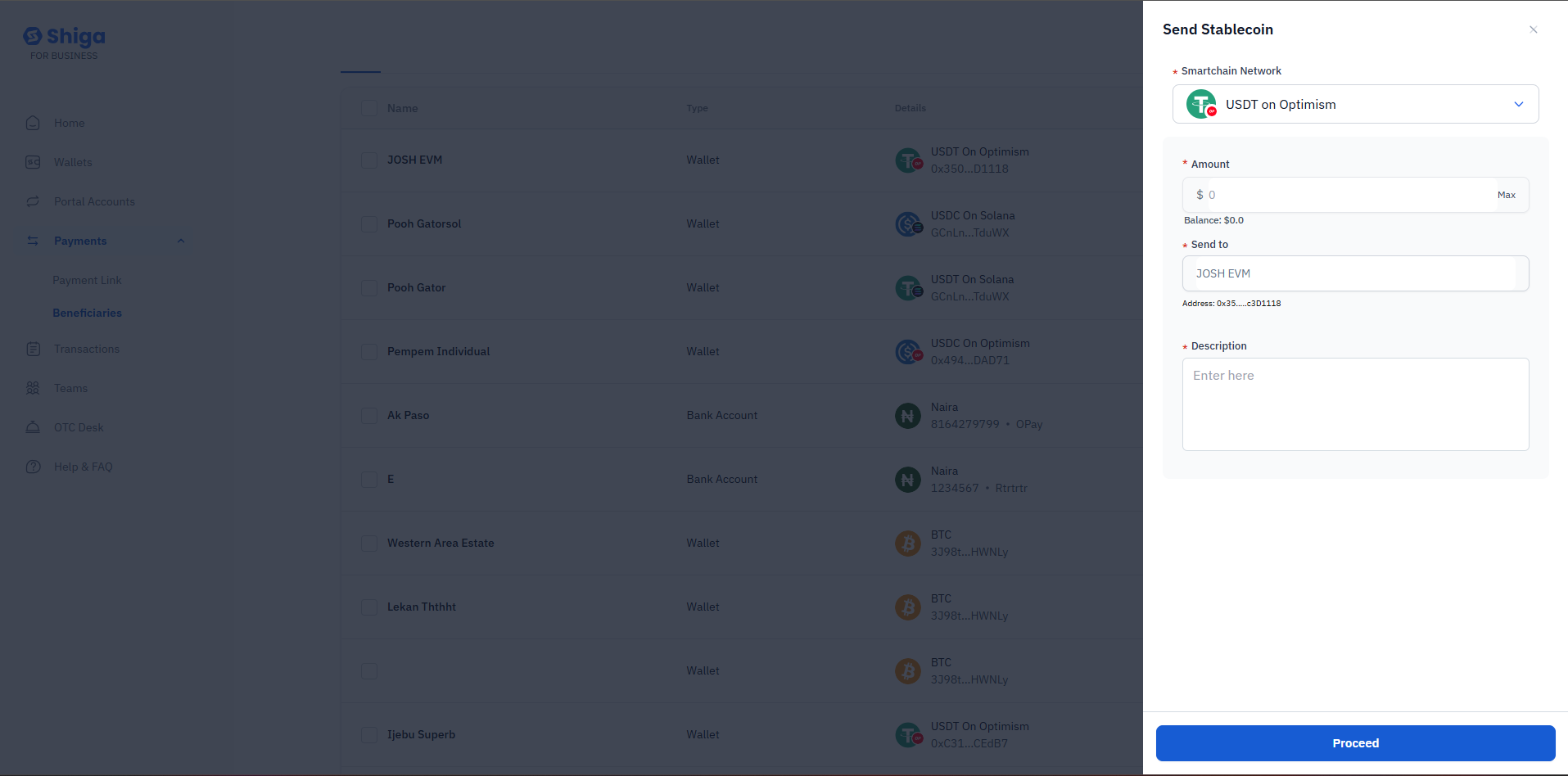
- The “Send Stablecoin” form will open with pre-filled information:
- Smartchain Network - Automatically selected (e.g., “USDT on Optimism”).
- Send to - Beneficiary name and address pre-filled (e.g., “JOSH EVM - Address: 0x35…c301118”).
- Amount - Enter the amount you want to send.
- Description - Optional transaction note.
- Review the details
- Click “Proceed” to complete the transaction.
Benefits of Sending to Saved Beneficiaries:
- No need to re-enter wallet addresses.
- Reduced risk of address errors.
- Faster transaction processing.
- Transaction history with that beneficiary.
Troubleshooting
Can’t find a beneficiary?- Use the search bar to search by name or address.
- Check if you’re on the correct tab (All/Wallets/Banks).
- Verify the beneficiary wasn’t accidentally deleted.
- Ensure the wallet address is valid for the selected network.
- Check that all required fields are completed.
- Verify you have a stable internet connection.
- Click the edit (pencil) icon in the details view.
- Update the necessary information.
- Save changes.
Click Here to read more** about sending stablecoins.**