Restore a Payment Link
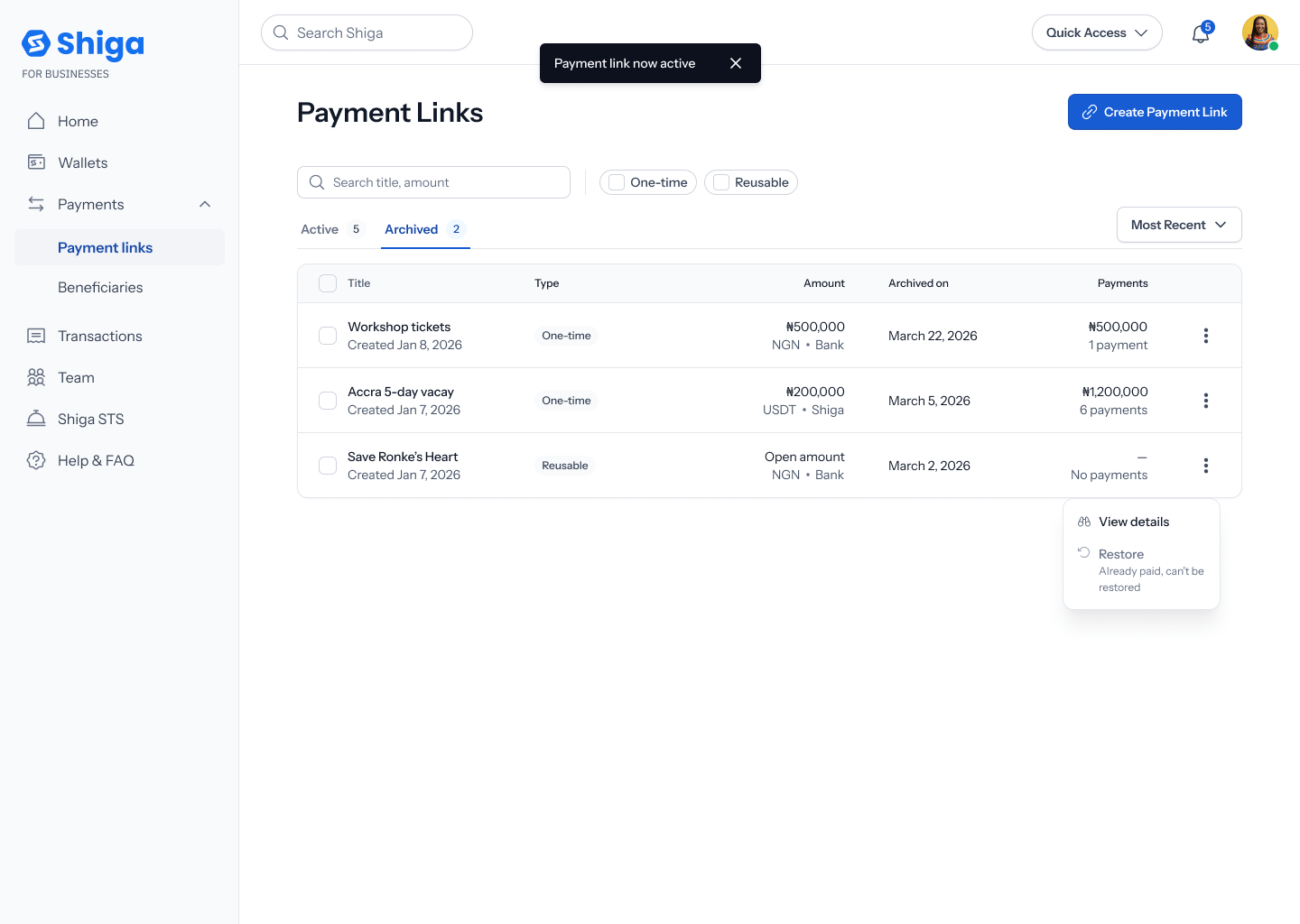
Restoring a payment link brings it back to Active, so it can accept payments again — as long as it’s eligible (see the note below on one-time links that have already been paid).This is a different guide from Create a One-Time Payment Link, Create a Reusable Payment Link, Payment Link Details, and Archive a Payment Link.
1. Open the Archived tab
From your Payment Links list, switch to the Archived tab to see every link you’ve archived, with the same columns as the Active tab plus an Archived on date.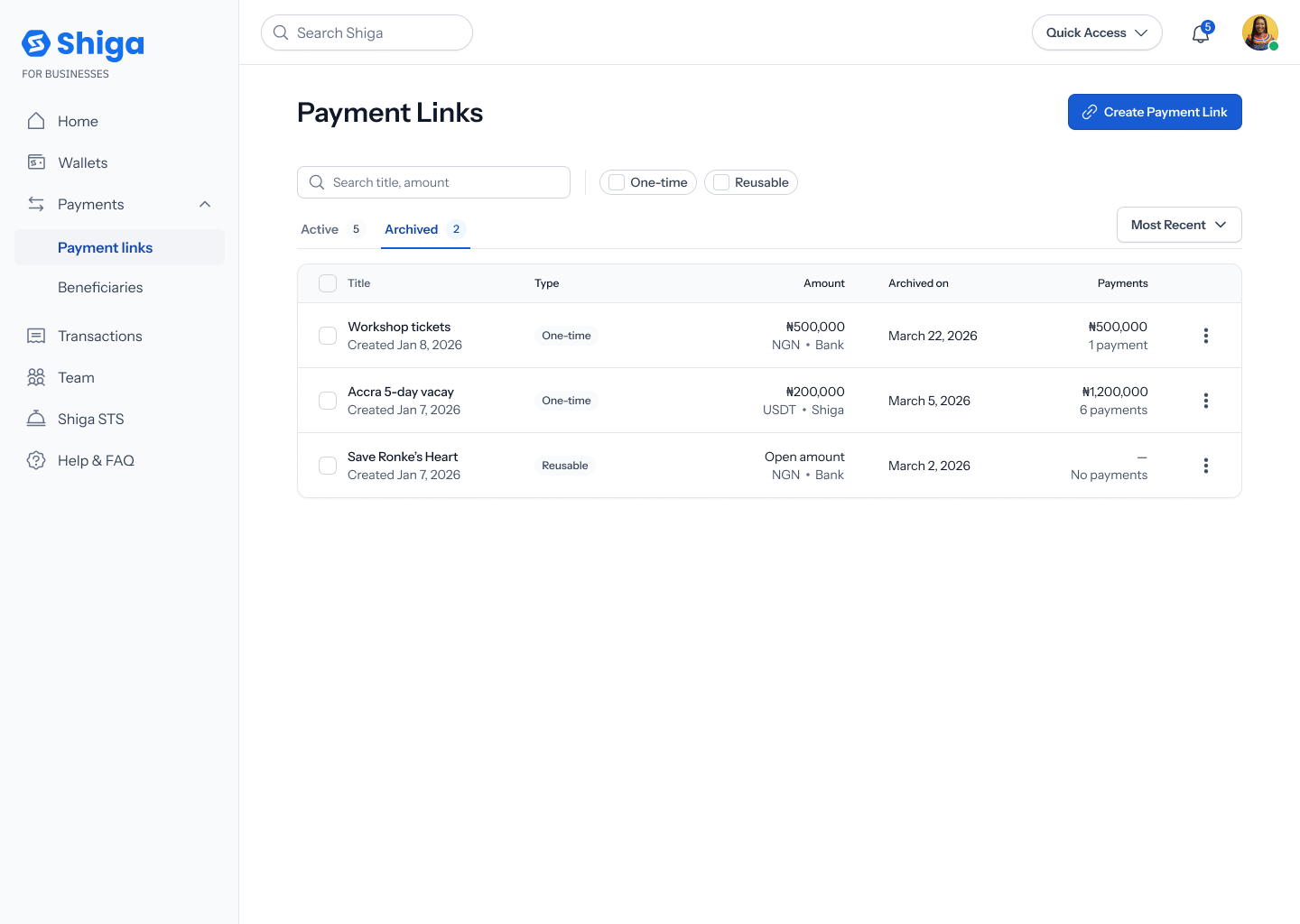
2. Open the link’s options menu
Tap a link’s ••• options menu. You’ll see View details and Restore.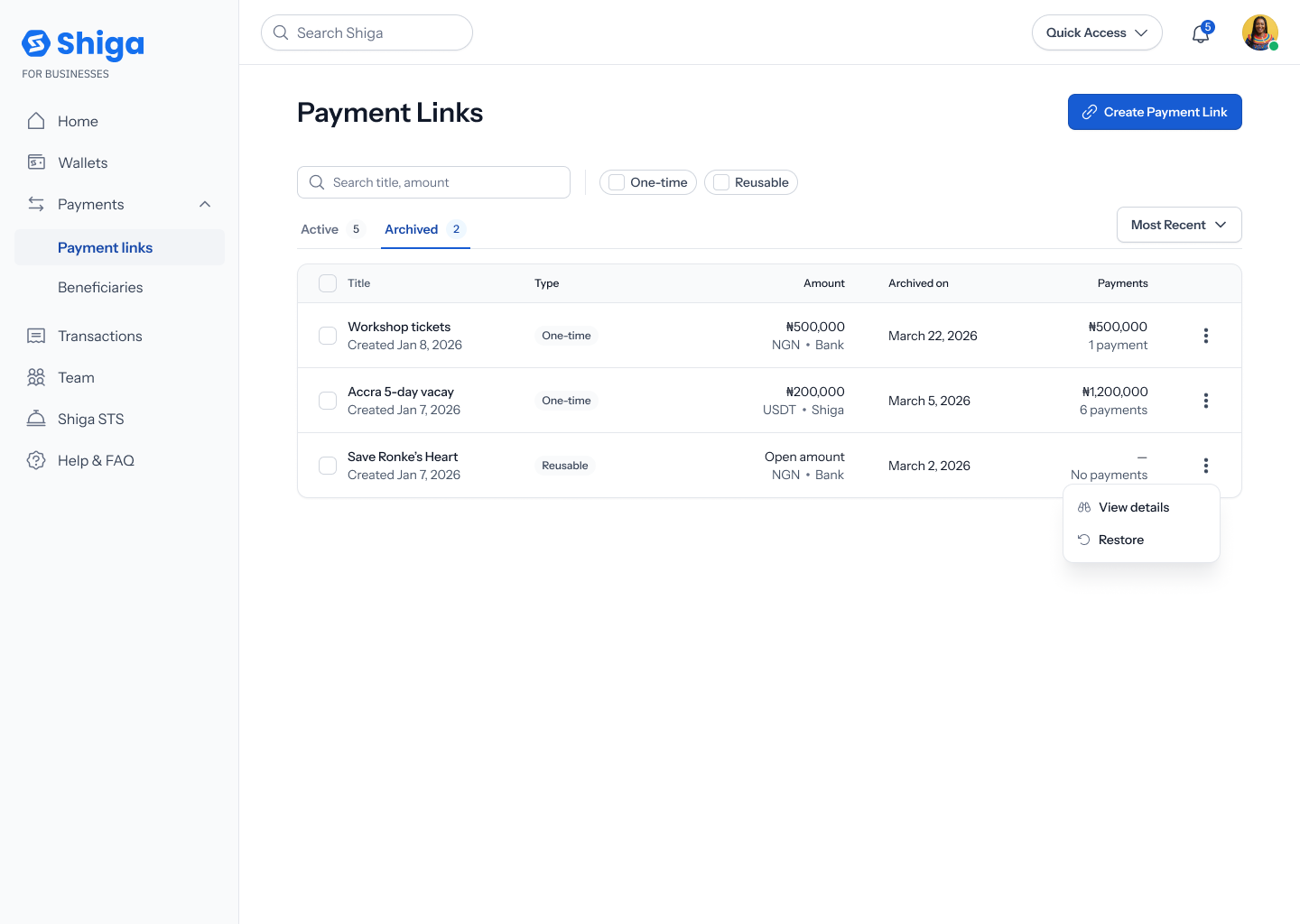
3. Restore it
Tap Restore. Unlike archiving, restoring from this menu doesn’t ask for confirmation — the link is restored immediately, a toast confirms “Payment link now active”, and it moves back to your Active tab.