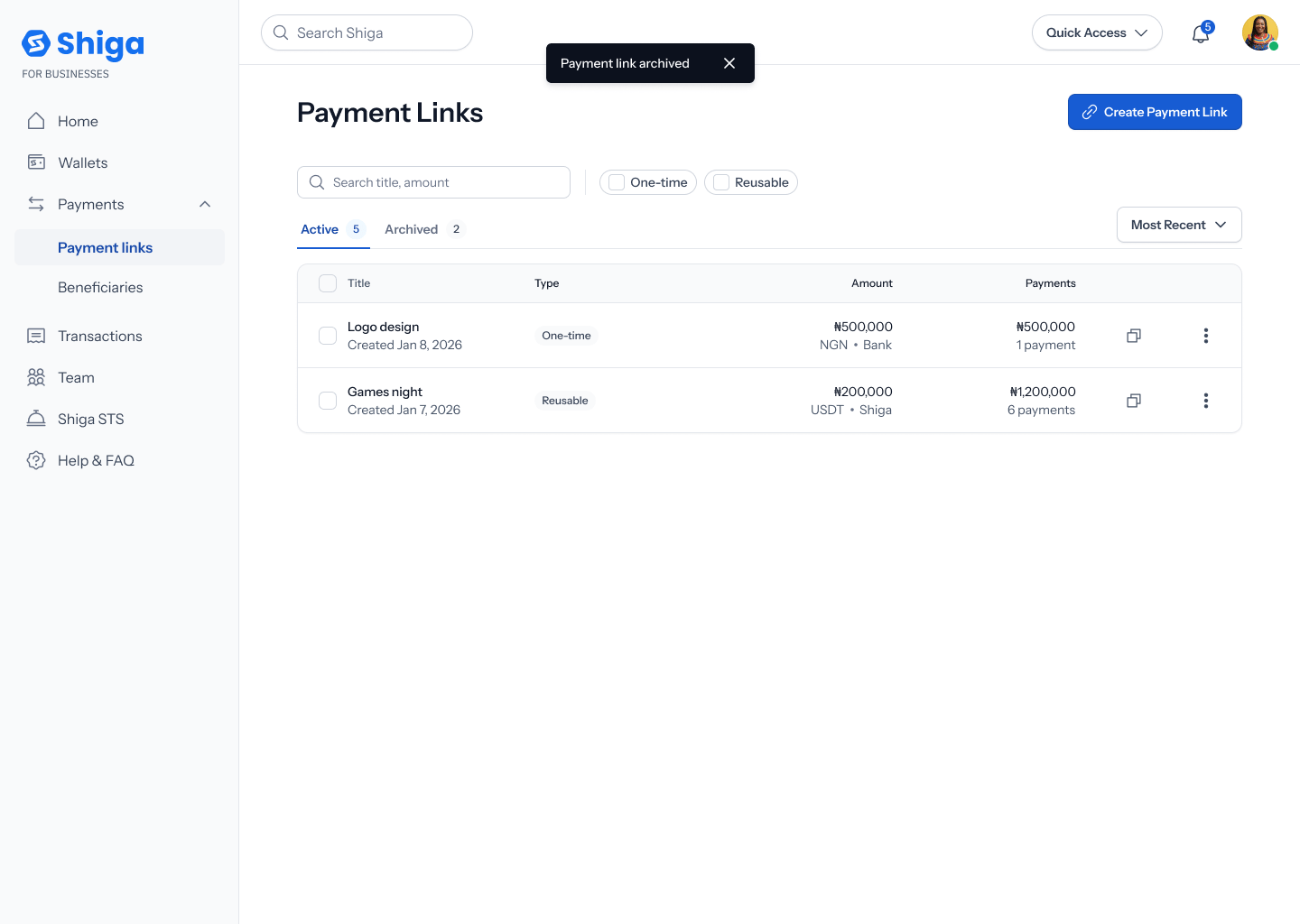
Archive a Payment Link
Archiving a payment link stops it from accepting any further payments, without deleting it — you can find it later under the Archived tab, and restore it if you change your mind.This is a different guide from Create a One-Time Payment Link, Create a Reusable Payment Link, Payment Link Details, and Restore a Payment Link.
1. Open the link’s options menu
From your Payment Links list (on the Active tab), find the link you want to archive and tap its ••• options menu. You’ll see two items: Copy link and Archive. Tap Archive.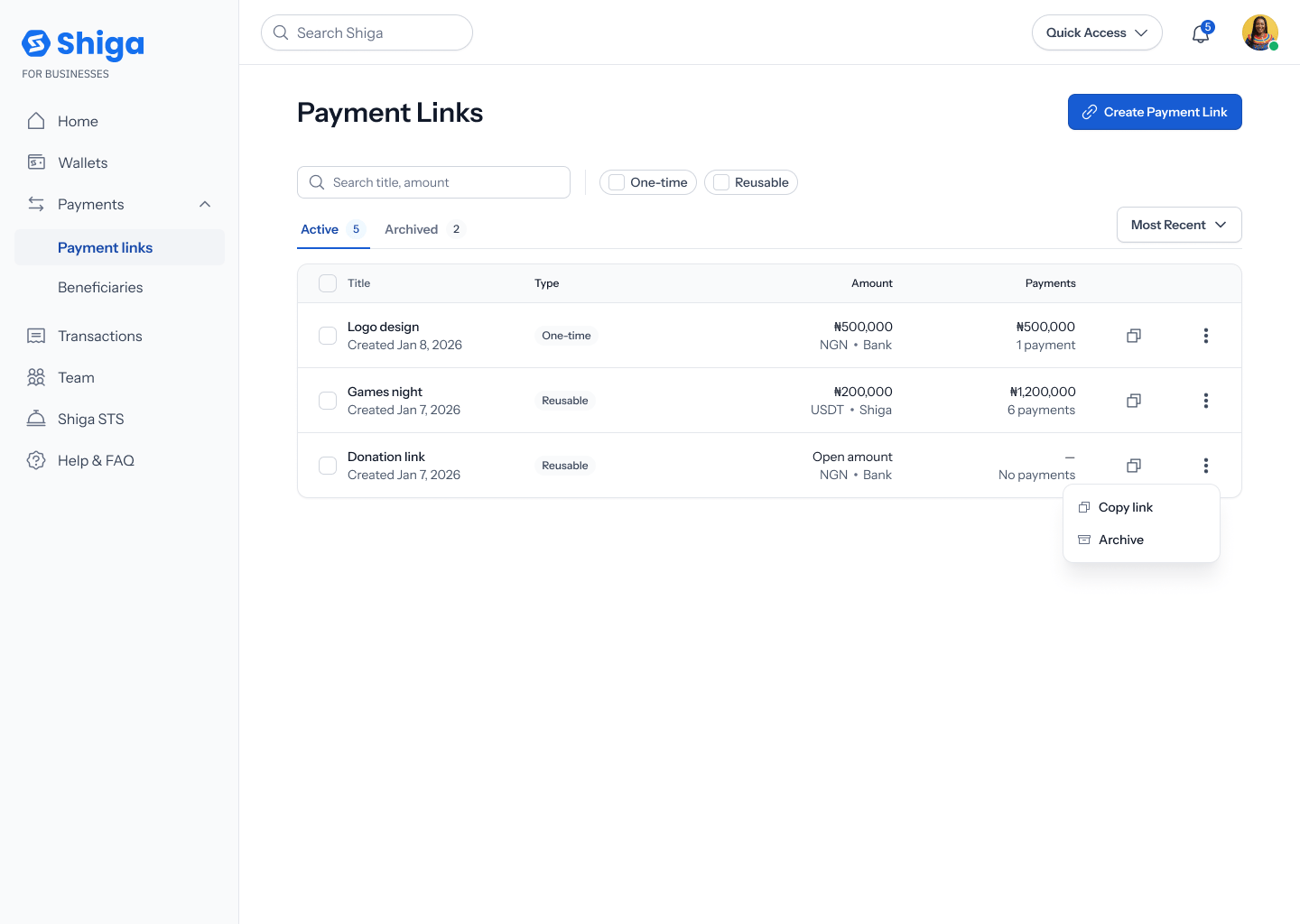
2. Confirm
A confirmation dialog asks “Archive this payment link?”. Tap Cancel to back out, or Archive link to confirm.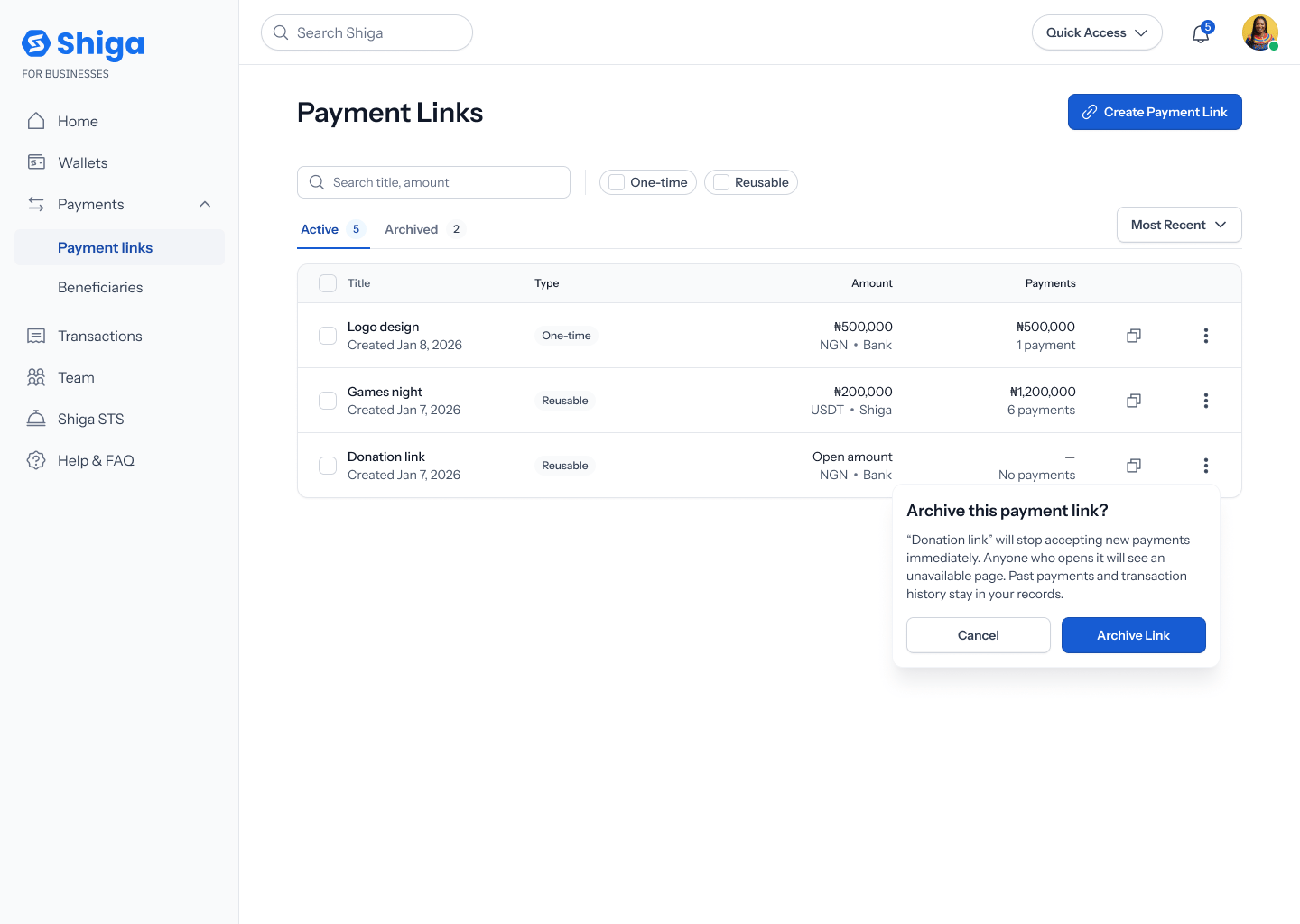
The exact button wording varies slightly depending on where you start: from the list menu it’s Cancel / Archive link; from a link’s own details view the same confirmation reads No, cancel / Yes, Archive. Both do the same thing — worth a copy pass to make them consistent.
3. The link moves to Archived
A toast confirms: “Payment link archived”. The link disappears from your Active tab and now appears under Archived, where it can no longer accept payments.